Building a Shared AI Development Workspace in 2026
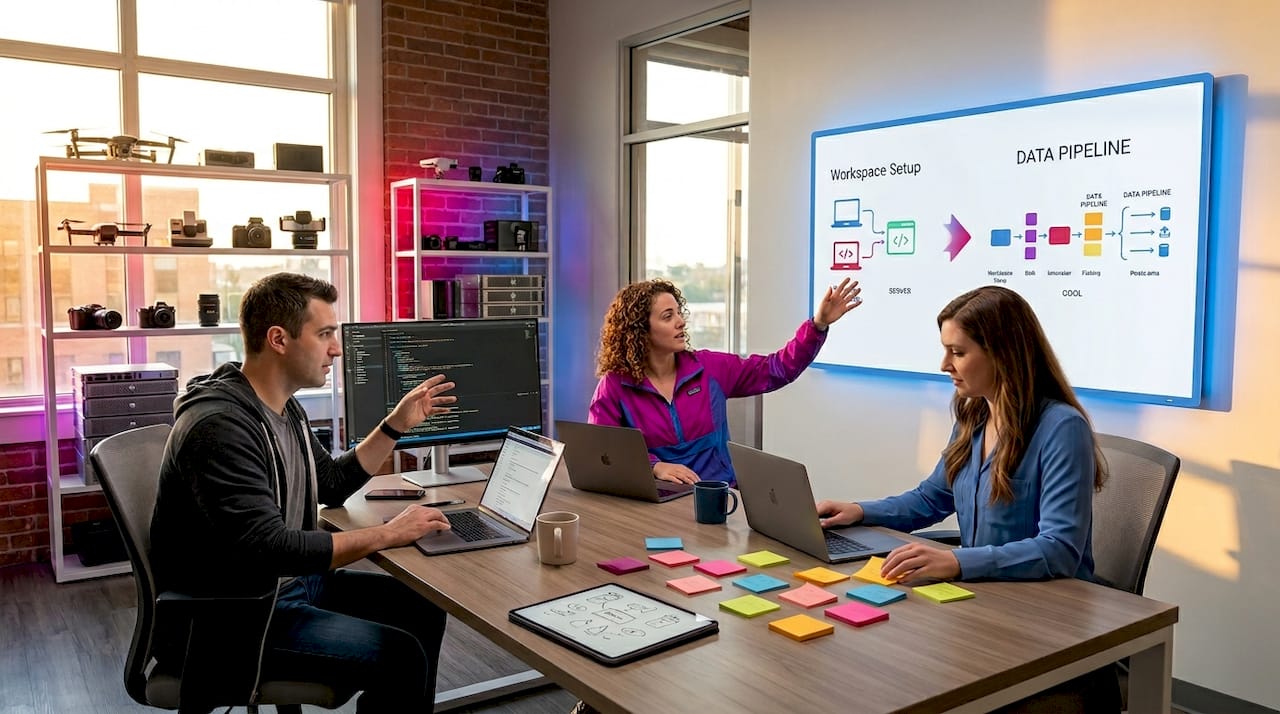
When AI teams work across fragmented tools, each engineer ends up with their own mental model of the project. Context drifts, permissions get inconsistent, and you spend more time synchronizing work than doing it. Building a shared AI development workspace, what practitioners increasingly call a collaborative AI environment, is how high-performing teams solve this. This guide walks you through prerequisites, setup steps, governance models, and the troubleshooting details most articles skip entirely.
Table of Contents
- Key takeaways
- Building a shared AI development workspace: prerequisites and planning
- Setting up a collaborative AI development environment
- Security and governance in shared AI workspaces
- Common pitfalls when building collaborative AI workspaces
- My perspective on shared AI workspaces
- How MLflow supports your shared AI workspace
- FAQ
Key takeaways
| Point | Details |
|---|---|
| Plan before you build | Audit team size, GPU requirements, and access control needs before selecting your platform infrastructure. |
| Version your context | Hierarchical, versioned context playbooks prevent silent productivity losses from context drift across agents. |
| Separate share and execute rights | Granting workspace access does not equal granting execution rights. Model both permissions independently. |
| Governance belongs at runtime | Prompt filtering alone is insufficient. Enforce policies at the agent execution layer for trustworthy collaboration. |
| Start with deny-by-default | Scoped credentials and approval gates for write tools reduce blast radius without blocking everyday work. |
Building a shared AI development workspace: prerequisites and planning
Before you write a single configuration file, you need clarity on three dimensions: your team's structure, your project's technical footprint, and your organization's compliance requirements. Skipping this phase is the most common reason shared AI environments become ungovernable within six months.
Start by mapping your collaboration profile. A team of five engineers working on a single LLM fine-tuning project has very different needs than a 30-person organization running multiple concurrent AI agents, each touching production APIs. For larger setups, think carefully about platform infrastructure: cloud-hosted containers with GPU passthrough support, or on-premise Kubernetes clusters with node affinity rules for GPU workloads. Both are viable. The choice depends on your latency requirements and data residency constraints.
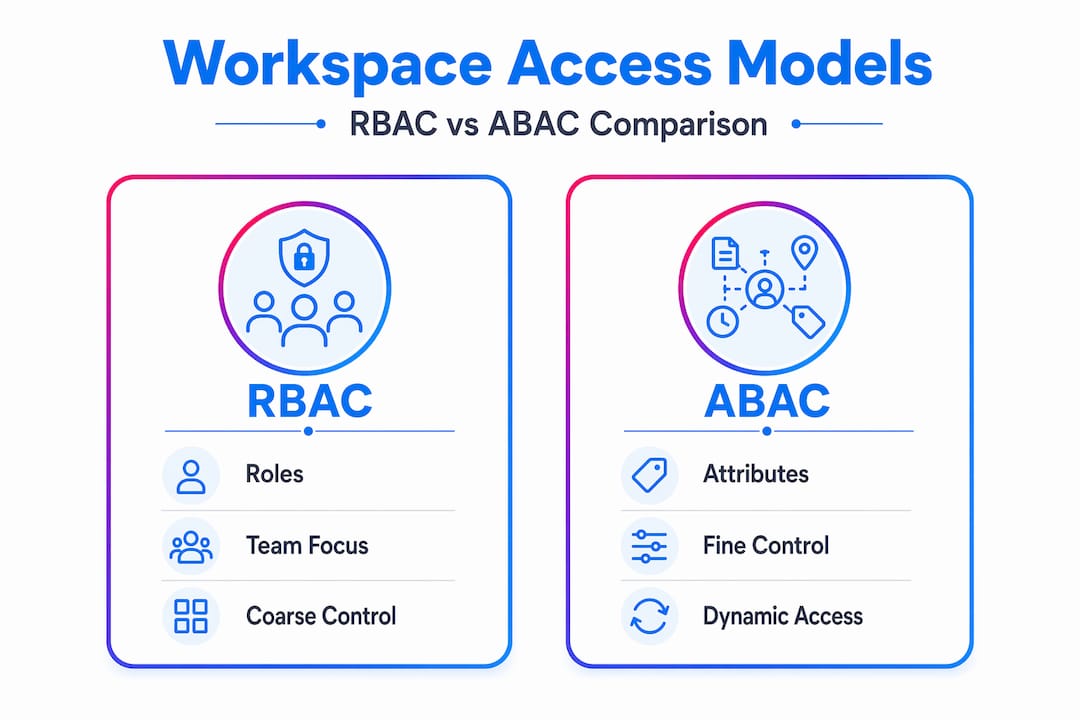
Access control deserves its own planning session. Two patterns dominate:
- Role-based access control (RBAC): Permissions are assigned to roles, roles are assigned to users. Good for stable team structures.
- Attribute-based access control (ABAC): Permissions derive from user attributes, environment context, or resource tags. Better for dynamic, multi-project environments.
For most AI teams, a hybrid model works best. RBAC handles the coarse-grained structure; ABAC handles the fine-grained exceptions like "data scientists can read model artifacts but only write to their own experiment namespace."
Plan for service accounts early. Using service accounts for workspace sharing is a governance best practice that prevents accidental or unauthorized sharing by individual users. A service account owns the workspace, and humans are granted access through it. This one structural decision eliminates an entire category of permission sprawl.
Pro Tip: Build a one-page "workspace charter" before setup. It should capture: who owns the workspace, what tools can write to production, which actions require human approval, and how context files are versioned. This document becomes your governance baseline.
Setting up a collaborative AI development environment
With your plan in hand, setup becomes a methodical process rather than an improvisational one. Here are the core steps we recommend for most AI development teams.
-
Create the workspace structure. Whether you use Coder, a cloud IDE platform, or a containerized JupyterHub deployment, define your directory layout with collaboration in mind. Separate "shared/context
,shared/tools, andshared/artifacts` from user-specific working directories. This makes it easy to identify what's team-owned versus individually owned at a glance. -
Configure sharing modes explicitly. Coder's workspace sharing supports three modes:
none,everyone, andservice_accounts. For most production AI teams,service_accountsis the correct choice. It restricts sharing to service-account-owned workspaces, closing the door on accidental user-level mis-sharing. -
Integrate real-time presence tools. Multi-user coding sessions need live awareness. Tools like Clopen use WebSocket-based presence awareness with git integration, so engineers can see who is working on which file in real time. This eliminates the "silent conflict" problem where two engineers modify the same model config and only discover the collision at merge time.
-
Implement versioned context playbooks. Hierarchical context scoping from global to module level, with automated distribution across agents and repositories, prevents context drift. Store your
CONTEXT.mdfiles in version control alongside your code. When an agent reads context, it pulls the versioned file, not someone's undocumented local assumption. -
Set up approval gates for sensitive actions. Workspace agents can gather shared context across systems and request approval before sensitive actions execute. Wire your write-capable tools through an approval queue from day one. This is far easier to implement at setup than to retrofit after an incident.
The table below shows how sharing modes map to team contexts:
| Sharing mode | Best for | Risk level |
|---|---|---|
none | Solo development, sandboxes | Low |
everyone | Internal demos, read-only tooling | Medium |
service_accounts | Production AI teams, multi-agent systems | Low |
Pro Tip: Use a context-version.json file at your workspace root to track context file versions across all agents. When an agent loads context, it logs the version it consumed. Mismatches surface immediately in your observability dashboard.
Security and governance in shared AI workspaces
Shared AI environments introduce a governance surface area that isolated development environments simply don't have. The good news is that the tooling has matured significantly, and you don't need to build policy enforcement from scratch.
Microsoft's agent-governance-toolkit enforces deterministic runtime policies for AI agents, covering tool calls, resource access, and inter-agent communication. It works alongside LangChain, AutoGen, the OpenAI Agents SDK, and more, with no vendor lock-in. For teams already using those frameworks, adding the governance toolkit is an additive layer, not a replacement.
The core governance principles we apply to every shared AI workspace:
- Split read and write permissions. Deny-by-default for write tools with approval gates as first-class controls is the standard recommendation. Read access flows freely; write access requires explicit justification.
- Model share rights and execution rights separately. Robust permission modeling must distinctly control both dimensions. A user can have workspace access without having execution rights over a specific agent. These are different permission axes and collapsing them creates serious security gaps.
- Check permissions at every delegation boundary. In sub-agent chains, each hop in the chain must validate permissions independently. Path- and command-scoped policies checked at every delegation boundary prevent privilege escalation through agent composition.
- Use short-lived scoped credentials. Capability tokens with expiry reduce blast radius. Never pass long-lived secrets through prompt payloads. If a tool needs credentials, inject them at runtime through a secrets manager, not through the prompt context.
"Runtime governance at the agent execution layer is what distinguishes a trustworthy collaborative AI workspace from one that just happens to have multiple users logged in."
Audit logs are non-negotiable. The agent-governance-toolkit includes audit logging and execution sandboxing out of the box. Pipe those logs to your SIEM or compliance platform so you have a complete record of which agent called which tool, when, and with what parameters. This matters both for debugging and for demonstrating compliance to auditors. You can also review AI model access control strategies that extend these principles to model serving and inference endpoints.
Common pitfalls when building collaborative AI workspaces
Even well-planned shared AI environments run into predictable problems. Here is what we see most often, and how to address each.
-
Context drift accumulates silently. When context files are not versioned and distributed automatically, individual agents or team members start operating with subtly different assumptions. Disciplined context engineering with version control and automated distribution is the fix. Treat context files like code: review them, version them, and distribute them on a schedule.
-
Permission complexity grows faster than documentation. Teams add new tools, new agents, and new users without updating their access matrix. Schedule a quarterly permission audit where you compare your intended access model against what's actually configured. The gap is usually surprising.
-
Real-time collaboration creates merge conflicts at the context layer. Two agents updating the same shared context file simultaneously is a concurrency problem. Use file locking, or better, design your context architecture so agents write to their own namespaced context files and a reconciliation process merges them on a defined schedule.
-
Governance slows down iteration. Teams that implement approval gates for every tool call end up with developers routing around the system. The solution is tiered approvals: auto-approve low-risk read operations, require human approval for writes to production systems, and apply time-boxed approvals for experiments. Governance that matches risk level gets followed. Governance that treats everything as high risk gets bypassed.
-
Workspace health monitoring is an afterthought. Once your shared AI workspace is running, you need visibility into agent execution traces, tool call latencies, and error rates. Without that visibility, you debug by intuition rather than evidence. MLflow's multi-agent observability capabilities give you exactly that instrumentation layer.
My perspective on shared AI workspaces
I've spent years watching teams build AI collaboration infrastructure, and the pattern I keep seeing is this: teams treat the workspace problem as purely technical and then wonder why the system falls apart when the team grows past ten people.

The governance decisions, the context playbook structure, who owns the approval queue, these are social contracts as much as they are technical configurations. I've seen beautifully architected shared AI environments become unusable because nobody agreed on who had authority to modify the shared context files. And I've seen scrappy setups on basic infrastructure work beautifully because the team had clear ownership norms.
My honest take: invest more time in your permission delegation model than you think you need to. Permission delegation gaps are the most common non-obvious failure mode I encounter. Teams model the happy path, where users request access and agents execute it, but miss the failure modes that appear in sub-agent chains and cross-workspace tool calls.
The teams that get this right share one habit. They treat the workspace charter as a living document, not a one-time setup artifact. They review it when they add a new agent, when they onboard a new engineer, and when something breaks. That discipline is what separates workspaces that scale from workspaces that eventually get abandoned and rebuilt from scratch.
— Kevin
How MLflow supports your shared AI workspace
MLflow was built for exactly the kind of multi-agent, multi-user AI environment we've described throughout this article. If you are moving from isolated experiments to a production-grade collaborative AI workspace, MLflow's platform accelerates the most friction-heavy parts of that transition.
With MLflow, teams get deep agent and LLM tracing that surfaces execution paths across your entire agent graph, not just individual model calls. The AI Gateway handles secure prompt routing and cross-provider governance, so your shared workspace has a single control point for LLM access rather than scattered API keys. For teams working on prompt management and context engineering, MLflow's prompt engineering toolkit provides versioned prompt templates with collaborative editing support.
MLflow integrates with the major AI frameworks your team is already using, and its open-source foundation means you are not trading governance control for vendor convenience. Explore the MLflow platform to see how it maps to your current stack.
FAQ
What is a shared AI development workspace?
A shared AI development workspace is a centralized environment where multiple engineers and AI agents collaborate on the same project, sharing context, tools, and permissions through a governed infrastructure. It replaces fragmented local setups with a single, auditable collaboration layer.
How do you prevent context drift in a collaborative AI workspace?
Use versioned, hierarchical context playbooks stored in version control and distributed automatically to all agents and tools. Treat context files like code: review changes, track versions, and distribute on a defined schedule to keep all agents operating from the same assumptions.
What is the safest workspace sharing mode for AI teams?
For production AI teams, the service_accounts sharing mode is the safest option. It restricts workspace access to service-account-owned workspaces, preventing individual users from inadvertently sharing access outside their intended scope.
Why should share rights and execution rights be modeled separately?
Because workspace access and the ability to execute a specific agent or tool are fundamentally different permissions. Collapsing them means anyone with workspace access can trigger any agent in it. Modeling them separately lets you grant broad visibility while restricting who can actually run write-capable or production-connected tools.
What tools support governance in shared AI environments?
Microsoft's agent-governance-toolkit provides runtime policy enforcement, audit logging, and execution sandboxing with no vendor lock-in. It works alongside major frameworks including LangChain, AutoGen, and the OpenAI Agents SDK.