Sandboxing AI Agents: 3 Essential Production Controls for Engineers
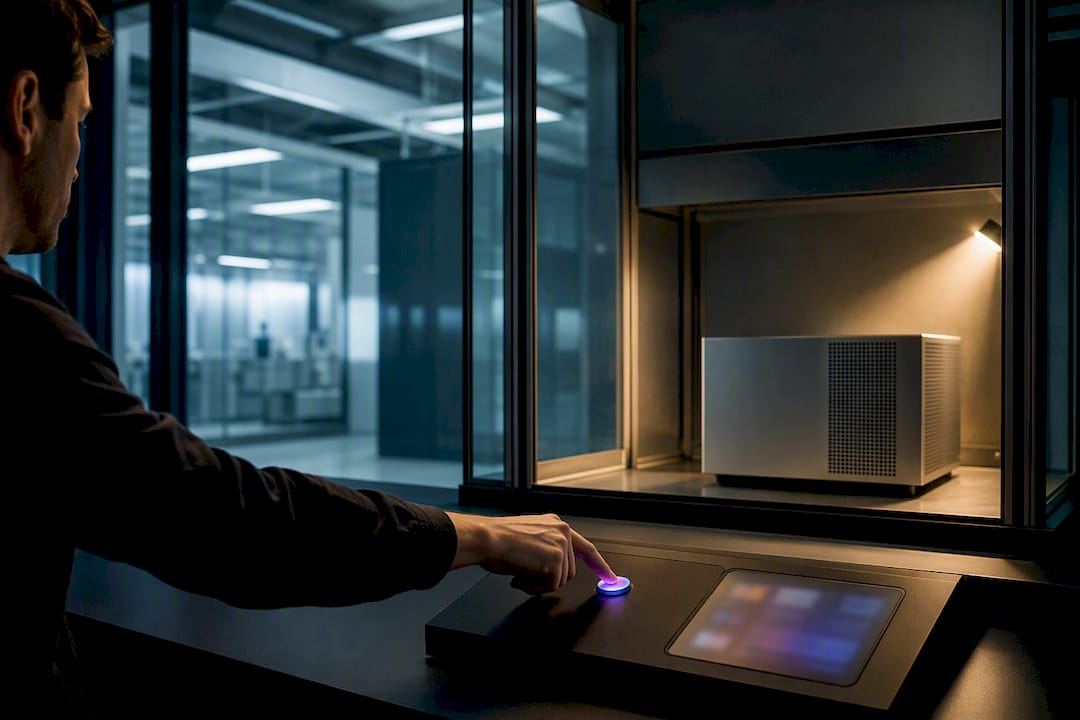
For production agent workloads, the default should be microVMs or hardened container runtimes paired with a credential proxy and a manifest and capabilities contract that separates the control plane from compute. Local Unix sandboxes are fine for development iteration, and container warm pools work when cost matters more than airtight isolation. Whatever model you pick, expect three controls as non-negotiable: egress filtering at the application layer, inject-only credentials, and tamper-evident audit logs.
TL;DR:
- MicroVMs are ideal for high-security workloads where agents write and execute their own code, offering strong isolation with manageable latency.
- Using credential proxies and strict egress filtering prevents secrets from leaking and restricts network access, minimizing exfiltration risks.
- Snapshots and warm pools are essential for reducing latency in interactive environments, but require strict tenant isolation and resource quotas.
- Local Unix sandboxes are only suitable for development; production setups benefit from Docker containers or microVMs based on trust levels and operational complexity.
- MLflow complements sandboxing by providing observability, tracing, and scoring tools to ensure agent decisions are transparent and auditable.
Table of Contents
- What Is an Agent Sandbox, and Why Does It Need a Contract?
- Which Isolation Model Actually Fits Your Agent Workload?
- How Do You Design a Sandboxed Agent Run Loop?
- How Do You Keep Credentials and Network Egress Locked Down?
- How Do Warm Pools and Snapshots Change Sandbox Economics?
- Where Should You Actually Run Your Sandboxes?
- How Does MLflow Fit Into a Sandboxed Agent Stack?
- What I'd Actually Build First
- See MLflow's Observability and Governance Tools for Sandboxed Agents
- Sources
What Is an Agent Sandbox, and Why Does It Need a Contract?
An agent sandbox is an isolated execution environment where an autonomous agent can run code, install packages, browse a file system, and call tools without touching your production hosts, your secrets, or your control plane logic. You need one the moment an agent writes and executes its own code, rather than just calling a fixed set of pre-approved functions. Once an agent can generate arbitrary shell commands or Python, you've handed it a general-purpose computer, and general-purpose computers need boundaries.
The architectural principle that matters most here is the split between the harness and the compute. The harness is your control plane: the orchestration logic, the credentials, the decision about which tool calls are permitted. The compute is the sandbox itself, the disposable environment where the agent's actual code runs. Keep those two things on opposite sides of a hard boundary, and a compromised or simply buggy agent can't reach your secrets, your database, or your other tenants' workspaces. Collapse them into the same process, and you've built a system where one bad tool call becomes a full breach.
This separation is formalized through a few recurring primitives, documented well in OpenAI's approach to sandbox agents:
- Manifest: a declaration of what the sandbox starts with, including files, mounts, environment variables, and allowed binaries.
- Capabilities: the explicit permission set, such as network access, filesystem write access, or the ability to spawn child processes.
- Sandbox session: the live, running instance of the environment, identified by a session ID you can trace end to end.
- Snapshot: a serialized capture of a session's filesystem and process state, used to pause, resume, or clone a run.
- RunState: the agent's execution state across turns, distinct from the sandbox's filesystem state, and often persisted separately.
A useful nuance: manifests describe how a fresh session starts, but a live session can also be resumed from a snapshot instead of being rebuilt from the manifest every time. That distinction shapes a lot of the workflow design covered later in this guide.
Not every agent needs this machinery. If your agent is calling a small number of vetted APIs through fixed function signatures, a hosted shell tool with basic timeout and resource limits is often sufficient. Full sandbox architecture earns its complexity when the agent writes its own code, needs persistent state across turns, or touches anything resembling a customer environment.
Which Isolation Model Actually Fits Your Agent Workload?
Every isolation model trades security for speed somewhere, and the mistake most teams make is picking one model for every workload instead of matching the model to the risk.
Process sandboxing (chroot jails, seccomp filters, Linux namespaces without full containerization) is the lightest option. Startup latency sits in the low milliseconds, and ops complexity is minimal since you're not managing an image registry or a hypervisor. The isolation guarantee is weak, though: process sandboxes share a kernel with the host, so a kernel bug or a misconfigured syscall filter can leak through. This model supports fast, throwaway code execution for trusted agent tasks, but it's a poor fit for anything running untrusted or LLM-generated code with filesystem or network access.
Containers (standard Docker or OCI runtimes) raise the isolation bar slightly through cgroups and namespaces, and they're the most familiar tool for most engineering teams. Startup latency is typically under a second once the image is cached. The catch is that containers still share the host kernel, so container escapes are a real and recurring category of vulnerability, not a theoretical one. Containers support package installation, port exposure, and interactive code execution well, which makes them the workhorse for CI pipelines and fast iteration. They're a weaker choice for high-assurance production runs handling sensitive data or untrusted third-party code.
gVisor and Kata Containers sit between containers and full virtualization. gVisor intercepts syscalls in a userspace kernel, and Kata wraps containers in lightweight VMs. Both add meaningful isolation over standard containers, at the cost of some syscall-heavy workload performance and added operational surface (you're now running and patching an extra runtime layer). They're a solid middle ground for multi-tenant CI systems where you need better containment than Docker alone but can't justify a full microVM fleet.
MicroVMs (Firecracker-style runtimes) provide hardware-level isolation through a hypervisor boundary while keeping overhead far below a traditional VM. Startup latency runs in the hundreds of milliseconds, especially with pre-warmed pools. The tradeoffs between containers, microVMs, and runtimes for agent workloads show that microVMs let you safely enable permissive execution modes, sometimes called "YOLO mode," where the agent installs packages or spawns child processes freely, because the kernel-enforced boundary contains the blast radius even if the agent does something reckless. Ops complexity is real: you're managing a hypervisor, image snapshots, and networking policy. This is the model for high-assurance production agents that write and run their own code against real user data.
Serverless execution (function-as-a-service platforms) offloads isolation to the provider and scales to zero, which is attractive for bursty agent traffic. You lose fine-grained control over the isolation boundary itself, and cold-start latency can spike unpredictably under load, which hurts interactive agent workflows that need sub-second turnaround. It fits well for stateless, short-lived agent tasks and poorly for anything needing persistent workspace state across a session.
Across every model except microVMs, the recurring attack vector is the shared kernel. A representative case is CVE-2024-21626, a container runtime vulnerability that allowed a container escape through a file descriptor leak, a reminder that patch cadence matters as much as the isolation model you chose on paper.
How Do You Design a Sandboxed Agent Run Loop?
A production-grade sandbox workflow follows a consistent loop regardless of which isolation model backs it. Here's the pattern engineers should implement, adapted from the manifest and session model in OpenAI's sandbox agent documentation:
- Define the manifest. Specify starting files, read-only mounts, environment variables, and the binaries the agent is allowed to touch. Keep the manifest minimal. Deep guidance on sandbox design recommends including only what a task genuinely needs and avoiding host secrets in any mount, ephemeral or otherwise.
- Instantiate the sandbox agent. Pair the manifest with a capabilities set (network on or off, write access scope, process spawning limits) and a
SandboxRunConfigthat sets resource limits and timeouts. - Open a sandbox client session. This is where the harness and compute boundary gets enforced. The client talks to the sandbox over a defined interface, never granting the agent direct access to host credentials.
- Run the task. The agent executes inside the session, and every tool call it makes gets brokered through the host-side policy layer rather than executed with ambient permissions.
- Inspect, snapshot, or resume. After the run, decide whether to snapshot the session for later resumption, tear it down entirely, or keep it warm for a follow-up turn.
For agents that hand off subtasks to other agents, treat the sub-agent as a tool call that spawns its own child sandbox with its own capabilities set, rather than letting it inherit the parent's permissions. This nested pattern keeps a compromised or overreaching sub-agent from escalating into the parent's broader access.
Manifest defaults worth standardizing across common tasks:
- Coding tasks: read-write access to a scoped workspace directory, no network by default, package installation allowed through a proxied registry mirror.
- File processing: read-only mounts for input files, a separate ephemeral write directory for output, no network access at all.
- Preview servers: network access scoped to a single outbound proxy, one exposed port, and a hard session timeout so forgotten preview instances don't linger.
Before you call a workflow production-ready, run through a short session lifecycle checklist: confirm snapshots capture filesystem state without capturing credentials, confirm RunState persistence doesn't leak into the wrong tenant's session, and confirm every session has an expiration policy so idle sandboxes don't quietly accumulate cost or attack surface.
How Do You Keep Credentials and Network Egress Locked Down?
The single most common mistake teams make when sandboxing AI agents is putting real secrets inside the guest environment. If the agent's filesystem or environment variables ever contain a live API key, you've already lost the isolation benefit, because any code execution inside that sandbox can read and exfiltrate the key.
The fix is a credential proxy that injects tokens only at the moment of an approved request, scoped to specific domains and HTTP methods, and never written to disk inside the sandbox. This pattern, detailed in abox's least-privilege execution model, works by having the agent send requests to a host-side broker that recognizes an allowed destination, attaches the real credential on the way out, and strips it before any response or error reaches the guest. The sandbox itself only ever sees placeholder tokens.
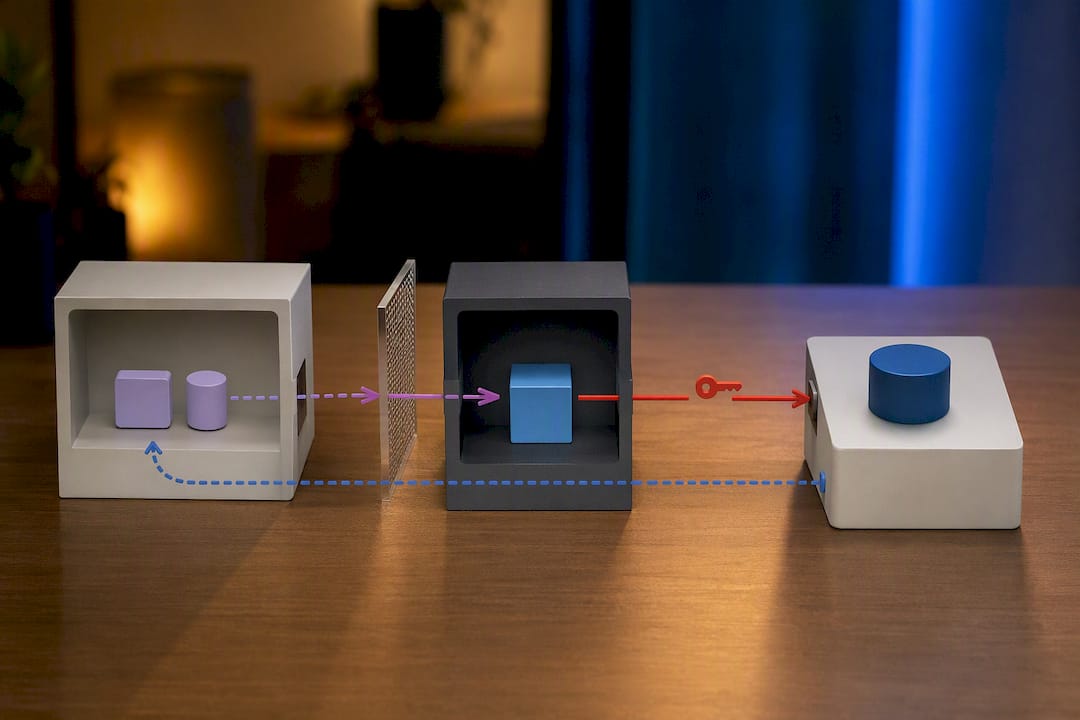
Layer that with L7 egress filtering: deny all outbound network access by default, then allowlist specific domains and methods per task. A sandbox that can reach any host on the internet is a sandbox that can exfiltrate data to any host on the internet, so default-deny has to be the starting posture, not an afterthought layered in later.
For tool delegation, apply the same least-privilege logic per tool rather than per agent. Designs like nono's child-sandbox isolation run each delegated tool in its own child sandbox with a distinct policy, so a file-reading tool can't suddenly make network calls just because it's invoked by an agent that also has network permissions elsewhere in its toolchain.
Common mistakes worth naming directly:
- Mounting a
.envfile with real production credentials into the sandbox workspace. - Using broad
--allow-allor equivalent flags during development and forgetting to scope them down before production. - Logging full request bodies that include injected credentials, defeating the point of the proxy.
- Trusting sandbox-side logs for audit purposes, when they can be tampered with by anything running inside the sandbox.
That last point deserves its own emphasis: audit logs need to live on the host, not the guest. Practitioner guidance on credential handling reinforces that ephemeral, injected secrets with tight scope are the baseline expectation now, not an advanced feature. Correlate host-side proxy logs with sandbox session IDs and RunState using an HMAC-keyed audit chain, a pattern abox implements specifically so a compromised guest can't rewrite its own history.
Pro Tip: Test your egress policy by deliberately trying to reach a disallowed domain from inside the sandbox during staging. If the request succeeds, you've found a policy gap before an agent finds it for you.
How Do Warm Pools and Snapshots Change Sandbox Economics?
Sandboxes that take ten seconds to provision are fine for CI. They're unusable for an interactive agent a user is waiting on. Warm pools, pre-provisioned sandboxes kept ready and reset between uses, close that gap. Combined with snapshots, they turn secure isolation from a slow developer convenience into a platform feature fast enough for real-time agent interaction, a shift documented well in the warm-pool and snapshot patterns behind Agent-Sandbox.
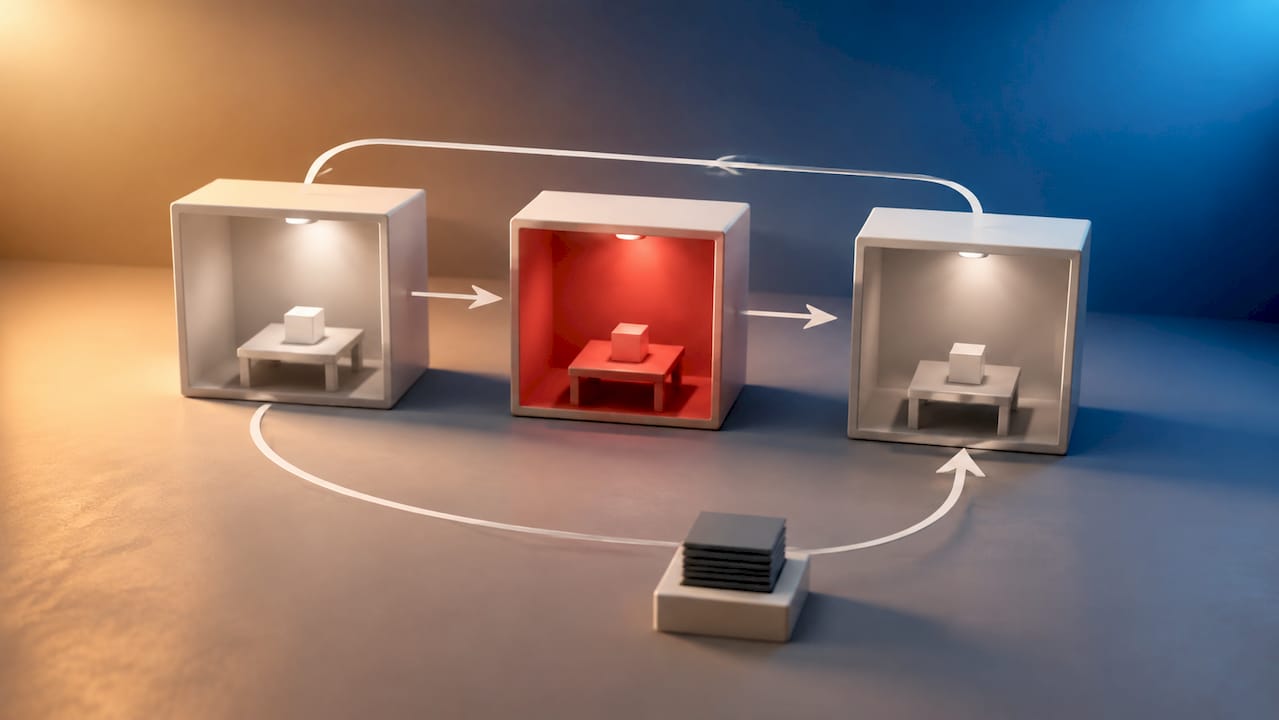
Pause and resume semantics matter more than most teams initially plan for. A session that gets paused mid-task needs its filesystem state captured in a snapshot and its RunState persisted separately, since the two serialize differently and often need different retention policies. Resuming from a snapshot skips manifest rebuild entirely, which is where a lot of the latency savings come from.
At multi-tenant scale, a few controls become mandatory rather than optional:
- Per-tenant resource quotas (CPU, memory, disk, and concurrent session count) enforced at the orchestration layer, not just requested politely by the workload.
- Cost circuit-breakers that kill or throttle sessions exceeding a budget threshold, since a runaway agent loop can burn compute fast.
- Strict namespace or session-ID isolation so one tenant's snapshot can never be resumed into another tenant's context.
Observability closes the loop. Trace the agent's reasoning steps inside the harness, then correlate that trace with the sandbox's own audit log using the shared session ID. That correlation is what lets you answer the question that matters after an incident: what did the agent decide, and what did the sandbox actually let it do. Alert specifically on anomalous egress attempts and unexpected snapshot resumption patterns, since both tend to be early signals of either a misconfigured agent or a genuine intrusion attempt.
Where Should You Actually Run Your Sandboxes?
The right infrastructure choice depends less on theoretical security ceilings and more on your team's operational reality: who's on call, what compliance regime applies, and how much latency your agent's user experience can tolerate.
Unix-local sandboxing is the right starting point for development. Run agents inside a restricted user account with seccomp filters and a scoped filesystem, and you get fast iteration without any infrastructure overhead. Harden it by never running the local agent as a privileged user and by disabling network access unless a specific test genuinely needs it. This model has no place in production; it's a development tool.
Docker-based sandboxes are the most common production choice for teams not yet running Kubernetes. They're well understood, well documented, and integrate cleanly with existing CI. The tradeoffs Docker documents for agentic sandboxing point to a hybrid path that works well in practice: local Docker sandboxes for iteration, reserving microVMs for the smaller set of high-assurance runs that touch real user data. Avoid privileged container runtimes unless a specific workload genuinely requires host device access, and treat that requirement as a red flag worth questioning first.
Kubernetes Agent Sandbox patterns give platform teams a managed lifecycle through custom resource definitions like SandboxClaim and SandboxTemplate. The CRD-based approach documented by Agent-Sandbox handles warm pools and pod snapshots natively, which matters if you're already running Kubernetes and want sandbox provisioning to look like any other declarative resource in your cluster. Managed variants such as GKE's Agent Sandbox add-on extend this with kernel-level isolation and default-deny networking, though some features depend on specific cluster versions and regional availability, so check compatibility before committing.
MicroVM runtimes deployed directly (Firecracker-style, outside a managed platform) give you the strongest isolation and the most control over credential brokering and audit chains, at the cost of running and patching a hypervisor layer yourself. This is the right call when compliance requirements or the sensitivity of the workload justify the added ops burden.
Hosted providers trade control for speed of adoption. You give up some visibility into the exact isolation implementation, but you also give up the burden of patching kernels and hypervisors yourself, a real consideration if your team is small. For deeper guidance on aligning container choices with these tradeoffs, see this breakdown of containerizing AI agent workloads.
How Does MLflow Fit Into a Sandboxed Agent Stack?
Sandboxing solves execution isolation. It doesn't solve the separate problem of knowing what your agent actually did, why it made a given decision, and whether that decision was any good. That's the gap MLflow is built to close.
MLflow's tracing captures the agent's reasoning steps inside the harness, the same control-plane layer that issues sandbox sessions and receives their results. Pair that trace with the sandbox's own session ID and audit log, and you get a full reconstruction: what the agent decided, what tool calls it made, and what the sandbox actually permitted. That correlation is exactly what the operational checklist earlier in this guide calls for, and it's hard to build well without a tracing layer designed for agentic workflows rather than simple request logging.
A few concrete integration points worth setting up early:
- Log sandbox run artifacts, snapshot references, and RunState checkpoints as MLflow run artifacts, so a given agent trace links directly to the exact sandbox state it executed against.
- Use MLflow's LLM-as-a-Judge evaluation to score sandboxed agent outputs for correctness or policy compliance before promoting a workflow from staging to production.
- Route all prompt and credential management through MLflow's AI Gateway rather than embedding either inside the sandbox itself, keeping control-plane responsibilities firmly outside the compute boundary where they belong.
That last point reinforces the harness and compute separation discussed earlier: the Gateway becomes the control plane, and the sandbox stays a disposable, credential-free execution environment. For platform teams standardizing this pattern across multiple agents, this tag on AI agent deployment best practices collects the operational detail worth reviewing before you scale past a handful of workflows.
What I'd Actually Build First
If I were starting from scratch, I'd resist the urge to build the most sophisticated sandbox architecture on day one. Start with hardened containers or a single microVM runtime, add a credential proxy before you add anything else, and get a warm pool going only once latency actually becomes a user-facing problem, not before.
The migration path from local dev to production usually breaks into three moves: move from Unix-local to Docker for CI reproducibility, add microVMs once you're running untrusted or LLM-generated code against real data, then layer in warm pools and snapshots once interactive latency matters more than raw simplicity.
The pitfall I see most often isn't a sophisticated attack. It's a team that ships secrets into a mounted .env file, skips tamper-evident logging because it feels like a later problem, and leaves egress wide open because default-deny broke something during a demo and nobody circled back to fix it properly. Sandboxing AI agents rewards teams that get the basic controls right before they chase the interesting architecture.
— Kevin
See MLflow's Observability and Governance Tools for Sandboxed Agents
Everything covered here, tracing agent reasoning, correlating audit logs, scoring outputs before they ship, needs a place to live outside the sandbox itself. MLflow gives platform teams that home: it maps directly to the operational checklist this guide walks through, from capturing snapshot and RunState artifacts to centralizing credential and prompt governance through a single AI Gateway instead of scattering policy across every sandbox instance you run.
If your agents already write and execute their own code, the fastest way to see the fit is to look at the MLflow Agent Platform directly, where the tracing and deployment tooling map one to one against the harness and compute separation this guide recommends. Teams further along in validating agent outputs against real production traffic can start with MLflow's LLM-as-a-Judge evaluation to score sandboxed runs before promotion. Either page is a reasonable next stop if you're ready to put real observability behind your sandbox architecture instead of flying blind on trust alone.
Sources
- Sandbox Agents | OpenAI API
- Comparing Different Approaches to Sandboxing — Docker
- abox — Least-Privilege Execution for Autonomous Coding Agents (GitHub)
- NVD — CVE-2024-21626