Server First Agent Server Architecture for Engineers

A production-ready agent server architecture is a server-first orchestration layer that compiles agent configs into durable workflows, exposes a thin MCP-style integration for tools, and ships with built-in persistence, a task queue, and observability. It centers on one orchestrator that manages routing, discovery, and context, backed by a durable execution engine instead of a fragile in-memory loop. The recommendation is straightforward: prefer server-first, compiled workflows over ad hoc agent scripts once you need durable runs, retries, and traceability.
TL;DR:
- Server-first agent architectures rely on durable workflows, a centralized orchestrator, and separation of API and execution layers, enabling better durability, traceability, and scalability.
- Runtime deployment models vary from single-host to distributed clusters, with checkpointing strategies (async or exit) impacting recovery speed and resource costs.
- Multi-agent coordination patterns such as sequential, parallel, routing, plan-and-execute, and swarm are best implemented via compiled workflow primitives, not interpreted control flow.
- Secure tool integration requires keeping tool APIs narrow, returning structured responses, and enforcing strict access controls at the protocol boundary.
- Observability tools like MLflow deepen insights through detailed tracing, error monitoring, and compliance tracking, supporting reliable production deployment and governance.
Table of Contents
- What Makes Up an Agent Server Architecture?
- How Do Runtime and Execution Models Differ?
- Which Multi-Agent Orchestration Patterns Should You Use?
- How Does the MCP-Style Tool Protocol Work?
- What Should You Persist, and Where?
- How Do You Deploy and Scale an Agent Server?
- How Do You Monitor and Test an Agent Server?
- How Do You Secure and Govern Agent Access?
- How Does MLflow Support This Architecture?
- Pragmatic Trade-Offs When Adopting a Server-First Approach
- Getting Started With MLflow for Agent Server Observability
- Sources
- FAQ
What Makes Up an Agent Server Architecture?
Every production agent server breaks down into the same handful of building blocks, no matter which framework compiles the graph. The pattern shows up across most reference implementations, including Microsoft's multi-agent reference architecture, which centers a single orchestrator that manages routing, context preservation, and agent discovery.
The orchestrator is the coordination plane. It receives an incoming request, resolves intent, and decides which agent or sub-workflow handles it. Sitting next to it, the API server accepts client traffic, authenticates it, and hands validated work off to the execution layer. These are deliberately separate concerns, even when they run in the same process during early development.
An agent registry holds the catalog of available agents, their configs (often called AgentConfig objects), and metadata about what each one can do. This is what lets the orchestrator pick the right agent dynamically rather than hard-coding a call graph. Next to it sits the tool catalog, a set of capability descriptors with typed input and output schemas, so the runtime knows exactly what a tool expects and returns before it's ever invoked.
The building blocks you'll find in nearly every serious deployment:
- Orchestrator: routes requests, tracks context, coordinates handoffs between agents
- Agent registry: stores AgentConfig definitions and exposes them for discovery
- Tool catalog: typed capability descriptors that tools and agents share
- Integration layer: an MCP-style boundary between agents and external systems
- API server vs. workers: the API surface accepts and validates requests; workers execute the actual agent runs
That last split matters more than it looks. Keeping the API surface thin and pushing execution to workers means a slow or crashing agent run never blocks incoming traffic. LangChain's agent server docs describe this as a compiled graph deployed behind a runtime container, with persistence and a task queue doing the heavy lifting underneath.
How Do Runtime and Execution Models Differ?
The way you run an agent server changes almost everything downstream, from latency to failure recovery. Three execution models cover most production deployments, and each has a distinct answer to "what happens when a run crashes halfway through?"
- Single-host mode. The API server and worker logic run in one process. This is fine for prototypes and low-traffic internal tools, but a single crash takes down both request handling and in-flight runs.
- Split API/worker mode. The API server accepts requests and writes tasks to a queue; a separate worker pool leases and executes them. This is the point where most teams introduce a task queue pattern: a run gets enqueued, a worker leases it (often with a visibility timeout), executes it, and reports completion or failure back.
- Distributed runtime mode. Multiple worker pools, often across regions or clusters, pull from a shared queue. This is where concurrency tuning becomes unavoidable, and where you start setting something like an
N_JOBS_PER_WORKERvalue to cap how many concurrent runs a single worker process handles before it starves on memory or connection pool limits.
Checkpointing decides how much work you lose on a crash. Async checkpointing writes state periodically during execution, trading a small write overhead for fast recovery. Exit checkpointing only persists state when a run completes or fails, which is cheaper but means a mid-run crash loses everything since the last completed step. An early academic treatment of agent servers built to host large numbers of concurrent agents makes the case that thread management, memory management, and recovery management are the three pillars that determine whether a server survives at scale, and checkpointing strategy is really a recovery management decision in disguise.
Which Multi-Agent Orchestration Patterns Should You Use?
Most multi-agent systems reduce to a small number of coordination patterns, and picking the wrong one is usually what makes a system feel unpredictable rather than intelligent.
- Sequential: agents run in a fixed order, each consuming the prior agent's output. Good for pipelines like retrieve, then summarize, then format.
- Parallel (fork/join): multiple agents run concurrently on the same input and their outputs get merged. Useful when you need several independent perspectives before deciding.
- Router: a classifier agent inspects the request and dispatches to exactly one specialist agent. This is the pattern behind most customer support and triage systems.
- Plan-and-execute: a planning agent decomposes a task into steps, then hands each step to an executor agent, checking progress along the way.
- Swarm / handoff: agents pass control to each other directly based on the conversation state, without a central router deciding every hop.
What makes these patterns durable in production rather than fragile in a notebook is compilation. A well-designed agent server doesn't interpret these patterns at runtime with custom control flow. It compiles them into a small set of workflow primitives, things like SWITCH for routing, FORK/JOIN for parallel branches, DO_WHILE for loops, and SUB_WORKFLOW for nested agent calls, as described in one design for compiling AgentConfig objects into a workflow engine's native format. That compiled definition, not the original pattern name, is what a workflow engine like Conductor actually executes, retries, and checkpoints.
Context handling is the part teams get wrong most often. A shared context dict carries cross-agent state like the original request, accumulated results, and routing decisions. Agent-local state, things like a tool's generated URL or a transient auth token, should stay inside that agent's own checkpoint rather than leaking into the shared context, and get merged back in only at sub-workflow boundaries. Skip that separation and you'll eventually lose a generated artifact because two agents overwrote the same context key.
How Does the MCP-Style Tool Protocol Work?
The Model Context Protocol (MCP) has become the default answer to a question agent builders kept solving badly on their own: how does an agent call an external tool without every integration turning into custom glue code? MCP defines three roles: Tools (callable functions with typed schemas), Resources (readable context, like files or database rows), and Prompts (reusable instruction templates). Keeping the protocol layer thin and strongly typed is what lets an orchestrator swap tool implementations without touching agent logic.
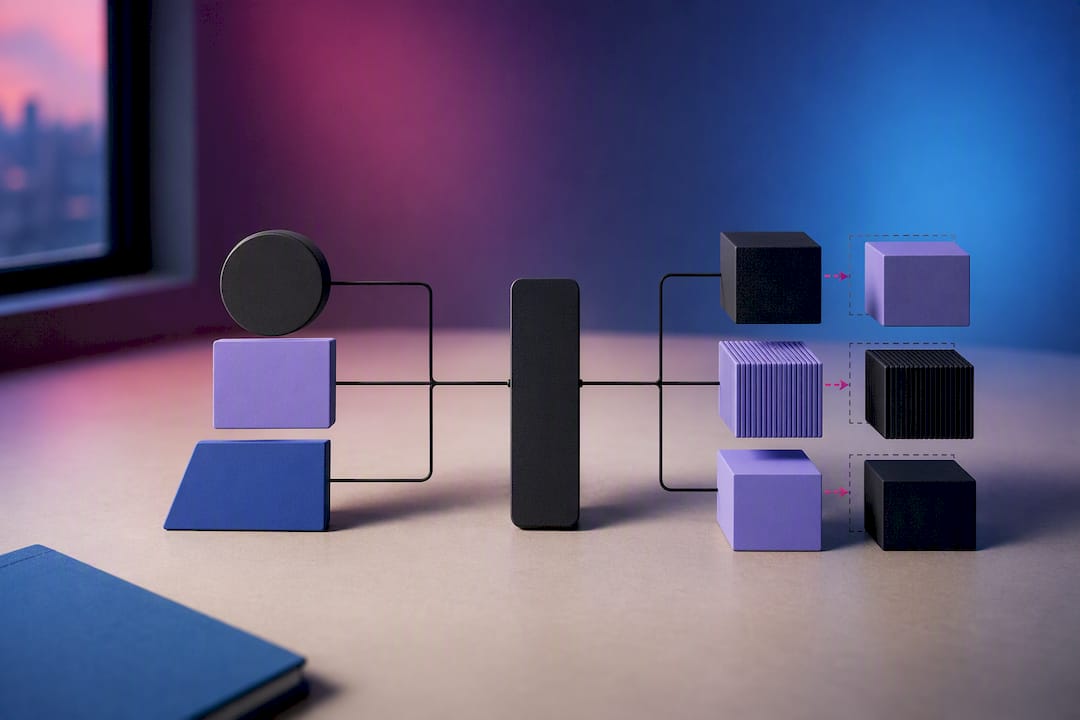
The practical lesson from teams running MCP servers in production is to separate concerns into three layers, as one engineering breakdown of production MCP servers puts it: a protocol layer that just speaks MCP, a capability layer that implements the actual tools, and a data layer that talks to databases or APIs. Coupling all three together is what makes a tool server impossible to scale independently later.
Good tool design follows a few consistent rules:
- Keep each tool's API narrow: one clear job, not a Swiss Army knife function
- Return structured, typed responses instead of free-text blobs an agent has to re-parse
- Fail explicitly with typed error codes rather than silent empty responses
- Apply per-tool and per-key rate limits before a runaway agent loop hammers a downstream API
Pro Tip: Instrument tool calls at the protocol boundary, not just at the agent level. A tool that silently times out ten times before an agent notices is a debugging session waiting to happen; a rate limit and error log at the MCP layer catches it in seconds.
What Should You Persist, and Where?
Not every piece of agent state deserves the same durability guarantee, and treating all of it the same way is a common source of both bloat and data loss.
Checkpointing frequency is a durability versus cost trade-off. Checkpoint after every tool call and you get near-perfect recovery at the cost of write volume. Checkpoint only at major workflow boundaries and recovery gets coarser, but cheaper to run at scale. Most production systems land somewhere in between: checkpoint after each agent step, not after every internal tool call.
The context dict versus agent-local state distinction from the orchestration section applies directly here. Cross-agent context belongs in durable, queryable storage. Agent-local scratch state, temporary and only meaningful mid-run, can live in a lighter-weight checkpoint store that gets pruned once the run completes.
For the actual database, PostgreSQL remains the default choice for core resource data and checkpoints in most open-source and production agent server deployments, largely because its ACID guarantees make partial-write corruption a non-issue. Common patterns include:
- PostgreSQL for agent configs, run metadata, and checkpoint state
- A separate vector store or document store for long-term memory and retrieval
- Redis or a similar in-memory store for pub/sub signaling between API servers and workers
How Do You Deploy and Scale an Agent Server?
Deployment topology should follow load and reliability needs, not a preference for infrastructure complexity. A single host with an embedded worker pool is genuinely fine until you hit concurrent run limits or need zero-downtime deploys.
- Start single-host for prototypes and low-volume internal tools. One process, one database, minimal operational overhead.
- Move to Docker Compose for split API/worker mode once you need independent scaling or want to survive a worker crash without losing API availability.
- Graduate to Kubernetes with Helm charts when you need autoscaling, multi-tenant isolation, or geographic distribution. This is also the point where a managed database (rather than a self-hosted PostgreSQL instance) starts paying for itself in reduced ops burden.
- Scale API servers by request volume, using standard HTTP autoscaling metrics like request rate and latency percentiles.
- Scale workers by pending run count in the queue, not by CPU usage alone, since agent workloads are often I/O bound waiting on model calls.
- Add tenant isolation for multi-tenant deployments. Sandboxing techniques like gVisor, along with per-tenant quotas, keep one noisy tenant from starving another's runs. Open-source agent server projects illustrate this with multi-service topologies separating the main API, an LLM proxy, and a sandbox proxy, each independently scalable.
The mistake teams make most often is jumping straight to Kubernetes before they've validated the orchestration logic itself. Get the compiled workflows and checkpoint behavior right on a single host first; the deployment topology is a scaling decision, not an architecture decision.
How Do You Monitor and Test an Agent Server?
Observability for agent servers has to cover two things traditional API monitoring never had to: the reasoning path an agent took, and the tool calls it made along the way. Standard latency and error metrics still matter, but they're incomplete without agent-specific telemetry.
Track these at minimum:
- p95 and p99 latency per agent and per tool, not just per API endpoint
- Tool error rates broken down by tool name, since one flaky integration can drag down an entire orchestration pattern
- Per-run trace logs capturing each step, decision, and tool call in sequence
- Token usage per run, which is often the leading indicator of a runaway loop before it shows up as a cost spike
A common failure mode in early agent server deployments is discovering a cost or latency regression only after it shows up in a monthly bill, because per-run token usage and tool error rates weren't tracked from day one.
Testing needs three layers: unit tests for individual tools (does this function handle malformed input correctly?), integration tests for compiled workflows (does the router send this request type to the right agent?), and chaos or restart tests that kill a worker mid-run to verify checkpoint recovery actually works. Set concrete SLOs, like a p95 latency ceiling per agent type and a maximum tool error rate, and alert on them the same way you'd alert on any other production service.
How Do You Secure and Govern Agent Access?
Credential handling is where agent servers most often get security wrong, usually by letting an agent hold a raw API key in its context. Inject credentials server-side instead, scoped to the specific tool call, and never let the agent's reasoning trace expose a raw secret.
- Vault secrets server-side and inject them at the tool-call boundary, not into agent context
- Enforce per-key rate limits and capability-level auth so one compromised key can't call every tool
- Apply per-tenant quotas in multi-tenant deployments to cap blast radius
- Log every tool call for audit purposes, with a defined retention window
- Run adversarial testing against tool access paths periodically, not just at launch
Pro Tip: Treat your tool catalog like an API surface you'd expose to a third party, because effectively that's what an agent is. If you wouldn't hand a contractor unscoped database access, don't hand it to an agent either.
How Does MLflow Support This Architecture?
Most agent server designs solve orchestration and persistence well but leave a gap around observability and lifecycle governance, exactly the layer that turns a working prototype into something a team can trust in production. That's the gap MLflow targets directly.
- Deep tracing of agentic reasoning, so you can see the actual decision path an agent took, not just its final output, which maps directly to the per-run trace logs discussed earlier
- Automated LLM-as-a-Judge evaluation, catching quality regressions and drift in agent behavior before they reach users, instead of relying on manual spot checks
- A centralized AI Gateway for prompt versioning and cross-provider governance, addressing the credential and access control concerns covered in the security section
- Framework compatibility via OpenTelemetry, so tracing plugs into whatever orchestration layer or workflow engine you've already compiled your agents into
The observability layer is where most teams start, since it answers the question every on-call engineer eventually asks: what did the agent actually do before it failed?
Pragmatic Trade-Offs When Adopting a Server-First Approach
Server-first architecture earns its complexity once you need durable runs, multi-tenant isolation, or audit trails. A single internal tool with low traffic doesn't need Kubernetes or a compiled workflow engine. Before migrating, get four things in order: a stable agent config model, typed tool adapters, a persistence layer that separates context from agent-local state, and observability wired in from the first deployment, not just bolted on after an incident. Watch token usage and tool error rates from day one. Those two signals surface problems weeks before they show up as a cost overrun or a support ticket.
— Kevin
Getting Started With MLflow for Agent Server Observability
Building the orchestration and persistence layer is only half the job. Knowing what your agents actually did once they're running in production is the half most teams underinvest in, and it's the part that turns into 2 AM debugging sessions when it's missing.
MLflow offers features such as deep tracing of agentic reasoning, automated LLM-as-a-Judge evaluation, and a centralized AI Gateway for prompt management, all under Linux Foundation governance with open source availability. That matters if you've been evaluating platforms that gate observability or governance features behind a paid tier. Teams building compiled multi-agent workflows can integrate tracing directly into their execution layer without rearchitecting anything, since such tracing can integrate through OpenTelemetry with existing frameworks. If you're evaluating how to add governance around prompt versions and provider access, the AI Gateway page walks through cross-provider setup. Start by pointing MLflow at your existing agent server and tracing your first production run at Mlflow.
Sources
- Reference architecture - Multi-agent Reference Architecture
- Architecture of an agent server capable of hosting tens of ...
- PostgreSQL
FAQ
What Is the Architecture of an Agent?
An individual agent typically consists of a reasoning loop, a set of tool bindings with typed schemas, and a context window holding conversation and task state. At the server level, that agent config gets compiled into a durable workflow definition, so the reasoning loop becomes a series of checkpointed, retryable steps rather than a single long-running process.
What Is an MCP Server vs. an Agent?
An MCP server exposes tools, resources, and prompts through a standardized protocol boundary. It's the integration layer, not the reasoning engine. An agent is the component that decides which tool to call and interprets the result; the MCP-style integration is simply how it calls out safely.
What Are the Four Types of Agents?
Definitions vary across frameworks, but a common grouping includes simple reflex agents that react to input directly, model-based agents that maintain internal state, goal-based agents that plan toward an objective, and utility-based agents that weigh multiple possible outcomes before acting. In production orchestration, these map loosely onto the sequential, router, plan-and-execute, and swarm patterns covered earlier.
What Is an Agent vs. GPT?
A large language model like GPT is a single inference call: input text in, output text out, with no persistent state or tool access on its own. An agent wraps that model in a loop with memory, tool calls, and decision logic, and an agent server is the infrastructure that runs many of those loops durably, with persistence, retries, and observability like the tracing MLflow provides.
Should I Use Kubernetes for an Agent Server From the Start?
Not necessarily. Single-host or Docker Compose deployments handle prototypes and low-volume tools fine, and moving to Kubernetes before your orchestration logic is stable adds operational overhead without solving a real bottleneck. Migrate once you need autoscaling, multi-tenant isolation, or geographic distribution, as covered in the deployment section above.