Route Claude Code Through MLflow AI Gateway

AI coding agents like Claude Code are becoming a standard part of the development workflow. An agent working through a complex task, understanding a codebase, writing tests, fixing bugs, can make dozens or hundreds of LLM calls in a single session. That level of autonomy is powerful, but it introduces questions that don't come up with one-shot prompts: How much is this costing? What are the agents actually sending to the model? Can we enforce content policies across every session?
MLflow AI Gateway answers all three. Starting in MLflow 3.12.0, you can route Claude Code through the gateway in two environment variables, and every session immediately gains full request tracing, budget enforcement, and guardrails, without touching your application code.
How It Works
MLflow AI Gateway sits between Claude Code and the Anthropic API. From Claude Code's perspective, nothing changes, it authenticates the same way it always has. From the gateway's perspective, every request is a traceable, governable event.
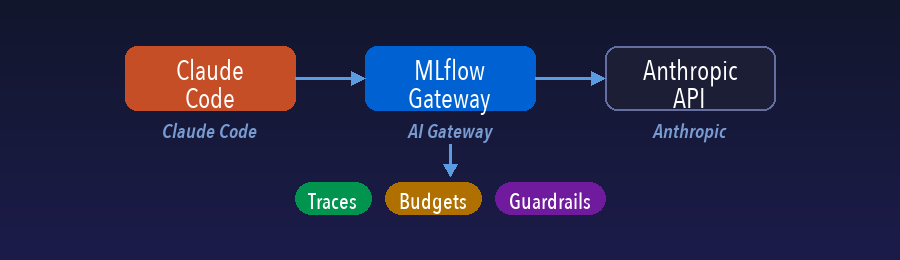
This passthrough design means you get centralized visibility without centralized key management: each developer keeps their own Anthropic credentials, and the gateway adds governance on top.
Setting Up the Integration
The setup takes three steps: start an MLflow server, create an endpoint, and set two environment variables.
Step 1: Start the MLflow Server
pip install mlflow
mlflow server --port 5000
Step 2: Create an Anthropic Endpoint
Open the MLflow UI at http://localhost:5000/#/gateway and navigate to AI Gateway. Click Claude Code icon and configure it:
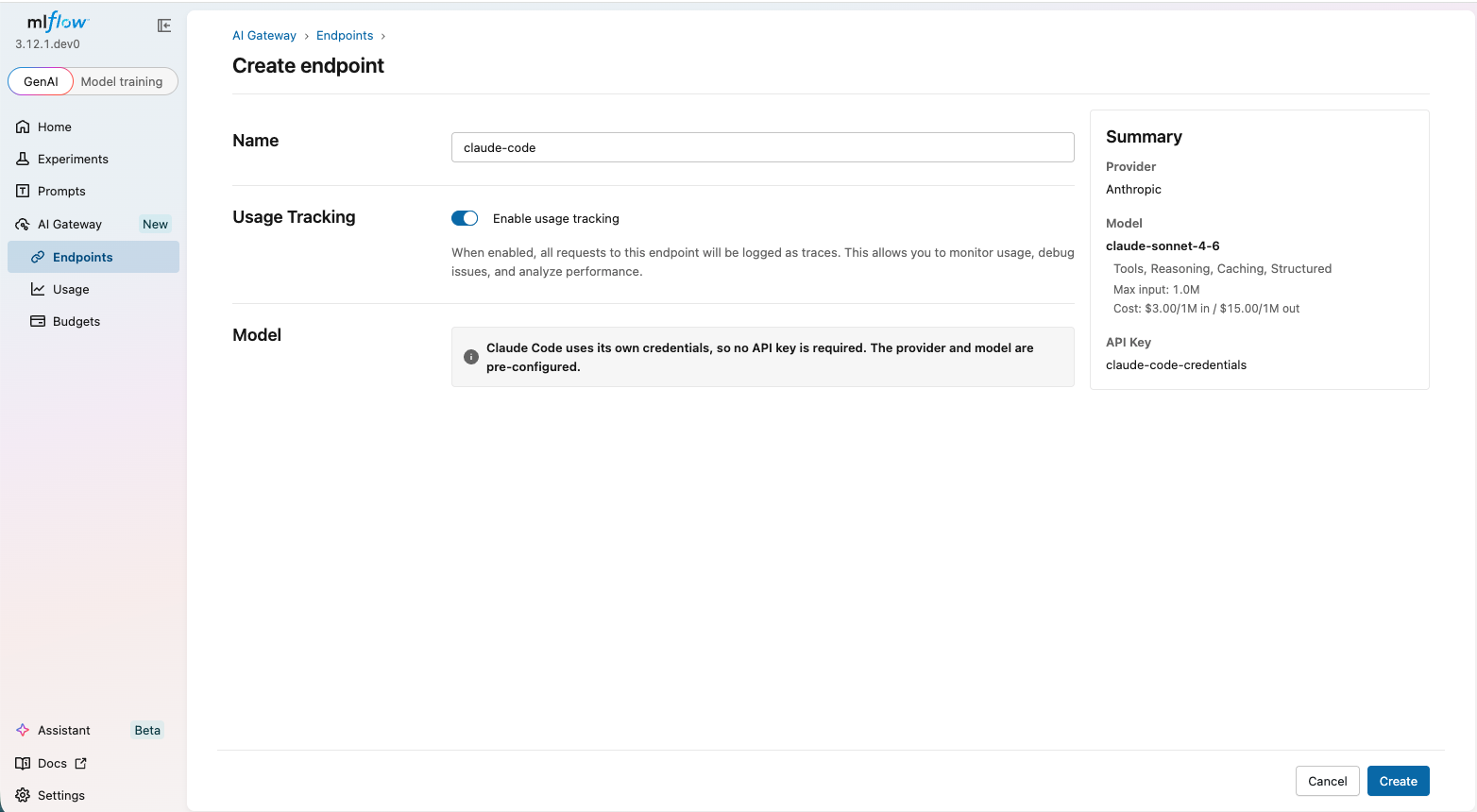
Step 3: Point Claude Code at the Gateway
Set two environment variables in your shell:
export ANTHROPIC_BASE_URL="http://localhost:5000/gateway/proxy/claude-code"
That's it. Run claude as usual. All requests will now flow through the gateway.
Observability: Every Request as a Trace
The most immediate benefit is visibility. Every call Claude Code makes, regardless of session length or how many turns the agent takes, is automatically captured as an MLflow trace. No instrumentation, no SDK imports, no code changes.
Open the Traces tab in the MLflow UI to see a timeline of all requests: prompts, responses, token counts, and latency, organized by session.
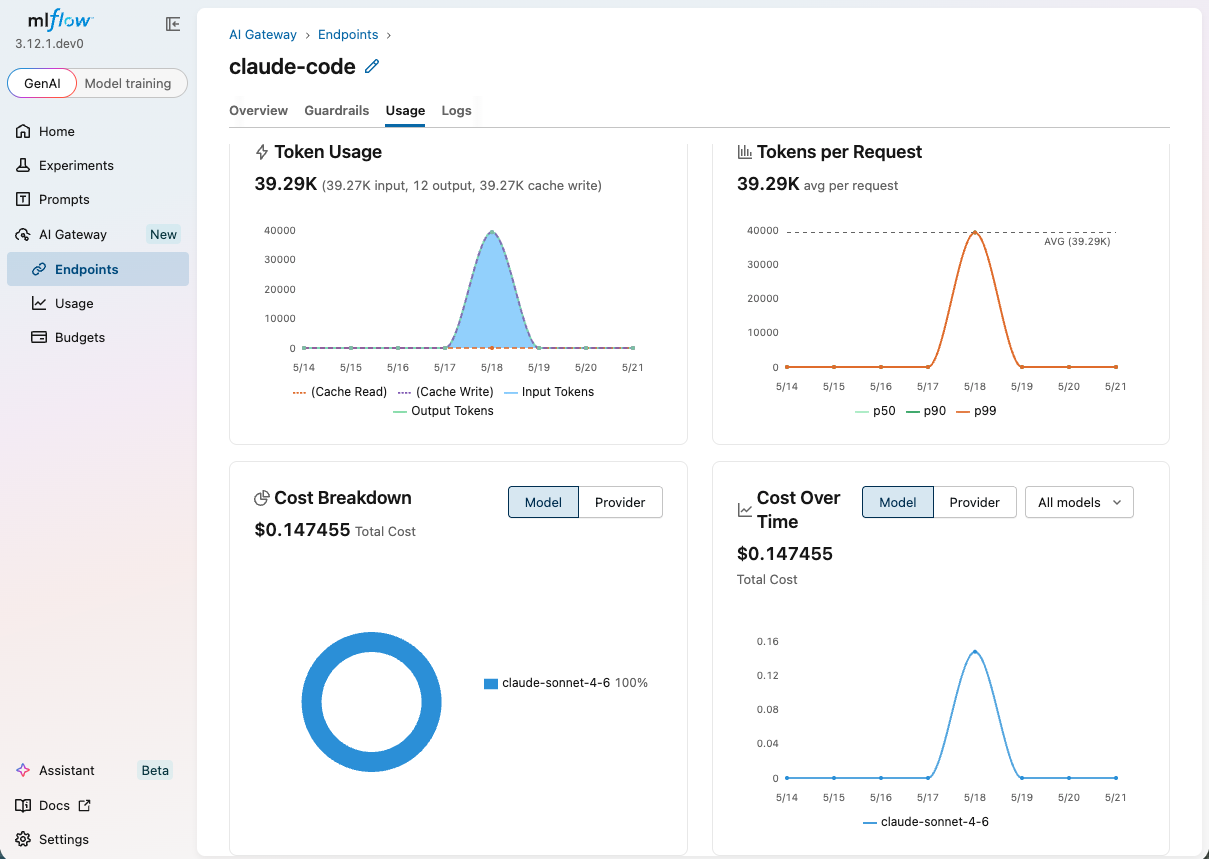
Click into any trace for a detailed view of exactly what was sent and received:
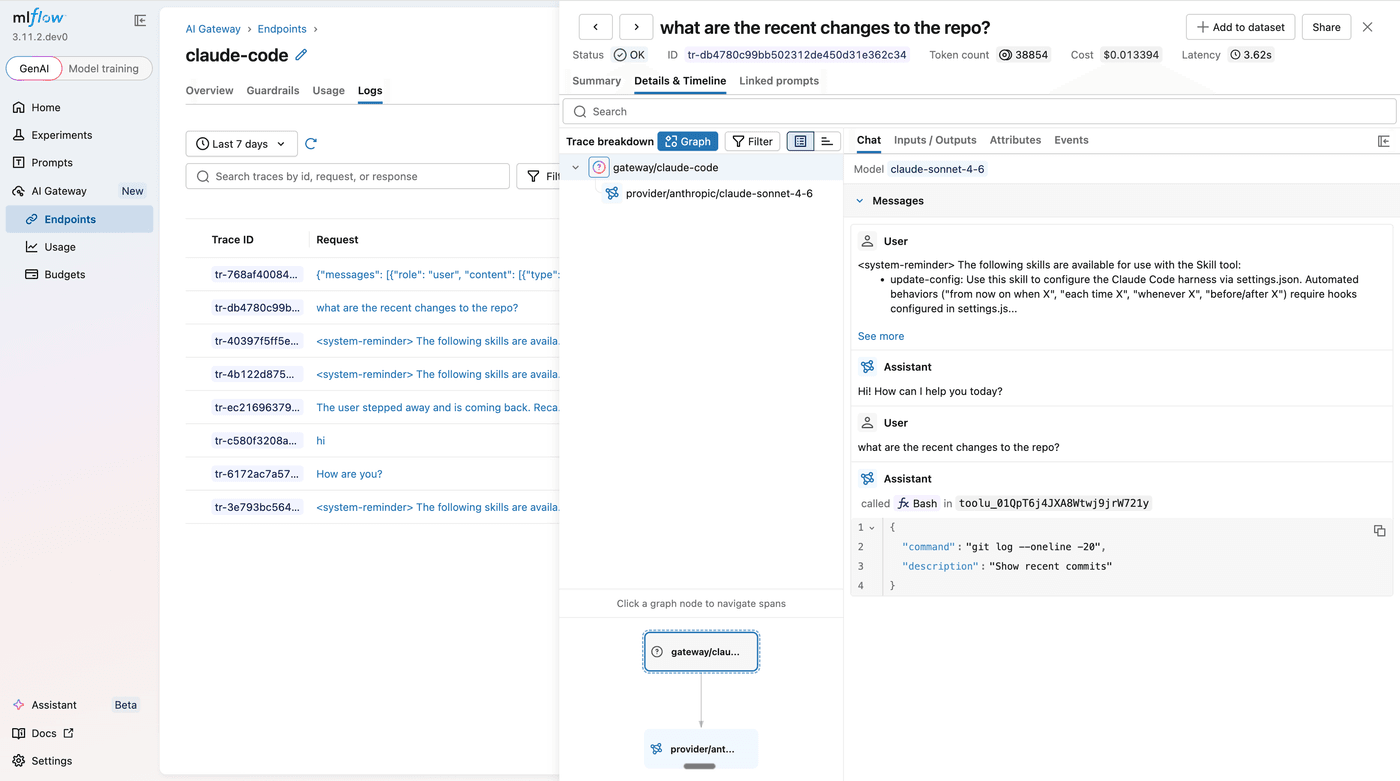
This level of detail is particularly useful for understanding what a long-running agent session actually did, which subtasks consumed the most tokens, where latency spikes occurred, and how prompts evolved across turns.
Budget Controls: Keep Spending in Check
Coding agents are designed to work autonomously, which makes them easy to forget about and expensive to over-run. MLflow AI Gateway's budget policies let you set spending thresholds globally or per workspace, with configurable alerts and hard limits.
When a session approaches a threshold, the gateway sends an alert. When it hits the hard limit, further requests are rejected before they reach the model, stopping runaway costs at the source rather than after the bill arrives.
See the budget policies documentation for configuration details.
Guardrails: Enforce Policies Across Every Session
Because every Claude Code request passes through the gateway, guardrails apply uniformly, no per-application configuration needed. Before requests reach Anthropic, guardrails can screen for prompt injection or restricted topics. After responses come back, they can filter toxic content or redact PII before the agent sees the output.
For example, a PII guardrail on the Before stage will block any request containing personal data like email addresses or phone numbers, and return a structured error with the rationale so the caller knows exactly why it was blocked.
See the guardrails blog post for a full walkthrough of guardrail types, configuration, and the block vs. sanitize actions.
Getting Started
Everything described here ships with MLflow. Follow the AI Gateway documentation for Claude Code for full setup instructions, or jump straight to OpenAI Codex and Gemini CLI if you use those instead.
Routing Claude Code through MLflow AI Gateway is the fastest way to add observability and governance to autonomous coding sessions. It joins guardrails and budget policies as part of the governance layer built into MLflow AI Gateway. If you run into issues or have feedback, please file a report on MLflow's GitHub Issues.
⭐ Star us on GitHub, show your support for the project!