Enforce Content Policies at the Gateway with AI Gateway Guardrails

As GenAI applications move into production, the question shifts from can we build this? to can we trust what comes out of it? LLMs are powerful but unpredictable: they can produce harmful content, leak personally identifiable information, or violate organizational policies in ways that are hard to anticipate and even harder to catch after the fact. Bolting safety checks onto individual applications means duplicated logic, inconsistent enforcement, and gaps wherever new services bypass the rules.
MLflow AI Gateway supports guardrails in the upcoming 3.12 release: configurable content policies enforced at the gateway layer, before requests reach your LLM or before responses reach your users. Because guardrails run in the gateway, they apply consistently across every application that routes through it, with no changes to application code required.
How Guardrails Work
Each guardrail evaluates incoming requests or outgoing responses against a set of natural-language instructions. When the guardrail determines that content violates the policy, the gateway either blocks the request entirely or sanitizes (redacts) the offending content before allowing it through.
The pipeline looks like this:
Request → Before Guardrails → LLM → After Guardrails → Response
Before guardrails screen the incoming request. They're well-suited for catching prompt injection, PII in user input, or off-topic queries before they consume any tokens.
After guardrails evaluate the LLM's response before it reaches the caller. Use them for toxicity filtering, detecting PII in generated output, or enforcing brand and tone requirements.
Multiple guardrails on the same endpoint execute in order. If any guardrail blocks a request, subsequent guardrails in the same stage are skipped.
Guardrail Types
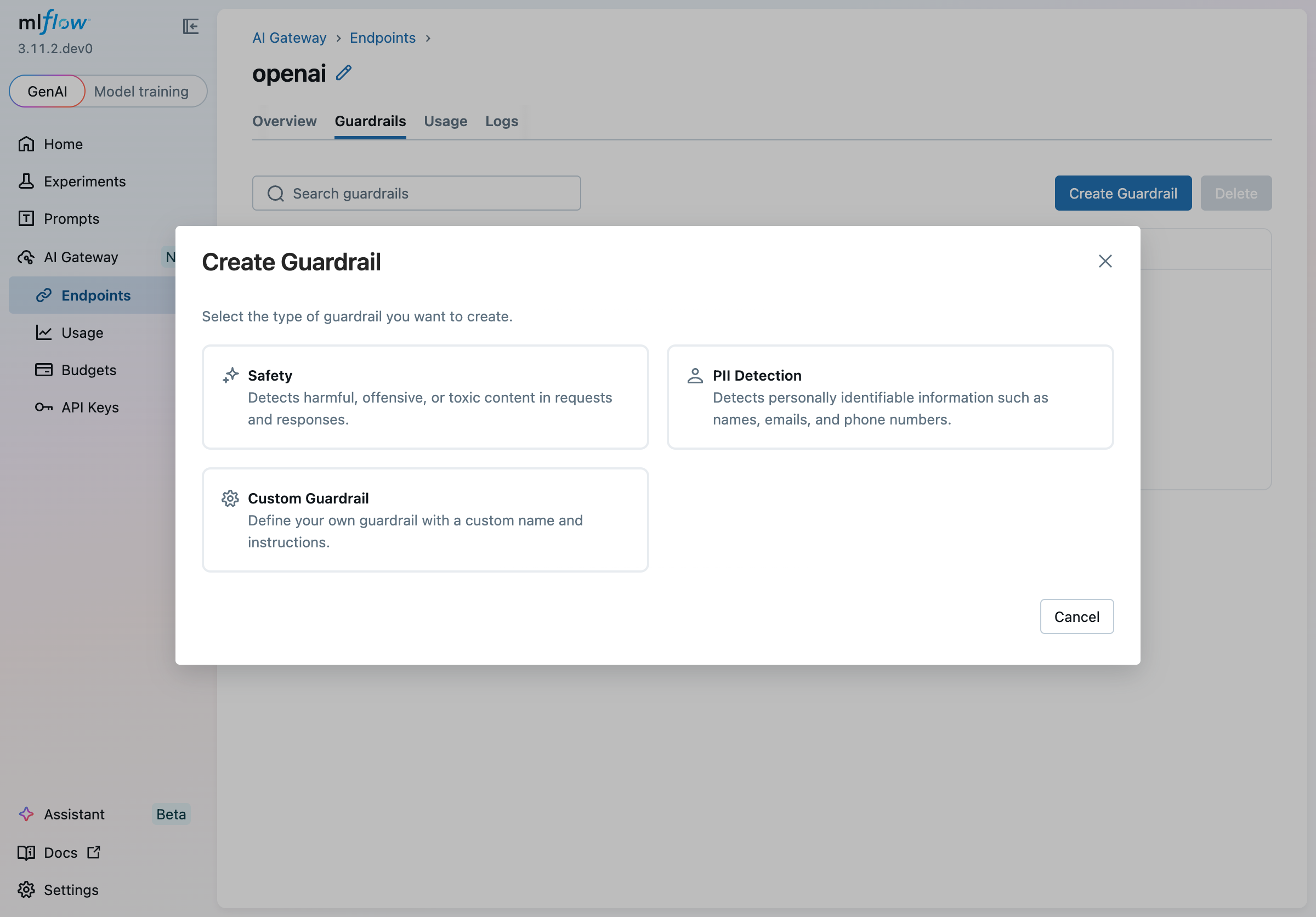
Built-in guardrail types come with pre-loaded instructions so you can get started quickly. Because the instructions are plain text, you can edit them at any time to tighten or loosen the policy, add domain-specific context, or handle edge cases unique to your use case — no code changes required, just update the prompt:
| Type | Description | Default Stage |
|---|---|---|
| Safety | Detects harmful, offensive, or toxic content | After (screens LLM responses) |
| PII Detection | Detects names, emails, phone numbers, and other personal information | Before (screens incoming requests) |
| Custom Guardrail | Blank slate: write your own name and instructions | Your choice |
Selecting a built-in type pre-populates the name and instructions in the creation wizard. From there, you can refine the prompt to match your organization's specific policies — for example, restricting a PII guardrail to only flag medical record numbers, or tuning a safety guardrail to allow certain technical terminology that a generic classifier would otherwise flag.
Creating a Guardrail
Guardrails are configured per endpoint. Navigate to AI Gateway > Endpoints, open an endpoint, and select the Guardrails tab.
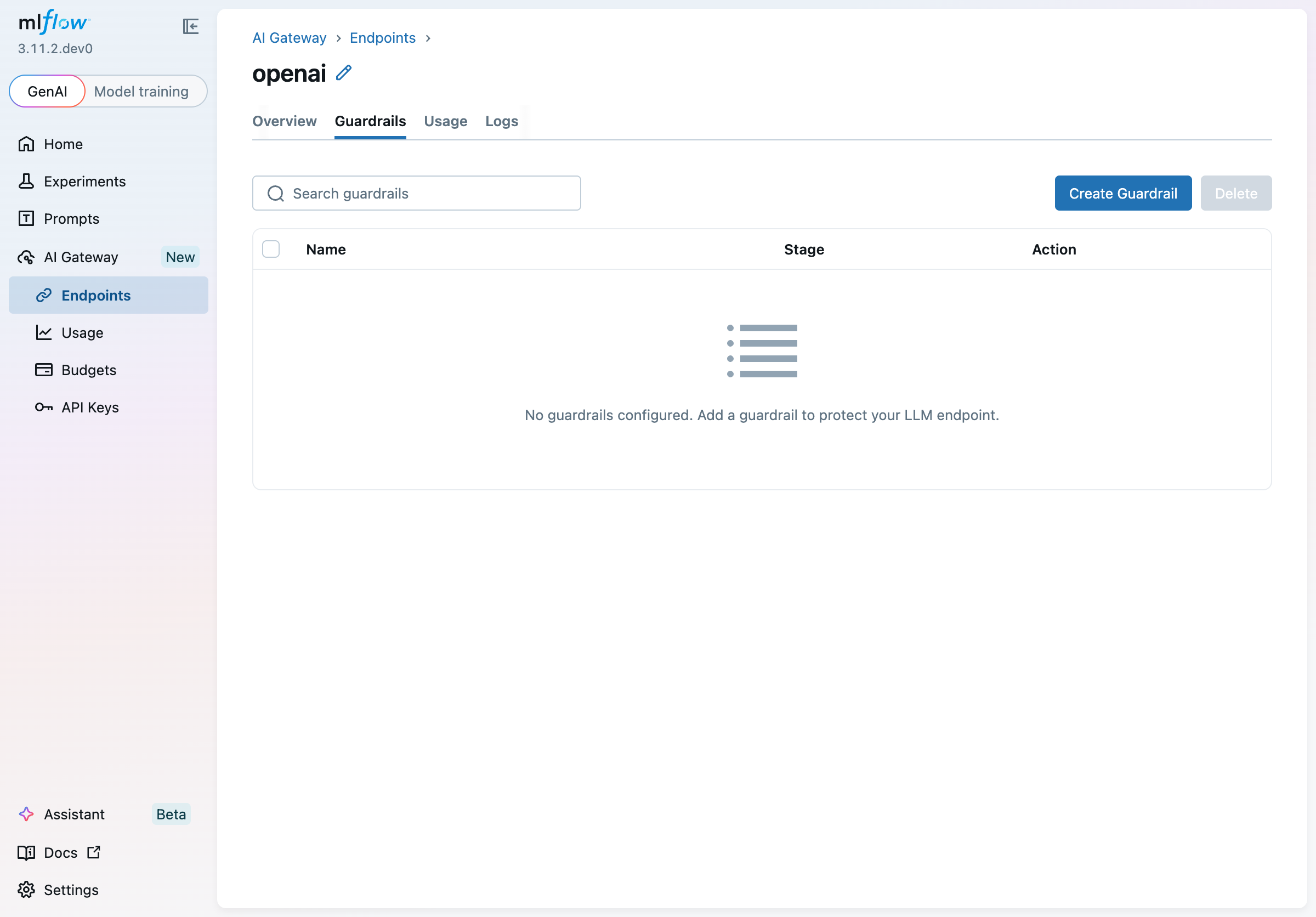
Click Create Guardrail to open the wizard. The first step asks you to choose a type:
The second step lets you configure every aspect of the guardrail:
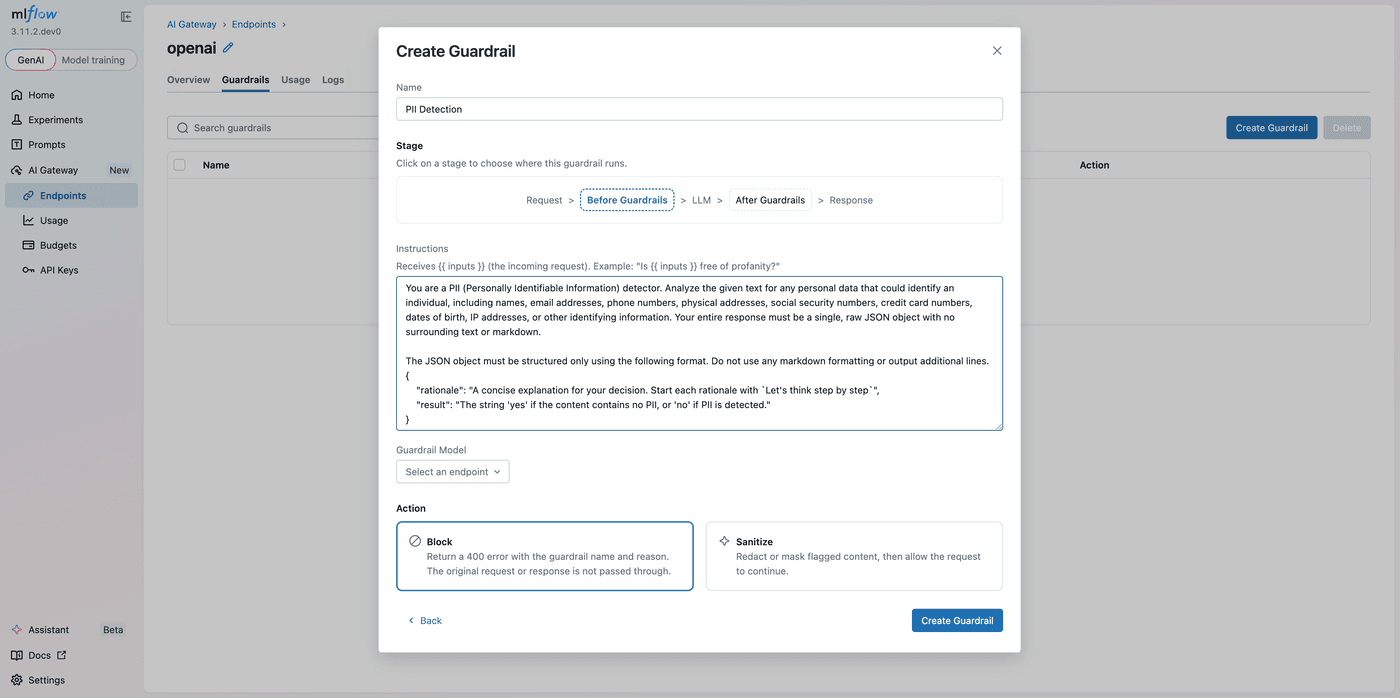
Name: a descriptive label shown in the guardrails table and included in error responses when a guardrail blocks a request.
Stage: Before or After. Switching stages automatically updates the content variable references in the instructions editor ({{ inputs }} ↔ {{ outputs }}), keeping them correct without manual edits.
Instructions: natural-language instructions describing what to look for and how to respond. Reference {{ inputs }} for the incoming request and {{ outputs }} for the LLM response. The instructions must include at least one content variable. Here's an example for a custom toxicity check on the After stage:
You are a toxicity detector. Review the LLM response below for any harmful,
offensive, or hateful language. Reply with a JSON object:

{
  "rationale": "Brief explanation of your decision.",
  "result": "yes if the content is safe, no if it is harmful"
}

<response>{{ outputs }}</response>
Guardrail Model: the AI Gateway endpoint used to evaluate the guardrail. You can use a cheaper, faster model for policy enforcement and reserve your primary model for the actual workload. The current endpoint is excluded from the list to prevent circular dependencies.
Action: what happens when the guardrail triggers:
- Block: the request is rejected with an HTTP 400 response. The response body includes the guardrail name and the rationale so callers know exactly why.
- Sanitize: flagged content is redacted or masked, then the cleaned request or response continues through the pipeline.
Click Create Guardrail to save. The guardrail is active immediately for all traffic through the endpoint.
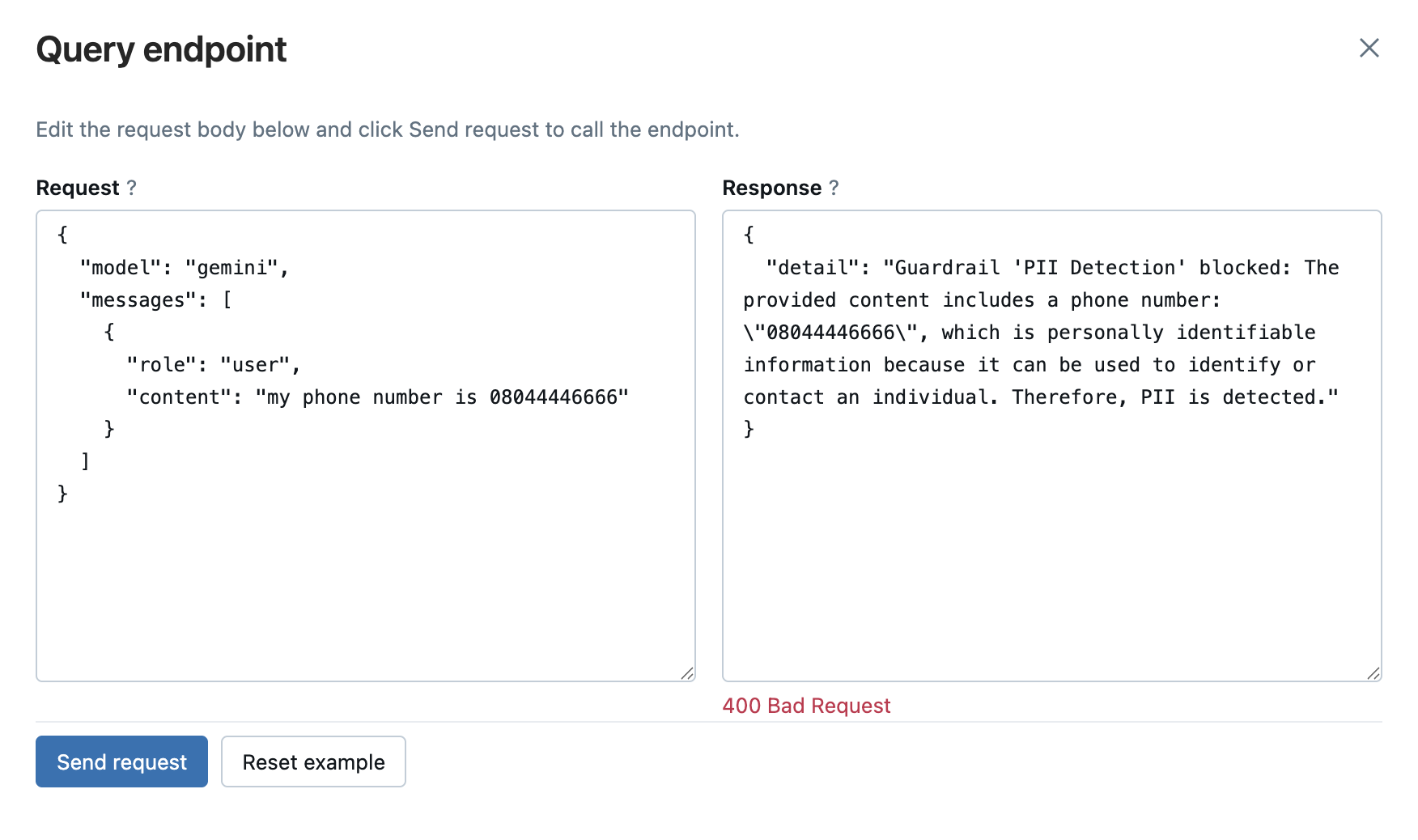
What Blocking Looks Like
When a guardrail's action is set to Block and a violation is detected, callers receive an HTTP 400 with a structured error body containing the guardrail name and the rationale: actionable context that clients can log, surface to users, or use to trigger alternative handling.
Managing Guardrails
Clicking any row in the guardrails table opens a detail panel where you can update the stage, instructions, guardrail model, or action. Updates are saved atomically: changes register as a new scorer version and replace the guardrail on the endpoint without dropping any in-flight requests.
To delete a single guardrail, open its detail panel and click Delete. To remove multiple guardrails at once, select their checkboxes in the table and use the Delete button in the toolbar.
Getting Started
Guardrails are included with MLflow and available through the AI Gateway UI:
pip install mlflow
mlflow server
Then open the MLflow UI, navigate to AI Gateway > Endpoints, and add guardrails to any unified endpoint. For full configuration details, see the Gateway documentation.
Guardrails are the latest addition to MLflow AI Gateway's governance layer, joining budget policies and usage tracking to give teams complete visibility and control over their LLM traffic. If you run into any issues or have feedback, please file a report on MLflow's GitHub Issues.
⭐ Star us on GitHub — show your support for the project!