MLflow AI Assistant
The MLflow AI Assistant is a powerful AI-powered helper that transforms cutting-edge coding agents like Claude Code into experienced AI engineers by your side. Unlike typical chatbots, MLflow AI Assistant is aware of your codebase and context. It is not just a question-answering tool, but a full-fledged AI engineer that can find root causes for issues, set up quality tests, and apply LLMOps best practices to your project.
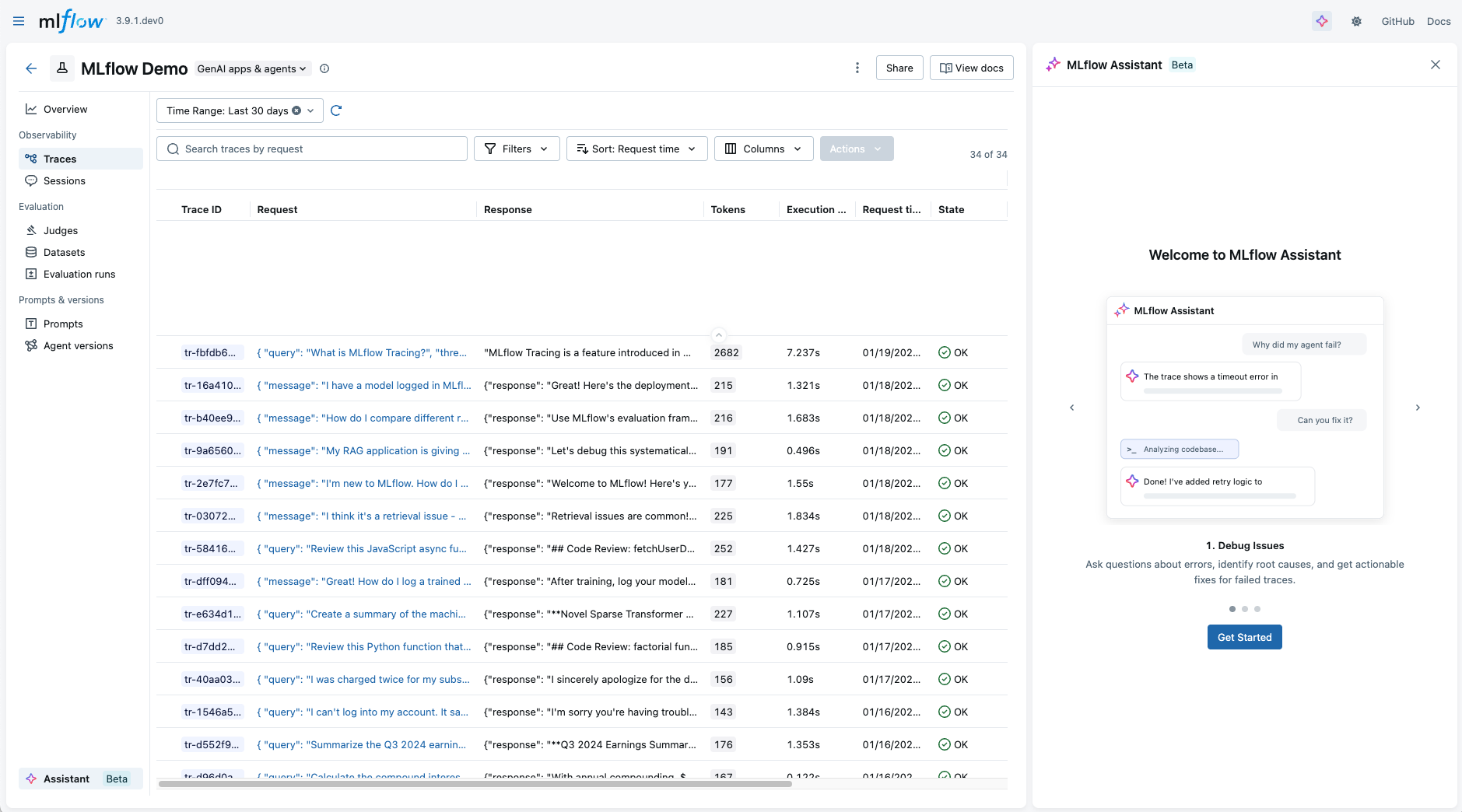
What's Unique About MLflow AI Assistant?
No Additional Costs
Use your existing coding agent subscription (Claude Code, etc.) and pay nothing extra. MLflow provides the knowledge and integration at no cost.
Context Rich
The assistant understands your local codebase, project structure, and LLMOps best practices. It provides tailored recommendations for your specific project, not generic advice.
Complete Dev-Loop
Go beyond Q&A. The assistant can fetch MLflow data, read your code, and even add tracing, evaluation, and versioning to your project without human intervention.
Fully Customizable
Add custom skills, sub-agents, and permissions. Everything runs on your machine with full transparency. Not a black box solution behind paywall.
Example Use Cases
Explore the use cases below to see MLflow AI Assistant in action.
- Set Up MLflow
- Debug Issues
- Analyze Data
- Evaluate Quality
- Improve Prompts
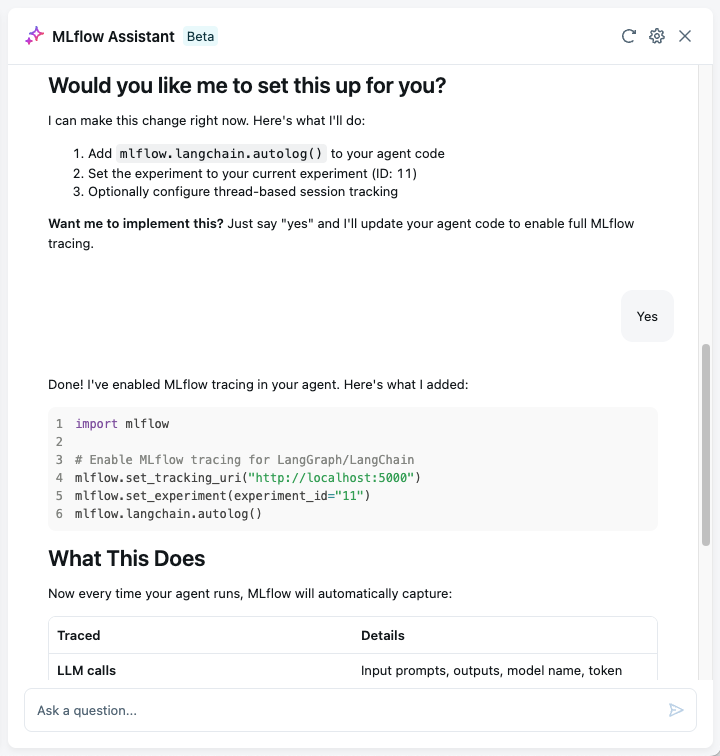
Set Up MLflow for You
Just ask "How do I set up MLflow for my project?" and the assistant will guide you through the process of setting up MLflow for your project. Since the assistant has access to your codebase, it can automatically understand what you are trying to build and determine the required setup steps.
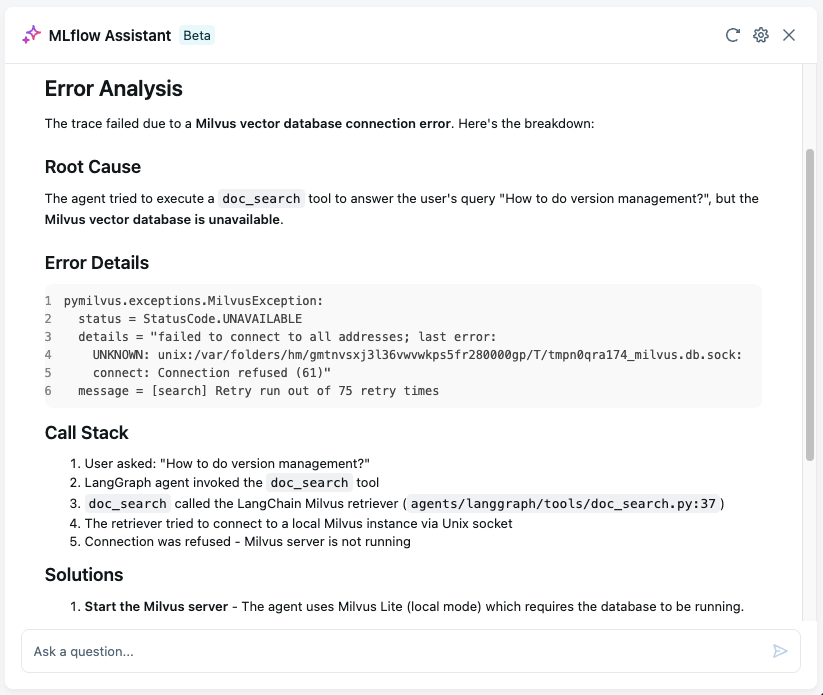
Analyze Traces and Debug Issues
When something goes wrong, the assistant can search through your traces, identify patterns, and help you understand what happened.
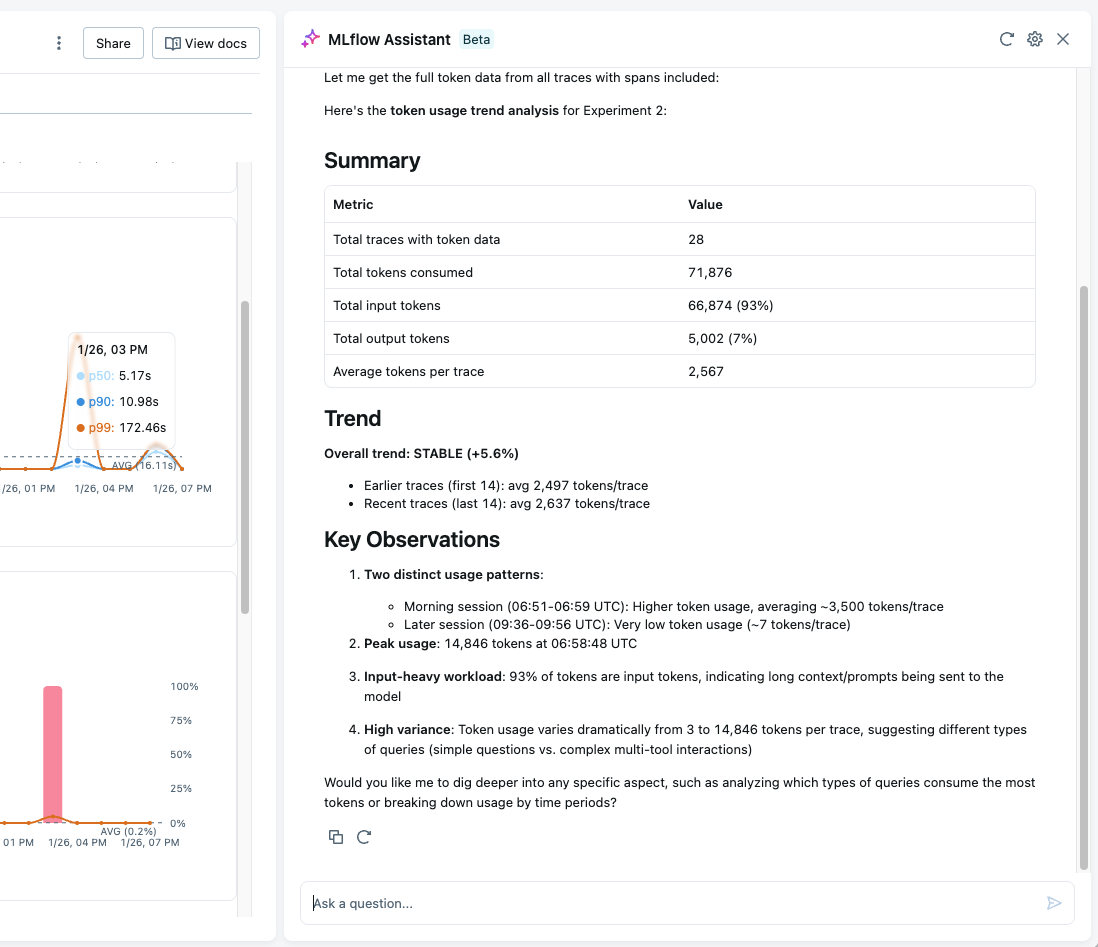
Analyze Bulk Data and Identify Patterns
The assistant can analyze bulk data stored in your experiments and identify patterns that suggest improvements to your application.
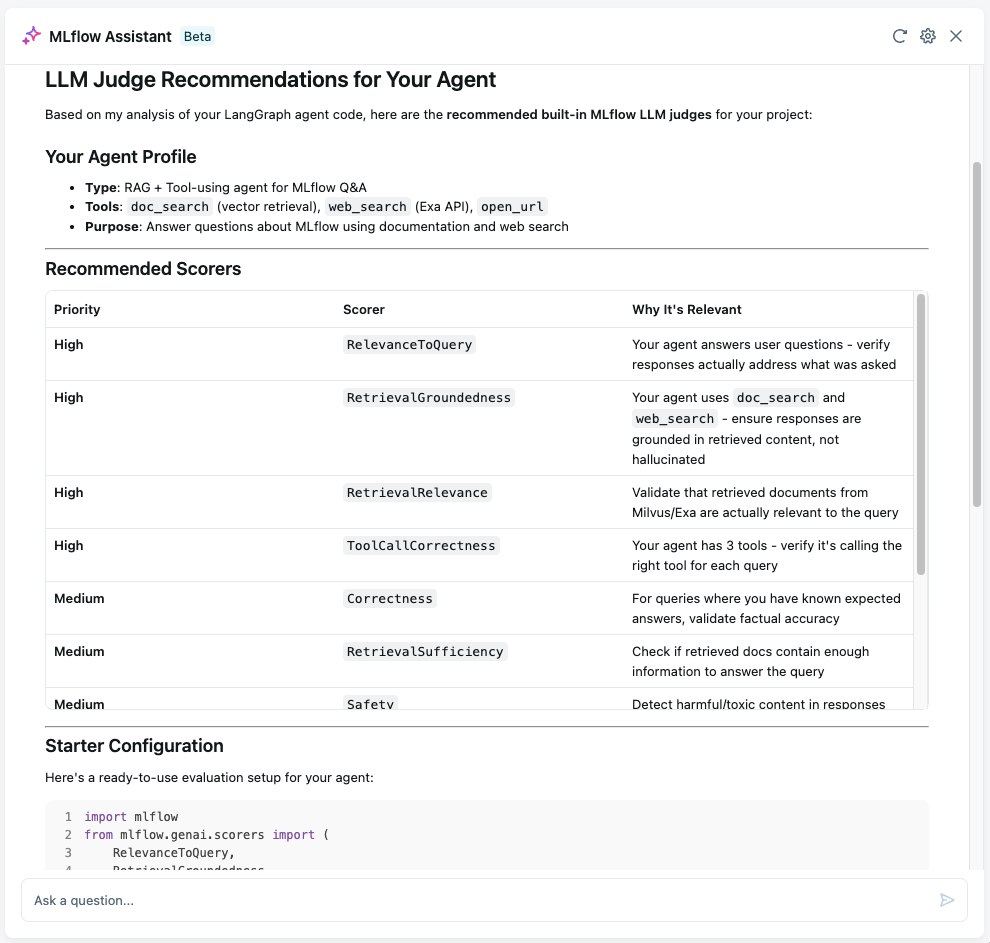
Setting Up Robust Evaluation For Your Project
Evaluation is important for the success of ML/AI projects, however, getting it right is challenging. The assistant helps you set up the robust evaluation framework tailored to your project with deep understanding of the codebase and LLMOps best practices.
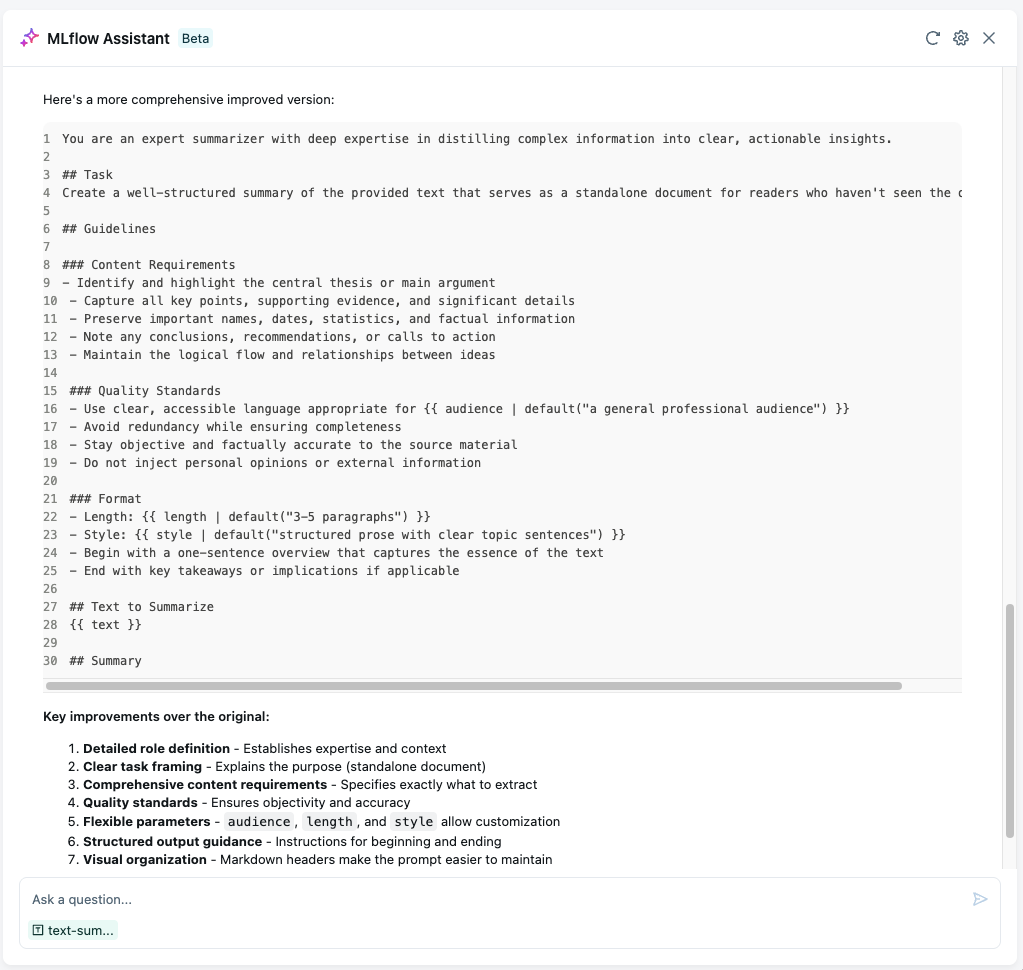
Improve Prompt Templates with AI Wizard
Prompt engineering is still a critical part of building LLM applications, yet manually iterating over prompts is time-consuming and error-prone. The assistant helps you improve prompt templates and frees you from the repetitive work.
Currently, MLflow AI Assistant is in beta and only available for local MLflow tracking server. Support for remote tracking servers is coming soon.
Getting Started
Set up MLflow AI Assistant with your preferred coding agent. Currently, Claude Code is fully supported, with more agents coming soon.
1. Open MLflow UI
Open MLflow UI at http://localhost:5000 or your custom port.
2. Open Assistant Panel
If you are using the local MLflow server, the Assistant panel should open automatically. If not, you can navigate to it manually by clicking the Assistant tab on the left sidebar in the experiment page.
3. Follow the setup wizard
Follow the setup wizard to configure the assistant. For example, if you select Claude Code as the backend, you will be asked to log in to Claude Code. Configurations you make here can be changed later from the Assistant setting page (the gear icon at the top).
4. Start chatting
Once the setup is complete, you can start chatting with the assistant. Note that the assistant only works when you are in an experiment page. If you are outside of an experiment page, it will prompt you to select or create an experiment.
FAQ & Troubleshooting
Is MLflow AI Assistant really free?
Yes! MLflow AI Assistant uses your existing coding agent subscription. You pay for the agent (Claude Code, etc.), but MLflow provides the knowledge and integration at no cost. There are no additional fees, premium tiers, or usage limits from MLflow's side.
Which coding agents are supported?
Currently, Claude Code is fully supported. We're actively working on integrations for:
- OpenAI Codex
- Gemini CLI
- Open Code
Check back for updates as we add support for more agents.
Does the assistant have access to my data?
The assistant runs entirely on your local machine through your coding agent. Your code and data never leave your environment unless you explicitly configure the project path during the setup.
Can I customize what the assistant can do?
Absolutely! Coding agents like Claude Code support:
- Custom skills: Add specialized capabilities for your workflow
- Permissions: Control what files and operations the agent can access
- Sub-agents: Create specialized agents for different tasks
- Custom prompts: Configure system prompts and behavior
You have full control over what the assistant can access and modify.
Assistant asks for a permission I didn't grant. What should I do?
Depending on the question you asked, Assistant may think it needs an action that you didn't grant permission for. MLflow UI does not support ad-hoc permission approval yet, but you can update the permissions from the Assistant setting page.
- Execute MLflow CLI: The assistant will have access to run MLflow CLI commands to fetch traces, runs, and experiment data. This is required for the assistant to work.
- Read MLflow documentation: The assistant will have access to read the latest MLflow documentation. This is optional but highly recommended for getting the best out of the assistant.
- Edit project code: The assistant will have access to edit your project code. This is optional and only required if you want the assistant to update your project code for fixing issues, adding tracing, and applying LLMOps best practices.
- Full access: This will grant the assistant full access to the Assistant. For example, enabling this will run Claude Code with the
bypassPermissionsmode.
To give more granular control, you can also edit the permission setting of your backend coding agent directly. For example, if you are using Claude Code, you can edit .claude/settings.json file in your home directory or a project-scoped one.