Create and Manage API Keys
API keys serve as reusable credentials that can be shared across multiple endpoints. When you have several endpoints using the same provider, this approach simplifies both initial setup and ongoing credential management.
Accessing API Keys
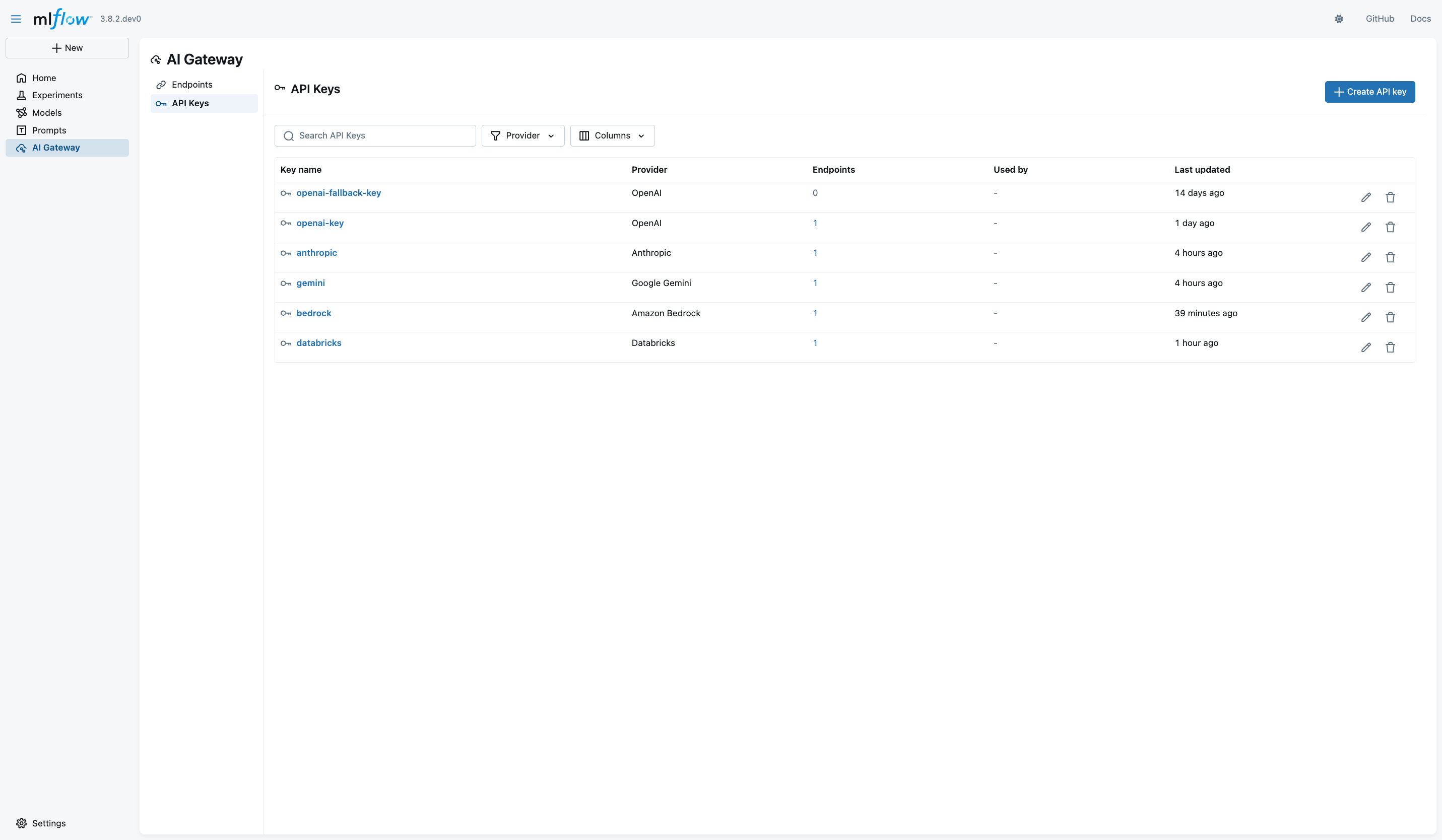
Navigate to the AI Gateway section at http://localhost:5000/#/gateway and click on the API Keys tab.
Creating an API Key
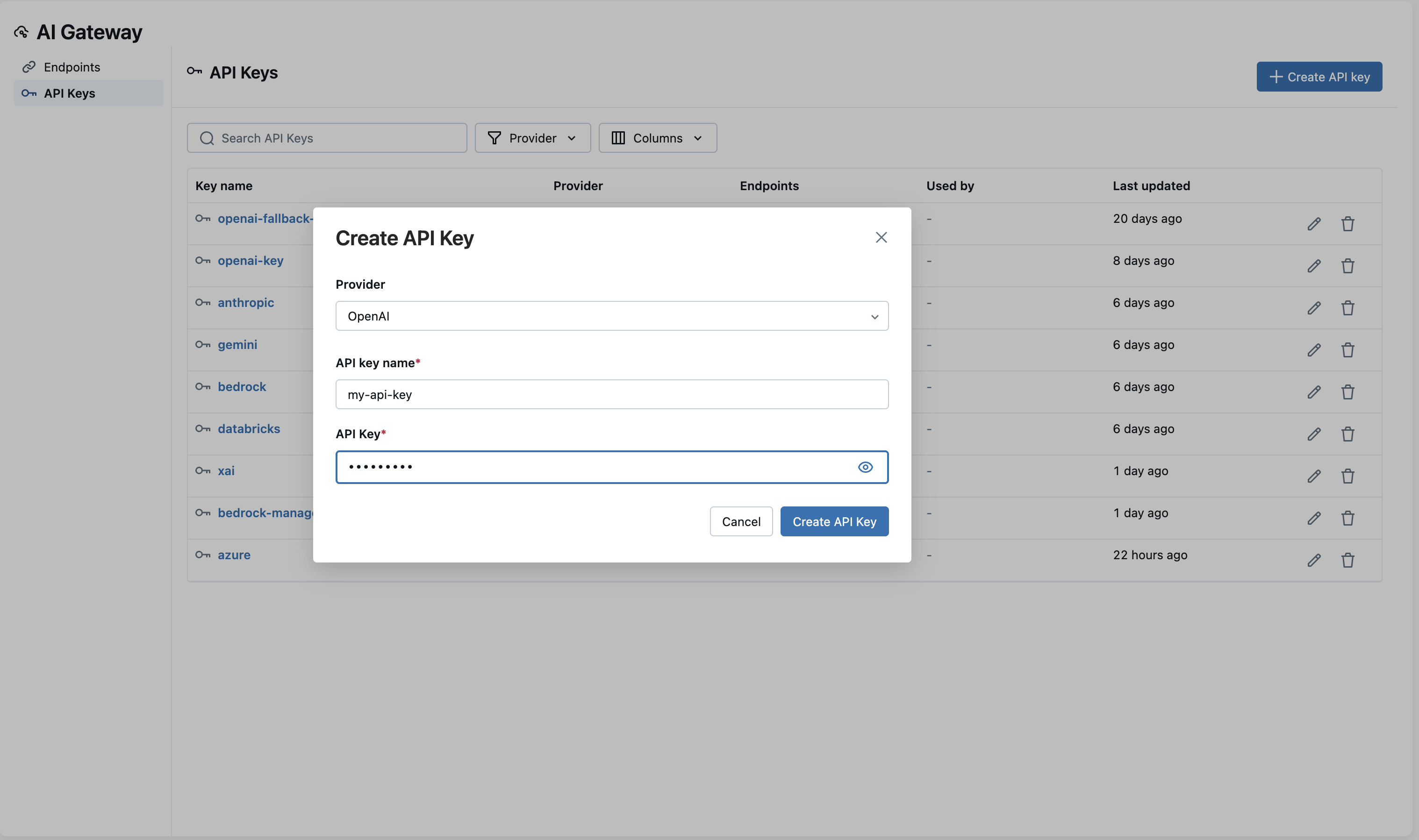
- Click Create API Key
- Enter a unique name for the key (e.g.,
my-openai-key) - Select your provider from the dropdown (OpenAI, Anthropic, Google Gemini, etc.)
- Choose the authentication method if multiple options are available
- For example, OpenAI supports both standard API key authentication and Azure-specific authentication
- Enter your credentials (displayed as masked inputs for security)
- Fill in any provider-specific configuration fields:
- Azure: Endpoint URL
- GCP: Project ID
- Click Create
Working with Existing Keys
The API Keys page displays all your configured credentials along with important metadata:
- Endpoints using this key: See which endpoints depend on each key
- Last updated: When the credentials were last modified
- Created date: When the key was originally created
The credential values remain masked for security.
Editing Keys
To update credentials for a provider:
- Locate the key in the API Keys list
- Click the Edit button
- Update the credential value
- Click Save
All endpoints using this key will automatically use the new credentials without requiring any configuration changes.
Deleting Keys
When deleting a key:
- The system warns you if any endpoints currently depend on it
- Review the warning to prevent accidental disruptions
- Confirm deletion only after ensuring no active endpoints need the key
Creating reusable API keys simplifies credential rotation. When you need to update a credential, edit it once rather than updating every endpoint individually.
Best Practices
- Use descriptive names: Name keys by provider and purpose (e.g.,
openai-production,anthropic-dev) - Separate development and production: Use different keys for different environments
- Minimize key sharing: Create separate keys when different teams or applications need isolated access
- Regular rotation: Periodically rotate credentials for security (see Encryption & Rotation)