Create and Manage LLM Connections
LLM connections store your provider API keys as reusable credentials that can be shared across multiple endpoints. When you have several endpoints using the same provider, this approach simplifies both initial setup and ongoing credential management.
Accessing LLM Connections
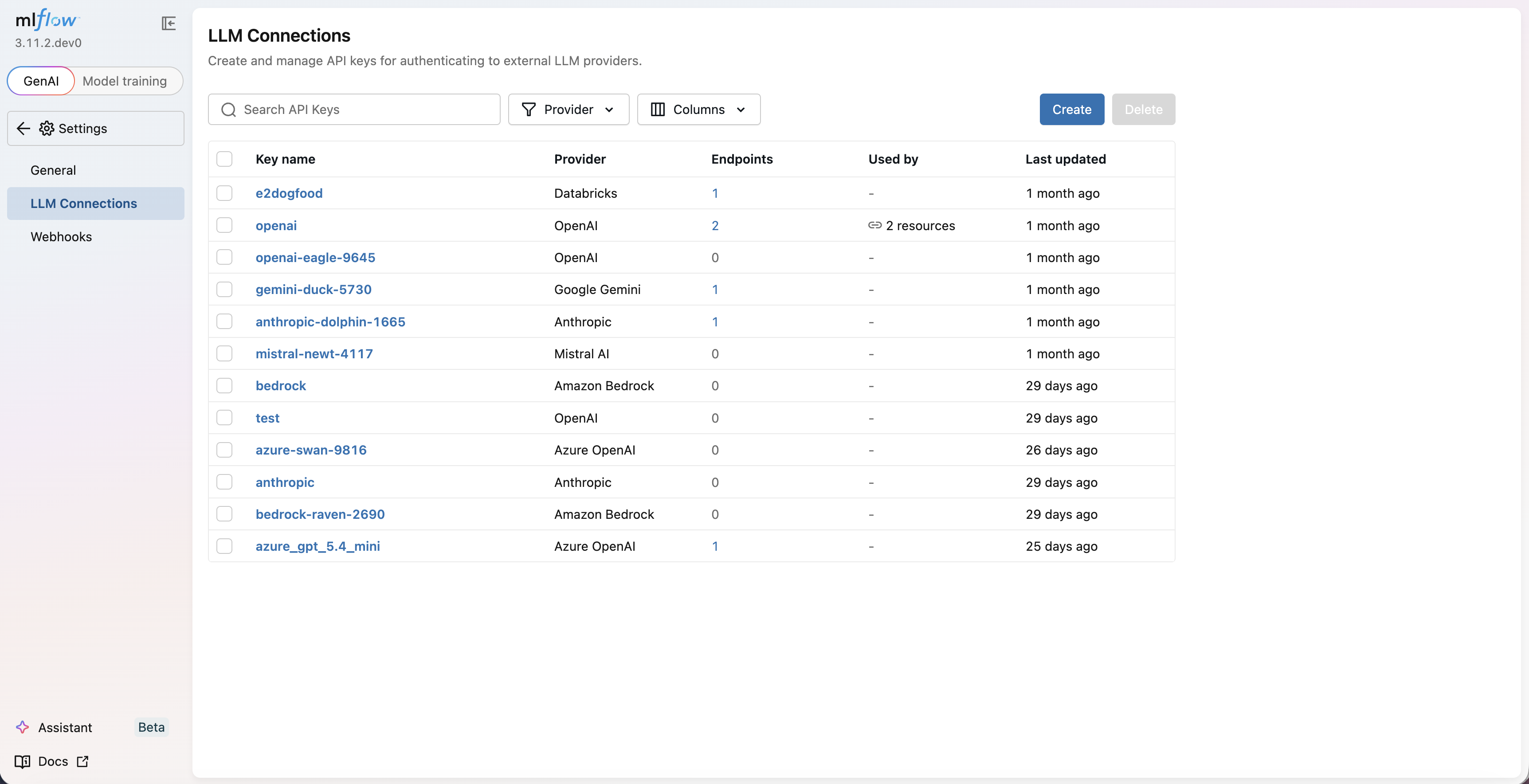
Navigate to http://localhost:5000/#/settings and click on the LLM Connections tab.
Creating an LLM Connection
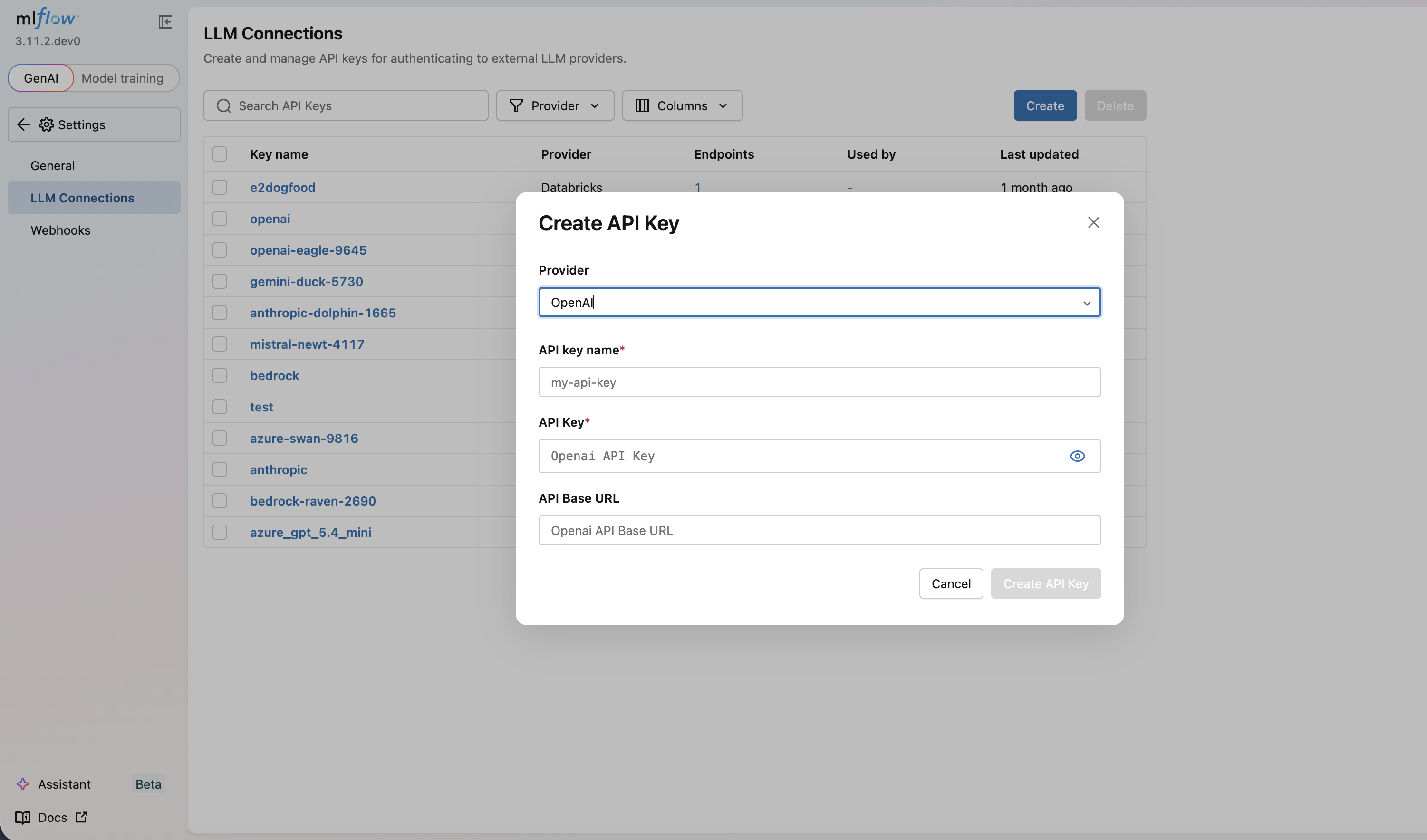
- Click Create button
- Enter a unique name for the connection (e.g.,
my-openai-key) - Select your provider from the dropdown (OpenAI, Anthropic, Google Gemini, etc.)
- Choose the authentication method if multiple options are available
- For example, OpenAI supports both standard API key authentication and Azure-specific authentication
- Enter your credentials (displayed as masked inputs for security)
- Fill in any provider-specific configuration fields:
- Azure: Endpoint URL
- GCP: Project ID
- Click Create
Custom Base URL Validation
Some providers accept a custom API Base URL (api_base), for example Azure OpenAI, Databricks, or Portkey. Because the gateway forwards requests, including caller-controlled raw proxy paths, to this URL, MLflow validates it to prevent Server-Side Request Forgery (SSRF). By default:
- Only HTTPS URLs are allowed
- URLs with embedded credentials are rejected
- URLs that resolve to private, loopback, link-local, or reserved IP addresses are rejected
This prevents a connection from being pointed at internal services, cloud metadata endpoints (e.g., 169.254.169.254), or localhost services. Leaving the field blank is always allowed and uses the provider's default base URL.
The private-IP policy is also enforced when the gateway actually connects to a custom base URL: every address it dials is checked at connection time and redirects from the upstream are never followed. This means connections created before this validation existed, and hostnames that change what they resolve to after creation, are still blocked from reaching internal addresses. Providers routed through LiteLLM use LiteLLM's own HTTP client, so for them the base URL is resolved and checked immediately before each request instead; because LiteLLM also accepts base_url (an alias for api_base), model_list, fallbacks and custom_llm_provider, those keys are rejected in a connection's configuration, and no request payload may set any of them. The upstream is always chosen by the connection's validated api_base. A provider's built-in base URL, such as Ollama's localhost:11434, is not subject to this check on the chat, embeddings and passthrough routes; it is checked on the raw proxy route, where the caller also controls the request path.
Deployments whose custom base URL points at a private address, such as an in-cluster vLLM server or an Azure OpenAI Private Link endpoint, must set MLFLOW_GATEWAY_API_BASE_ALLOW_PRIVATE_IPS=true. If that server does not use TLS, also set MLFLOW_GATEWAY_API_BASE_ALLOWED_SCHEMES=http,https so its URL can be saved. Only enable these when every user who can create LLM connections is trusted with access to your private network.
Working with Existing Connections
The LLM Connections page displays all your configured connections along with important metadata:
- Endpoints using this connection: See which endpoints depend on each connection
- Last updated: When the credentials were last modified
- Created date: When the connection was originally created
The credential values remain masked for security.
Editing Connections
To update credentials for a provider:
- Locate the connection in the LLM Connections list
- Click the Edit button
- Update the API key value
- Click Save
All endpoints using this connection will automatically use the new credentials without requiring any configuration changes.
Deleting Connections
When deleting a connection:
- The system warns you if any endpoints currently depend on it
- Review the warning to prevent accidental disruptions
- Confirm deletion only after ensuring no active endpoints need the connection
Creating reusable LLM connections simplifies credential rotation. When you need to update an API key, edit the connection once rather than updating every endpoint individually.
Best Practices
- Use descriptive names: Name connections by provider and purpose (e.g.,
openai-production,anthropic-dev) - Separate development and production: Use different connections for different environments
- Minimize connection sharing: Create separate connections when different teams or applications need isolated access
- Regular rotation: Periodically rotate API keys for security (see Encryption & Rotation)