Budget Alerts & Limits
Budget policies let you control AI Gateway spending by setting a threshold (USD) over a recurring time window (daily, weekly, or monthly). When the threshold is exceeded, the policy takes one of two actions:
- Alert — fires a webhook notification. Requests continue normally.
- Reject — blocks subsequent requests with HTTP 429. The request that causes the spend to exceed the budget is allowed to complete; rejection applies to requests that arrive after the threshold has been exceeded.
Spend resets automatically at the start of each new time window. When workspaces are enabled, budget policies can be scoped to a specific workspace so that spend is tracked per workspace.
Managing Budget Policies
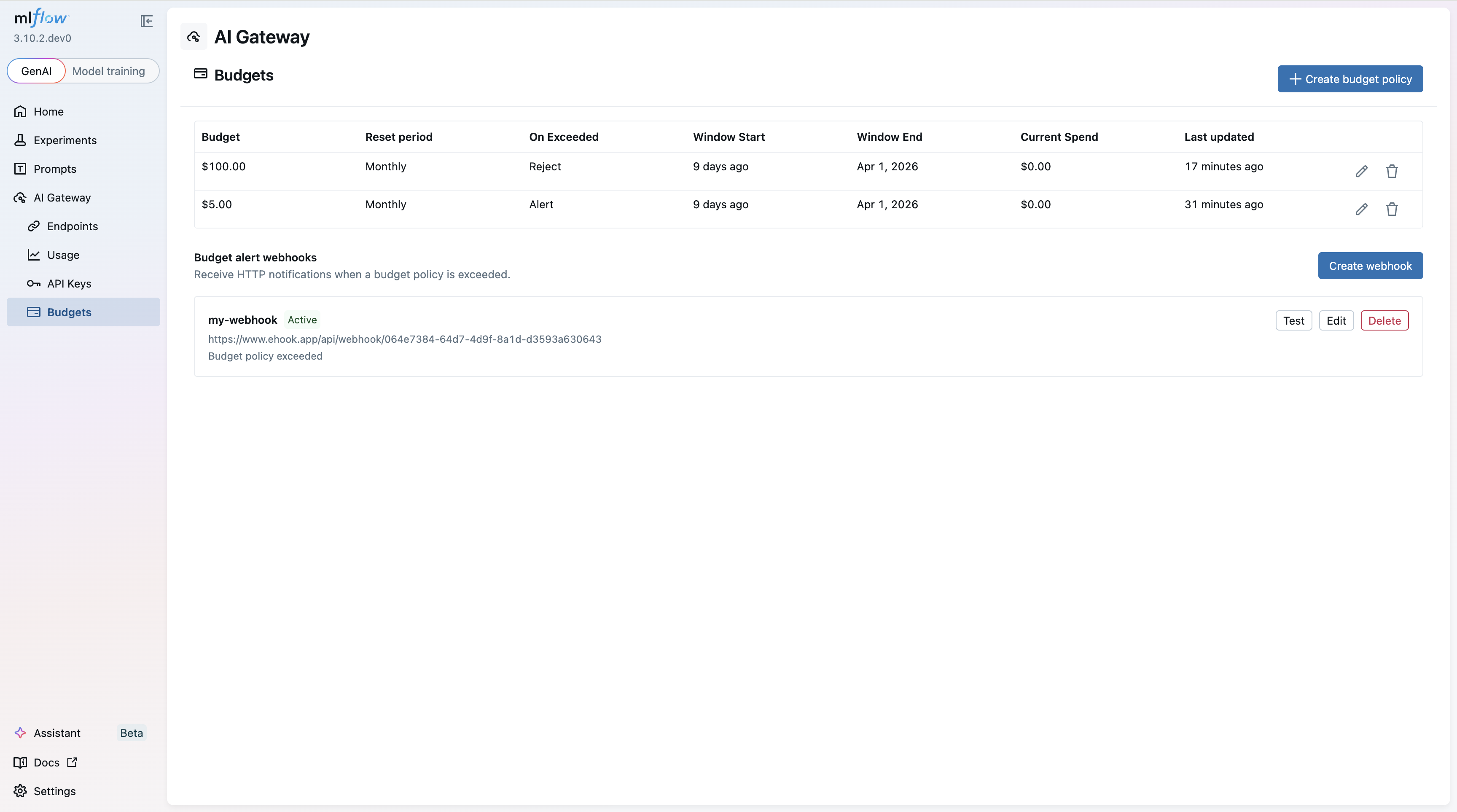
Navigate to AI Gateway > Budgets in the MLflow UI to view and manage your budget policies.
Creating a Budget Policy
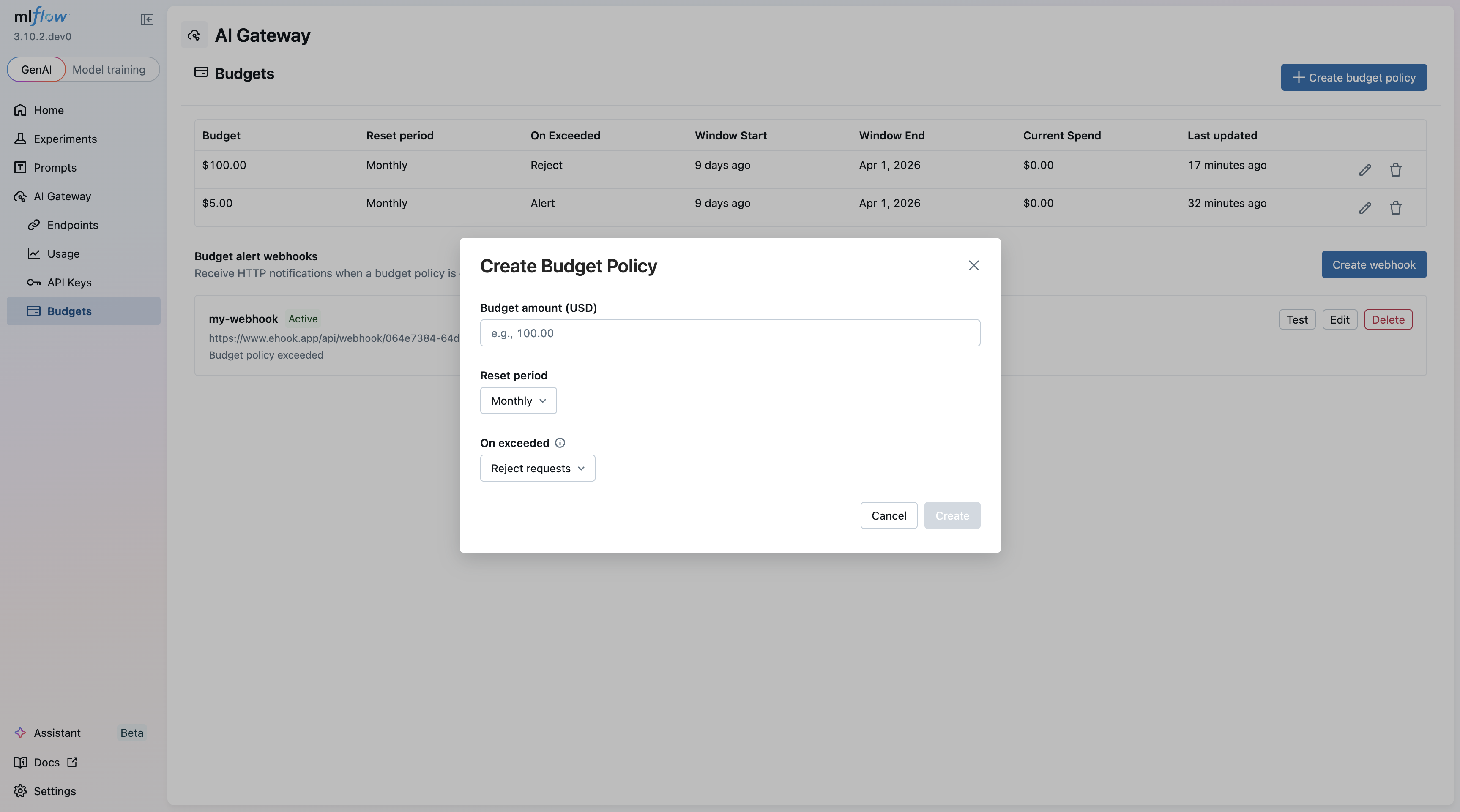
Click Create budget policy to open the creation dialog. Specify the budget amount (USD), reset period, and the action to take when the threshold is exceeded.
Alert Webhooks
When an ALERT policy's threshold is exceeded, the gateway fires a webhook with details about the breach. The alert fires once per window, subsequent requests within the same window do not trigger additional webhooks.
Webhook endpoints can be configured directly from the Budgets page under the Budget alert webhooks section.
The webhook payload includes:
{
  "budget_policy_id": "bp-abc123",
  "budget_unit": "USD",
  "budget_amount": 500.0,
  "current_spend": 523.40,
  "duration_unit": "MONTHS",
  "duration_value": 1,
  "target_scope": "GLOBAL",
  "workspace": "default",
  "window_start": 1704067200000
}
Reject Behavior
When a REJECT policy's threshold is exceeded, the gateway blocks all subsequent requests to AI Gateway endpoints with an HTTP 429 response:
HTTP/1.1 429 Too Many Requests

{
  "detail": "Budget limit exceeded for policy 'bp-abc123'. Limit: $500.00 USD per 1 month. Request rejected."
}
Time Windows
Budget windows are fixed intervals:
- Daily — resets every day at midnight UTC
- Weekly — resets every 7 days on Sundays
- Monthly — resets on the 1st of each month
Accumulated spend resets to zero at the start of each new window.
Authorization
When authentication is enabled for the tracking server, only admin users can create, update, or delete budget policies.
Budget Tracker Strategies
The gateway uses a budget tracker to accumulate spend and evaluate budget policies on every request. Two strategies are available: local and redis.
Local
Pros:
- No external dependencies — runs entirely in-process.
- Lowest latency; no network round-trips per request.
- Accumulated spend survives restarts via trace backfill on startup.
Cons:
- Budget state is not shared across workers or replicas. Each process tracks spend independently, so the total across all workers can exceed the configured limit.
- If trace backfill is disabled or unavailable, spend resets to zero on restart.
# No extra environment variables required
mlflow server --host 0.0.0.0 --port 5000
Redis
Pros:
- Budget state is shared across all gateway workers and replicas — the limit is enforced globally.
- Atomic operations guarantee race-free window initialization and cost accumulation.
Cons:
- Requires a running Redis instance reachable from every gateway process.
- Adds a small per-request latency for the Redis round-trip.
- Requires an additional dependency:
pip install redis.
| Environment Variable | Default | Description |
|---|---|---|
MLFLOW_GATEWAY_BUDGET_REDIS_URL | None | Redis connection URL. Setting this variable activates the redis strategy. Examples: redis://localhost:6379/0 (plain), rediss://host:6380/0 (TLS), redis://:password@host:6379/0 (auth). |
export MLFLOW_GATEWAY_BUDGET_REDIS_URL=redis://localhost:6379/0
mlflow server --host 0.0.0.0 --port 5000
Policy Refresh Interval
Both strategies periodically re-fetch budget policies from the database. The interval is controlled by MLFLOW_GATEWAY_BUDGET_REFRESH_INTERVAL (default: 600 seconds). Decrease the value to pick up policy changes faster; increase it to reduce database load.
export MLFLOW_GATEWAY_BUDGET_REFRESH_INTERVAL=30
mlflow server --host 0.0.0.0 --port 5000