Traffic Routing & Fallbacks
Beyond basic endpoint configuration, MLflow AI Gateway supports advanced routing features that enable traffic splitting for A/B testing and automatic fallbacks for high availability.
Traffic Splitting (Load Balancing)
Traffic splitting lets you distribute requests across multiple models based on percentage weights. This capability supports several important use cases:
- A/B testing: Compare performance between different models
- Gradual migration: Shift traffic incrementally without disrupting service
- Load distribution: Balance requests across multiple providers for reliability
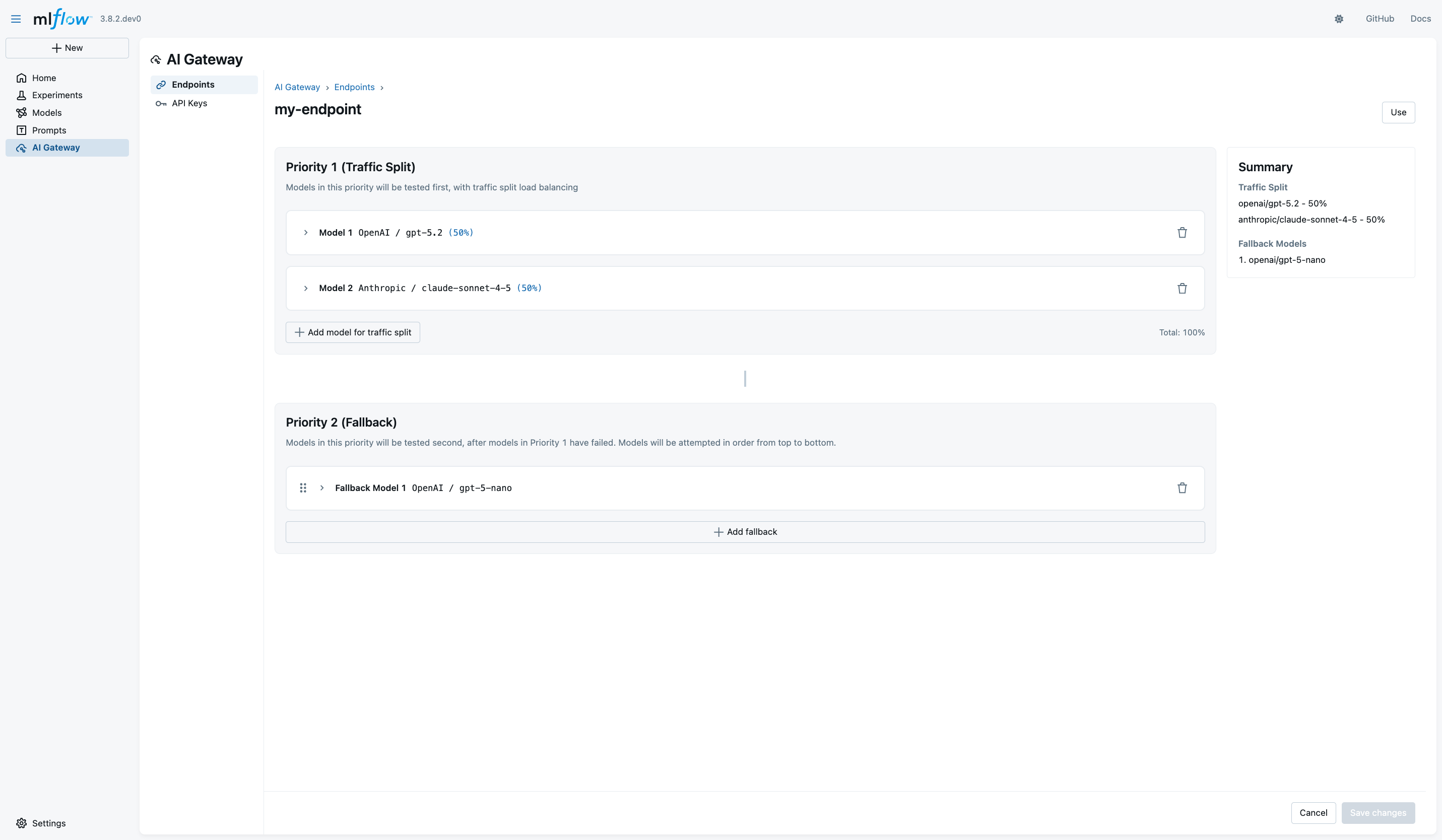
To configure traffic splitting, open your endpoint's details page and locate the Priority 1 (Traffic Split) section. Click Add Model to include additional models in your traffic split configuration. For each model, select the provider and specific model you want to use, then configure the API key by either creating a new one or selecting from existing keys.
The critical part of traffic splitting is setting the weight percentage for each model. Weights range from 1% to 100%, and the system requires that all weights sum to exactly 100%. The interface displays the current total in green when valid, turning red if the weights don't sum correctly. This validation ensures your configuration will work as expected before you save it.
For example, you might configure 50% of traffic to route to OpenAI GPT-5 and 50% to Anthropic Claude 4.5 Sonnet. This split lets you gradually evaluate Claude's performance on a subset of real traffic before committing to a larger migration.
Fallback Configuration
Fallback models provide automatic recovery when primary models encounter errors or rate limits. The gateway tries fallback models sequentially until one succeeds, ensuring your application remains operational even when individual providers experience issues.
Fallback configuration supports several scenarios:
- High availability: Failover to alternative providers during outages
- Cost optimization: Use cheaper models as fallbacks when expensive models hit rate limits
- Regional failover: Route to providers in different geographic regions
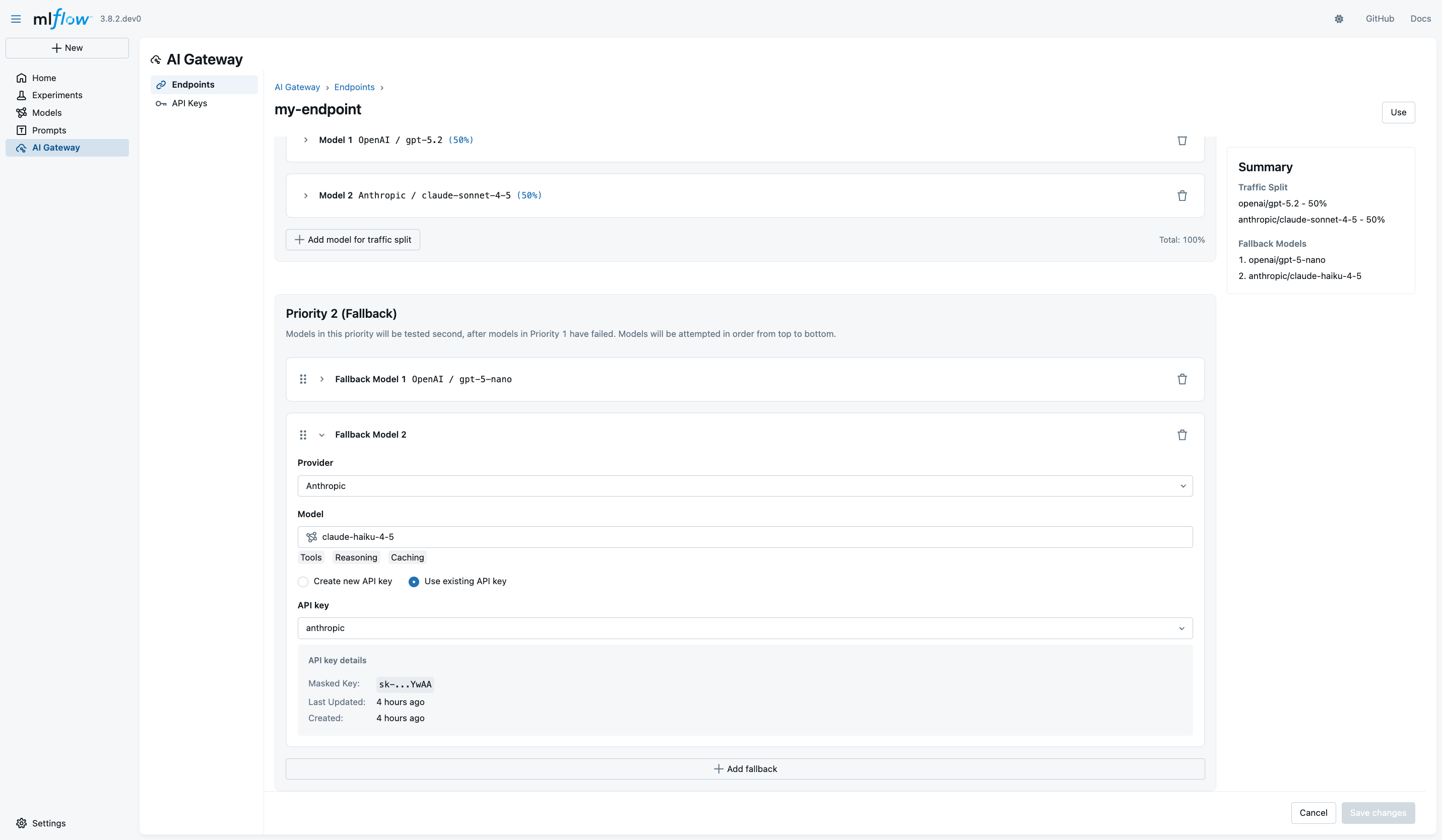
To configure fallbacks, navigate to the Priority 2 (Fallback) section in your endpoint details page. Click Add Fallback Model to begin adding fallback options. For each fallback, select your provider and model, then configure the appropriate API key.
The order of fallback models matters, as the gateway tries them sequentially from top to bottom. Use the drag handle icon to reorder your fallbacks, placing your preferred alternatives first and less desirable options toward the end of the list.
Consider a production configuration where you have GPT-5 mini as the first fallback and Anthropic Claude 4.5 Haiku as the second fallback. If the primary model fails, the gateway falls back first to OpenAI GPT-5 mini, which is cheaper and faster but less capable. If that also fails, a second fallback to Anthropic Claude 4.5 Haiku provides another alternative before the request fails entirely.