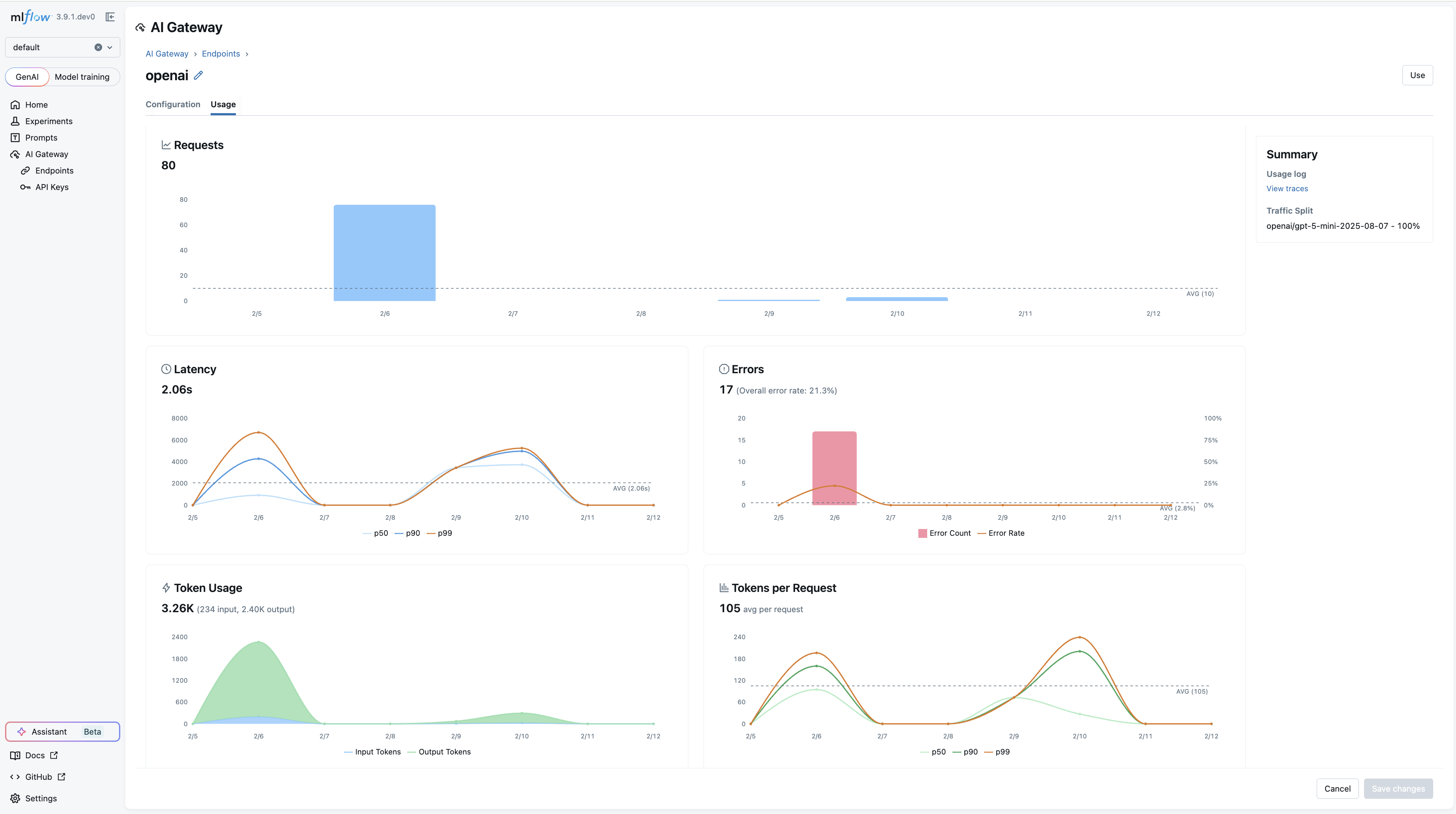
Usage Tracking
AI Gateway usage tracking logs all requests to an endpoint as traces, allowing you to monitor request volume, latency, errors, token consumption, and costs.
Enabling Usage Tracking
Open your endpoint's detail page and scroll to the Usage Tracking section at the bottom.
- Toggle Enable usage tracking on
- Click Save changes
Usage Dashboard
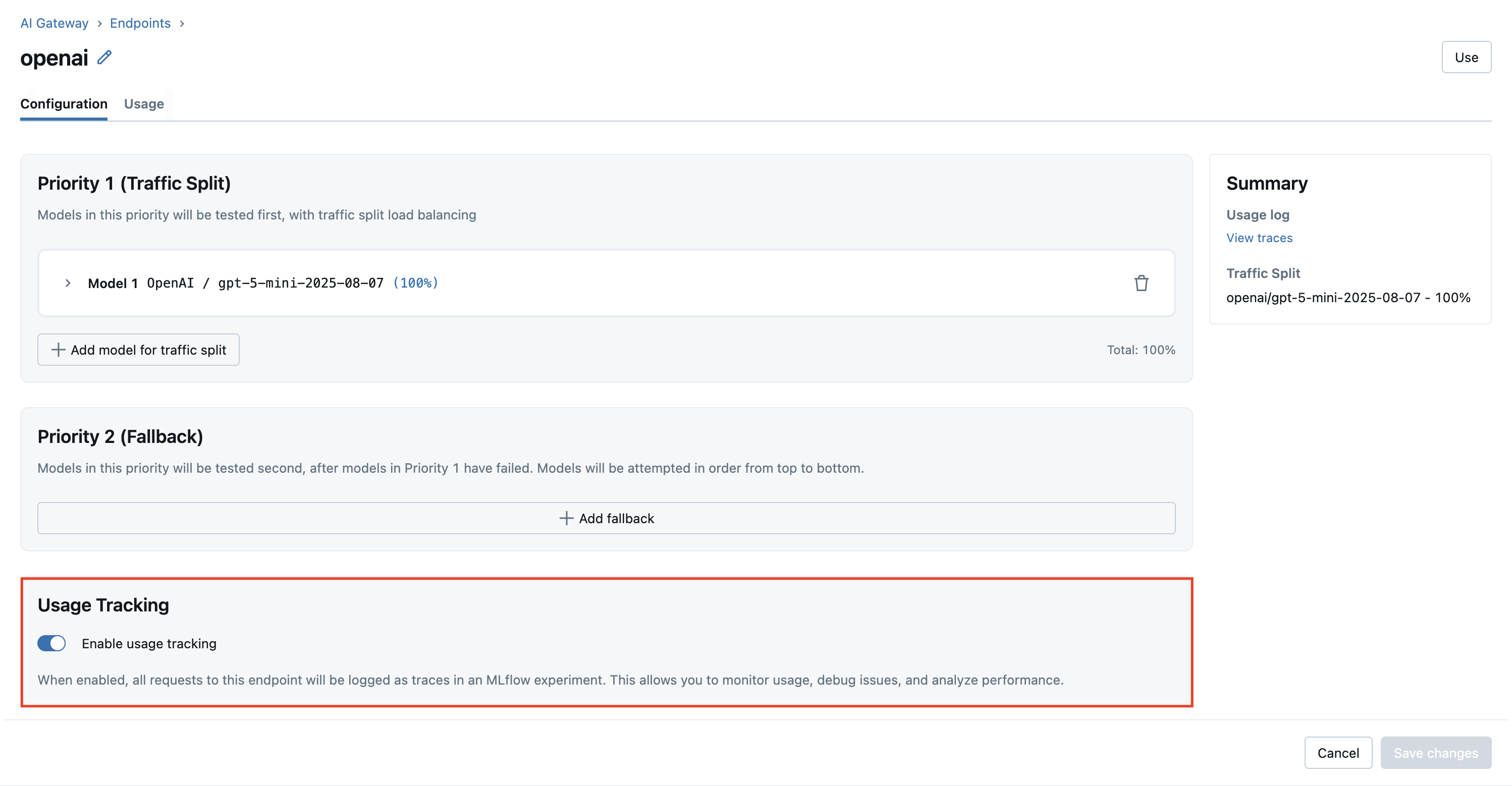
Navigate to AI Gateway > Usage in the sidebar, or click the Usage tab on an endpoint's detail page.
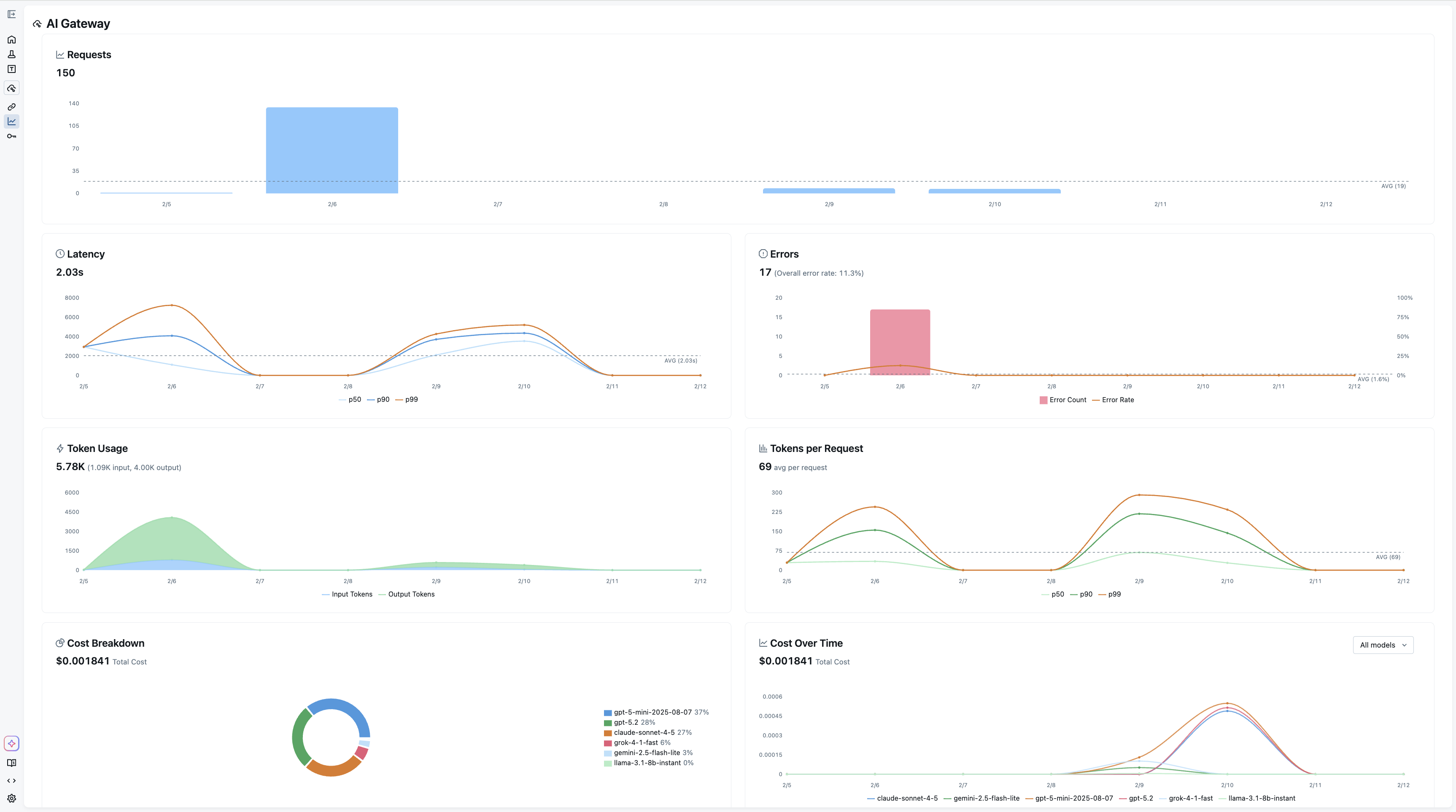
The dashboard provides the following charts:
- Requests — Total request count over time with daily/hourly averages
- Latency — Response time distribution (p50, p90, p99)
- Errors — Error rate and error count breakdown
- Token Usage — Input and output tokens over time
- Tokens per Request — Average token consumption per request
- Cost Breakdown — Cost distribution by model or provider
- Cost Over Time — Cumulative cost trends by model or provider
Note: Token usage and cost metrics are not supported for all LLM providers or models. Depending on your configuration and LiteLLM pricing, the token and cost charts may be empty or unavailable.
Filtering
Use the controls at the top of the dashboard to:
- Endpoint — View all endpoints or filter to a specific one
- Time Unit — Aggregate by hour, day, or week
- Time Range — Select a preset range (last 7 days, 30 days, etc.) or a custom range
Per-Endpoint Usage
Each endpoint's detail page also has a Usage tab that shows the same charts scoped to that endpoint, with a View full dashboard link to the main Usage page.