MCP Registry
MCP Registry is an experimental feature introduced in MLflow 3.15.0. APIs and behavior may change in future releases.
MLflow MCP Registry provides a centralized catalog for registering, versioning, and managing Model Context Protocol (MCP) servers. Built on the open MCP registry standard, it enables your organization to maintain a curated inventory of MCP servers that users and agents can discover and connect to, with full version control and lifecycle management. You can import servers directly from the official MCP registry or register your own.
Key Benefits
Centralized Catalog
Maintain a single source of truth for all MCP servers in your organization. Search, browse, and discover available servers and their capabilities.
Version Control
Track server configurations with semantic versioning. Compare versions side-by-side and manage status transitions from draft to active to deprecated.
Tool Discovery
Automatically discover and catalog the tools that each MCP server exposes. Refresh tool snapshots on demand as servers evolve.
Manage Access
Define and manage connection endpoints for each server, pinned to a specific version or alias. Generate ready-to-use connection instructions for Claude Code, .mcp.json, and more.
Getting Started
1. Register an MCP Server
The server.json file follows the open MCP registry standard and describes an MCP server's metadata, packages, and remote endpoints. Many popular MCP servers publish one in their GitHub repository. You can also browse the official MCP registry to find servers and import their server.json into MLflow.
- UI
- Python
- Run
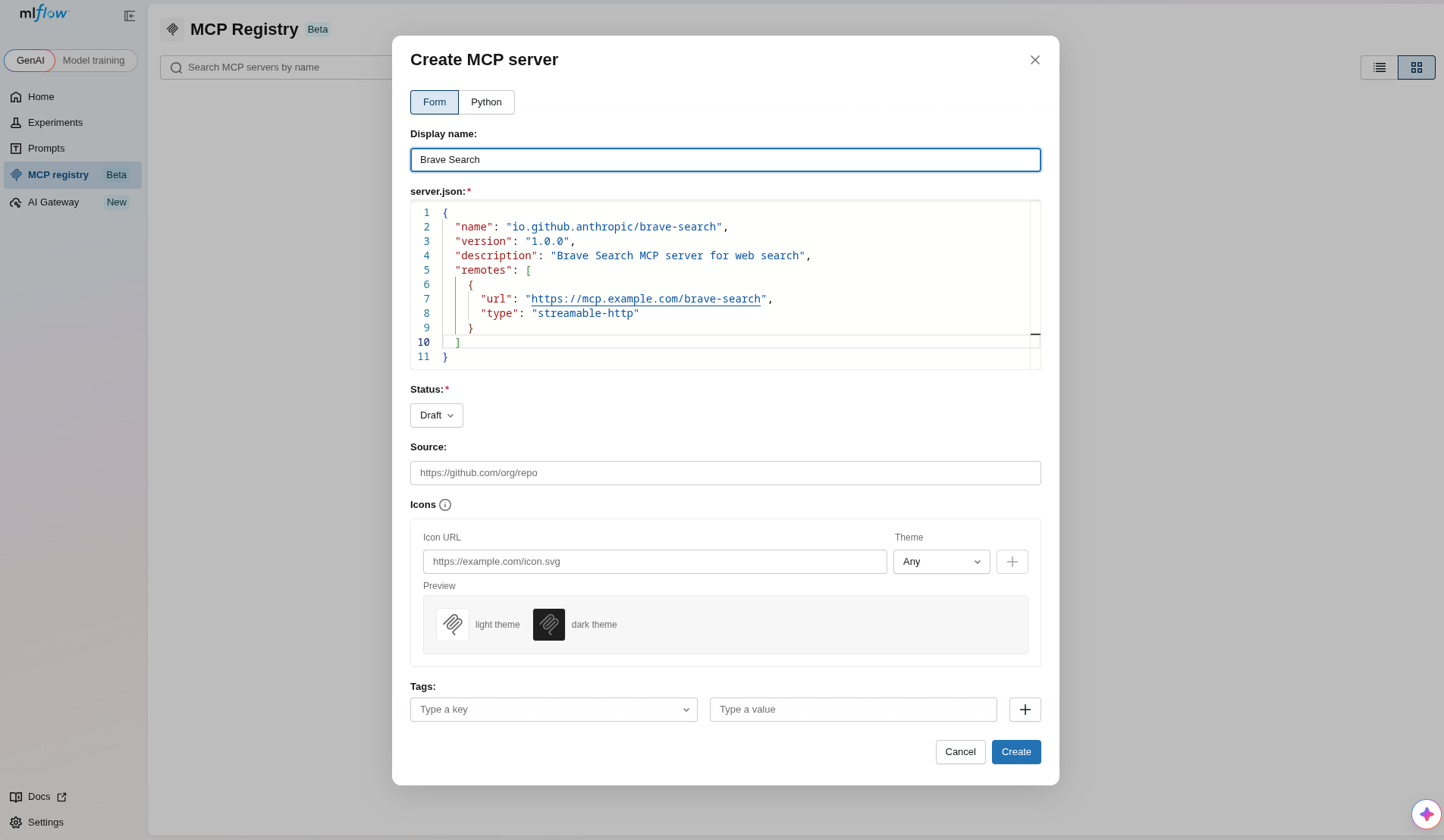
mlflow serverin your terminal to start the MLflow UI. - Navigate to the MCP Registry section in the sidebar.
- Click the Create MCP server button.
- Enter a display name and edit the server.json payload with the server's configuration.
- Click Create to register the server.
To register an MCP server using the Python API, use mlflow.genai.register_mcp_server():
import mlflow

version = mlflow.genai.register_mcp_server(
    server_json={
        "name": "io.github.anthropic/brave-search",
        "version": "1.0.0",
        "description": "Brave Search MCP server for web search",
        "remotes": [
            {
                "url": "https://mcp.example.com/brave-search",
                "type": "streamable-http",
            }
        ],
    },
    status="active",
)

print(f"Registered '{version.name}' version {version.version}")
You can also register directly from a URL hosting a server.json file:
version = mlflow.genai.register_mcp_server_from_url(
    url="https://raw.githubusercontent.com/example/mcp-server/main/server.json",
    status="active",
)
2. Browse Registered Servers
- UI
- Python
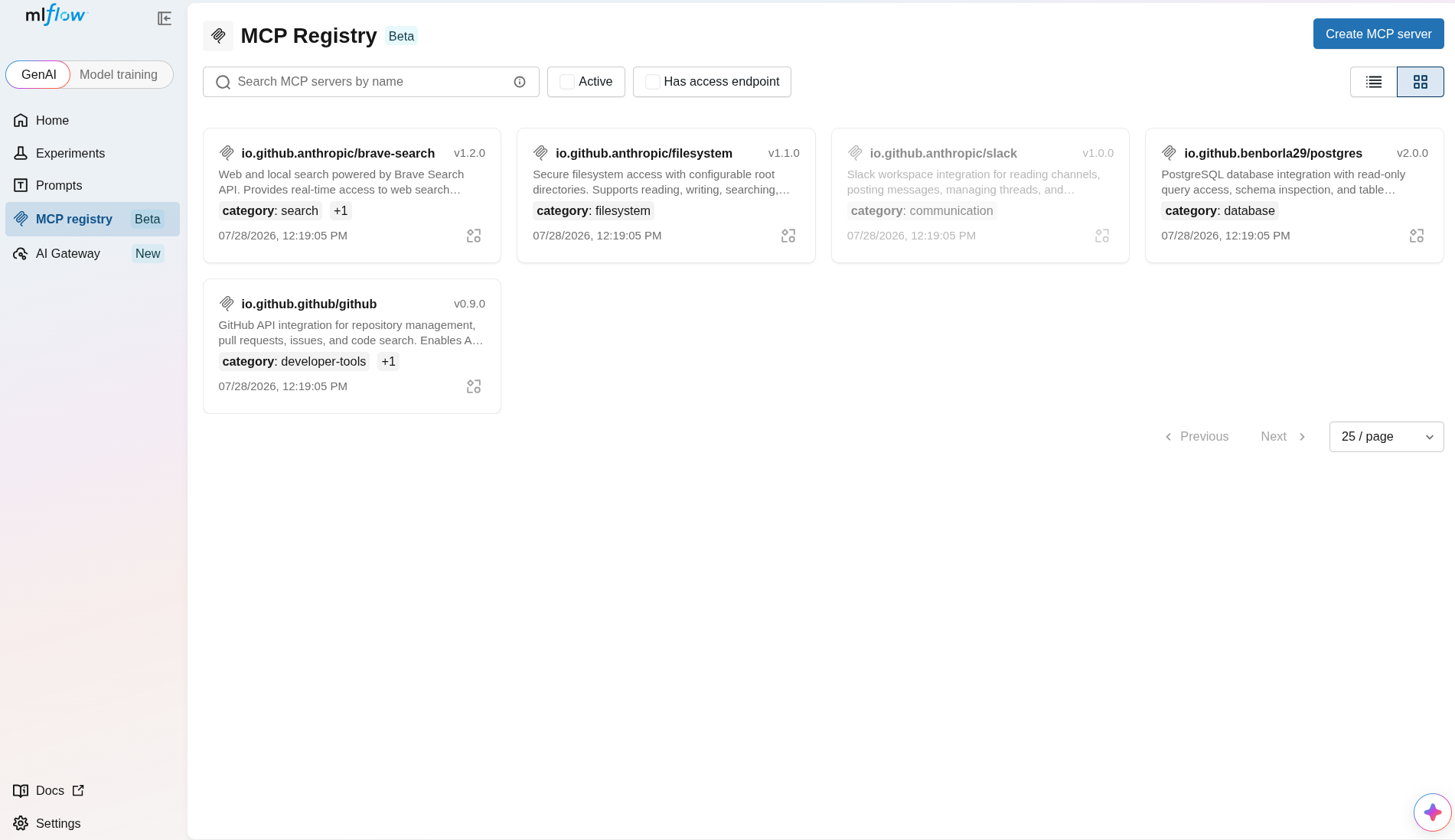
The MCP Registry page displays all registered servers in a searchable grid or list view. You can filter by status, search by name, and toggle between grid and list layouts.
Use mlflow.genai.search_mcp_servers() to find registered servers:
import mlflow

# Search all servers
servers = mlflow.genai.search_mcp_servers()

for server in servers:
    print(f"{server.name}: {server.description}")

# Filter by status
active_servers = mlflow.genai.search_mcp_servers(filter_string="status = 'active'")
3. Create an Access Endpoint
Access endpoints define how users and agents connect to a running MCP server instance. Each endpoint pairs a URL and transport type with a specific server version or alias.
- UI
- Python
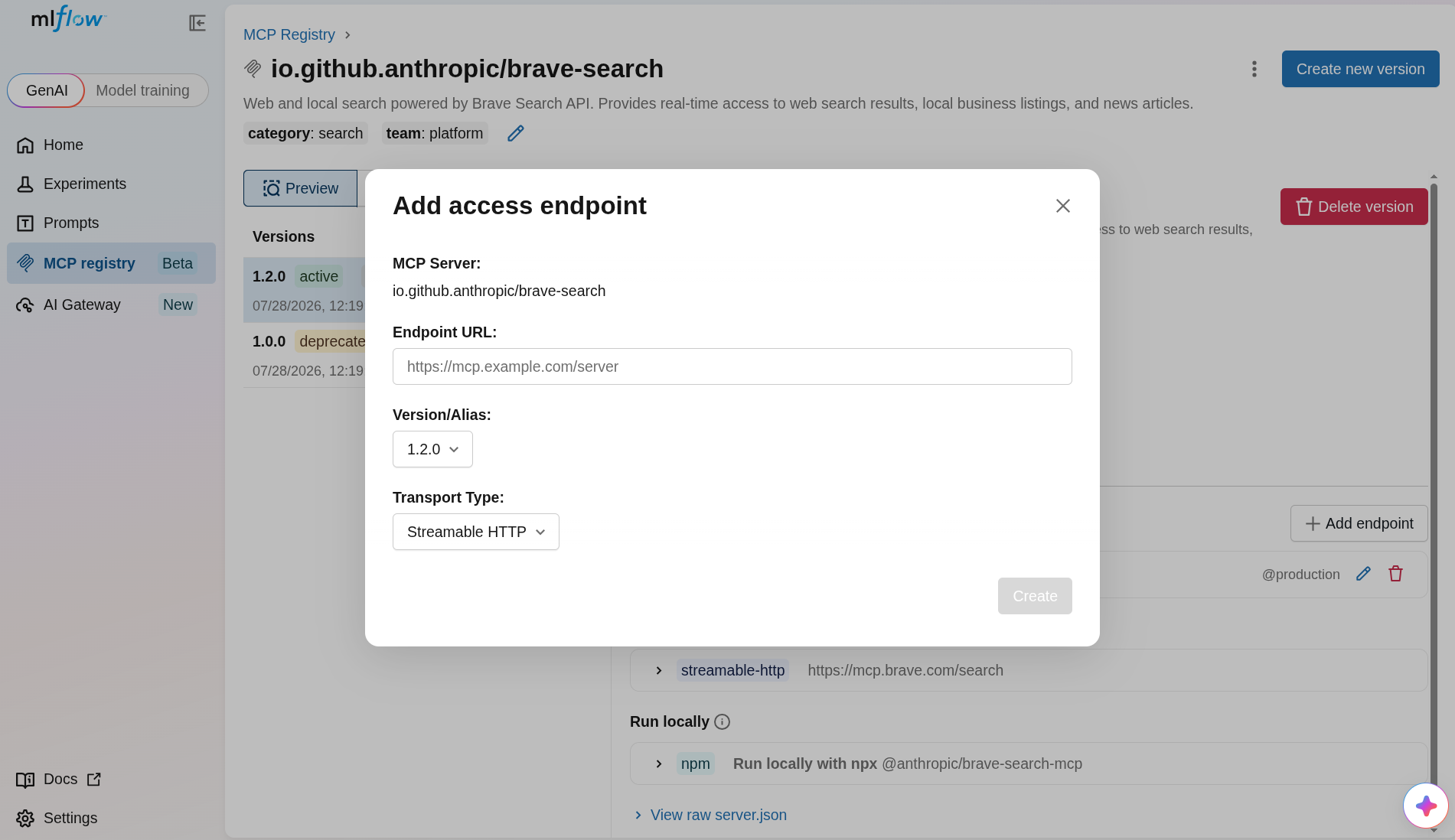
- Open the MCP server detail page.
- In the Access Endpoints section, click Create endpoint.
- Enter the endpoint URL and select the transport type.
- Pin the endpoint to a specific version or alias.
- Click Create to save.
Use mlflow.genai.create_mcp_access_endpoint() to register a connection endpoint:
import mlflow

endpoint = mlflow.genai.create_mcp_access_endpoint(
    server_name="io.github.anthropic/brave-search",
    url="https://mcp.example.com/brave-search",
    transport_type="streamable-http",
    server_version="1.0.0",
)

print(f"Endpoint {endpoint.id} → {endpoint.url}")
Concepts
Entity Model
The MCP Registry is organized around three core entities:
| Entity | Description |
|---|---|
| MCPServer | The logical server entry. Identified by a namespaced name (e.g., io.github.anthropic/brave-search). Holds metadata like display name, description, icons, and tags. |
| MCPServerVersion | A specific version of a server's configuration, identified by a semver string (e.g., 1.0.0). Contains the server_json payload, tool definitions, and a status (draft, active, deprecated, or deleted). |
| MCPAccessEndpoint | A connection endpoint (URL + transport type) pinned to a specific version or alias. Defines how users and agents actually connect to a running MCP server instance. |
Server Naming Convention
Server names follow a reverse-DNS namespace format:
<namespace>/<server-slug>
For example: io.github.anthropic/brave-search, com.acme/internal-tools.
Status Lifecycle
Each server version has a status that controls its visibility and usability:
draft ⇄ active ⇄ deprecated
  │                    │
  └───→ deleted ←──────┘
- Draft: Initial state. The version is being prepared and is not yet available for use.
- Active: The version is ready for production use.
- Deprecated: The version is still accessible but should be replaced with a newer version.
- Deleted: The version is no longer available.
Next Steps
- Register MCP Servers — detailed guide for registration methods and
server_jsonstructure - Manage Versions and Aliases — versioning, status lifecycle, aliases, and tags
- Connect to MCP Servers — access endpoints, connection instructions, and tool discovery