Connect to MCP Servers
Access endpoints define how users and agents connect to MCP servers registered in the registry. While server_json includes remotes entries, organizations often deploy MCP servers internally at different URLs, rotate deployment endpoints, or route traffic through an MCP gateway or proxy. Access endpoints let you manage these real connection details independently of the immutable server_json configuration.
This guide covers creating endpoints, generating connection instructions, and refreshing tool definitions.
Access Endpoints
An MCPAccessEndpoint is a connection record that pairs a URL and transport type with a specific server version or alias. Endpoints let you maintain stable connection configurations that track version promotions through aliases.
Create an Access Endpoint
- UI
- Python
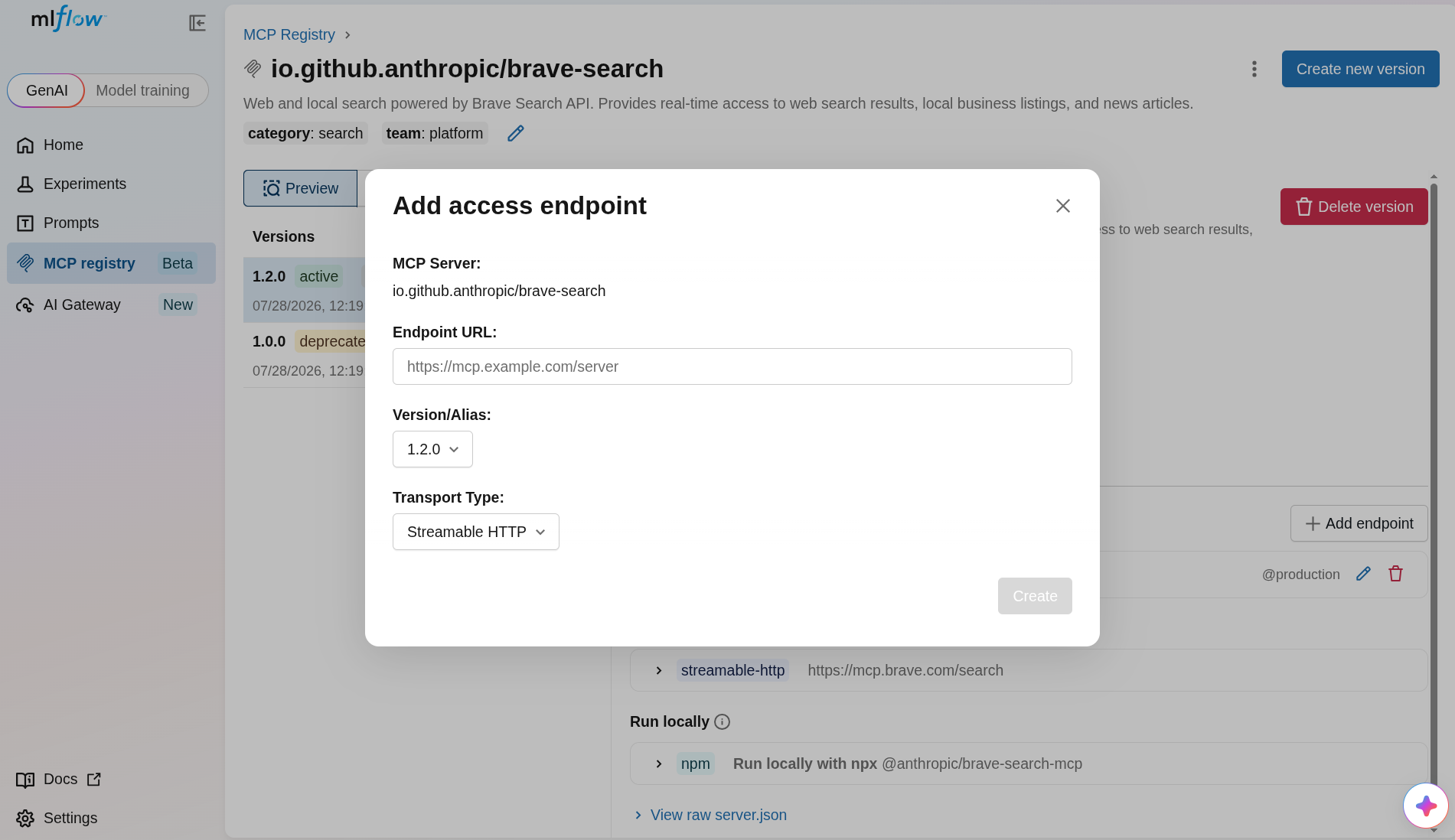
- Open the MCP server detail page.
- In the Access Endpoints section, click Create endpoint.
- Enter the endpoint URL and select the transport type (
streamable-httporsse). - Pin the endpoint to a specific version or alias.
- Click Create to save.
Use mlflow.genai.create_mcp_access_endpoint():
import mlflow

# Pin endpoint to a specific version
endpoint = mlflow.genai.create_mcp_access_endpoint(
    server_name="io.github.anthropic/brave-search",
    url="https://mcp.example.com/brave-search",
    transport_type="streamable-http",
    server_version="1.0.0",
)

# Or pin to an alias (endpoint follows alias as it moves between versions)
endpoint = mlflow.genai.create_mcp_access_endpoint(
    server_name="io.github.anthropic/brave-search",
    url="https://mcp.example.com/brave-search",
    transport_type="streamable-http",
    server_alias="production",
)
Transport Types
| Type | Description |
|---|---|
streamable-http | Streamable HTTP transport (recommended). The default when no type is specified. |
sse | Server-Sent Events transport. |
Search and Manage Endpoints
import mlflow

# List all endpoints for a server
endpoints = mlflow.genai.search_mcp_access_endpoints(
    server_name="io.github.anthropic/brave-search",
)

for ep in endpoints:
    resolved = ep.resolved_version.version if ep.resolved_version else None
    print(f"  {ep.url} ({ep.transport_type}) → version {resolved}")

endpoint = endpoints[0]

# Update an endpoint
mlflow.genai.update_mcp_access_endpoint(
    server_name="io.github.anthropic/brave-search",
    endpoint_id=endpoint.id,
    url="https://mcp-v2.example.com/brave-search",
)

# Delete an endpoint
mlflow.genai.delete_mcp_access_endpoint(
    server_name="io.github.anthropic/brave-search",
    endpoint_id=endpoint.id,
)
Connection Instructions
The MLflow UI generates ready-to-use connection instructions for registered MCP servers. Click the Connect button on any server card to see instructions for:
- Claude Code: A
claude mcp addCLI command that configures the server in Claude Code - .mcp.json: A JSON configuration snippet for adding the server to your
.mcp.jsonfile
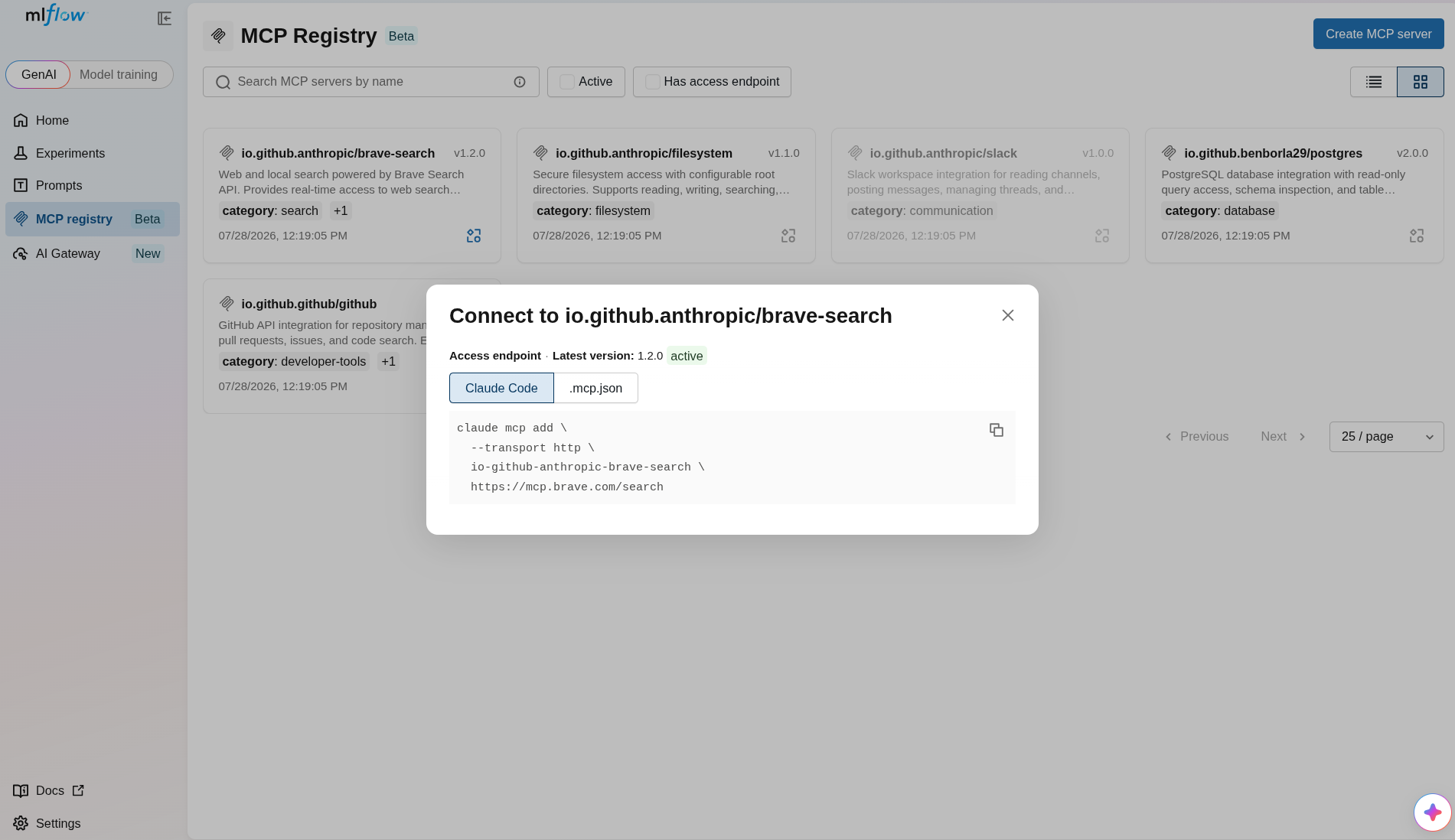
Connection instructions are generated from the server's packages (for local installation via npm, pip, Docker, etc.) and remotes (for connecting to deployed instances).
Tool Discovery
MLflow can automatically discover the tools that an MCP server exposes by connecting to its remote endpoint.
Automatic Discovery During Registration
When you register a server version without explicitly providing tools, MLflow connects to the first usable remote in server_json.remotes[] and queries the server's tool list. See Register MCP Servers for details.
Refresh Tools
If a server's tools change after registration, you can re-discover them using the Python SDK. The UI also provides an Auto-discover tools button on the version detail page that displays the equivalent Python snippet to run.
Use mlflow.genai.refresh_mcp_server_version_tools():
import mlflow

# Refresh tools from the live server
updated_version = mlflow.genai.refresh_mcp_server_version_tools(
    name="io.github.anthropic/brave-search",
    version="1.0.0",
)

for tool in updated_version.tools or []:
    print(f"  Tool: {tool.name} — {tool.description}")

# Preview discovered tools without saving (dry run)
preview = mlflow.genai.refresh_mcp_server_version_tools(
    name="io.github.anthropic/brave-search",
    version="1.0.0",
    dry_run=True,
)

# Provide auth headers for protected servers
updated_version = mlflow.genai.refresh_mcp_server_version_tools(
    name="io.github.anthropic/brave-search",
    version="1.0.0",
    mcp_server_access_headers={"Authorization": "Bearer <token>"},
)
Tool discovery requires the mcp extra: pip install 'mlflow[mcp]'. Discovered tools are a point-in-time snapshot. They will not be automatically kept in sync with the live server.