Tracing Groq
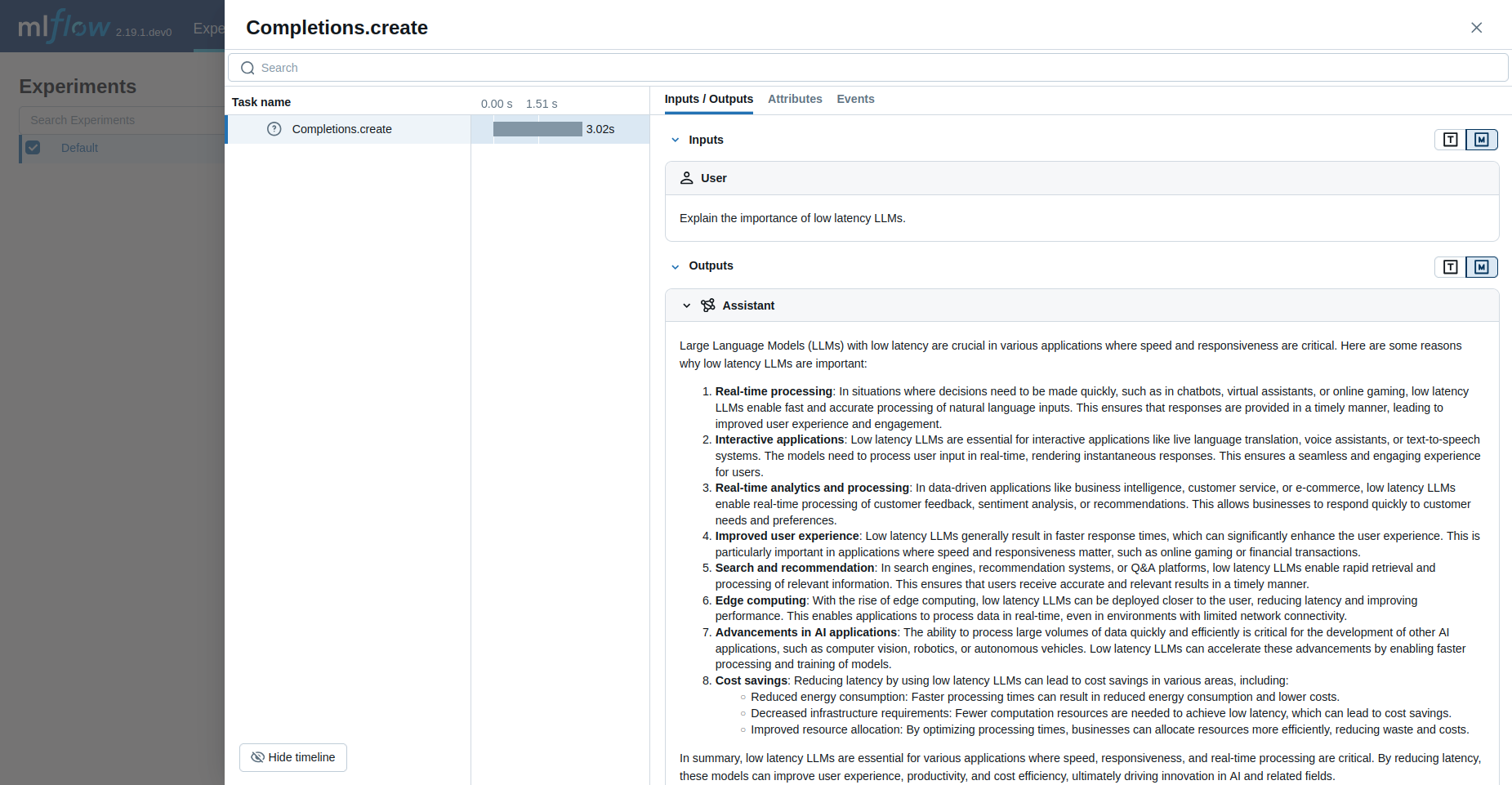
MLflow Tracing provides automatic tracing capability when using Groq.
When Groq auto-tracing is enabled by calling the mlflow.groq.autolog() function,
usage of the Groq SDK will automatically record generated traces during interactive development.
MLflow automatically captures the following information about Groq calls:
- Prompts and completion responses
- Latencies
- Model name
- Token usage (input, output, and total tokens)
- Additional metadata such as
temperature,max_tokens, if specified - Any exception if raised
Getting Started
Install Dependencies
pip install mlflow groq
Start MLflow Server
- Local (pip)
- Local (docker)
If you have a local Python environment >= 3.10, you can start the MLflow server locally using the mlflow CLI command.
mlflow server
MLflow also provides a Docker Compose file to start a local MLflow server with a postgres database and a minio server.
git clone --depth 1 --filter=blob:none --sparse https://github.com/mlflow/mlflow.git
cd mlflow
git sparse-checkout set docker-compose
cd docker-compose
cp .env.dev.example .env
docker compose up -d
Refer to the instruction for more details, e.g., overriding the default environment variables.
Enable Tracing and Make API Calls
Enable tracing with mlflow.groq.autolog() and make API calls as usual.
import groq
import mlflow
import os

# Enable auto-tracing for Groq
mlflow.groq.autolog()

# Set a tracking URI and an experiment
mlflow.set_tracking_uri("http://localhost:5000")
mlflow.set_experiment("Groq")

# Initialize Groq client
client = groq.Groq(api_key=os.getenv("GROQ_API_KEY"))

# Use the create method to create new message
message = client.chat.completions.create(
    model="llama3-8b-8192",
    messages=[
        {
            "role": "user",
            "content": "Explain the importance of low latency LLMs.",
        }
    ],
)

print(message.choices[0].message.content)
View Traces in MLflow UI
Browse to the MLflow UI at http://localhost:5000 (or your MLflow server URL) and you should see the traces for the Groq API calls.
Supported APIs
Note that only synchronous calls are supported, and that asynchronous API and streaming methods are not traced.
| Normal | Streaming | Async |
|---|---|---|
| ✅ | - | - |
Tracking Token Usage and Cost
MLflow automatically tracks token usage and cost for Groq. The token usage for each LLM call will be logged in each Trace/Span and the aggregated cost and time trend are displayed in the built-in dashboard. See the Token Usage and Cost Tracking documentation for details on accessing this information programmatically.
Currently, Groq tracking doesn't support Audio transcription and Audio translation.
Disable auto-tracing
Auto tracing for Groq can be disabled globally by calling mlflow.groq.autolog(disable=True) or mlflow.autolog(disable=True).