Tracing n8n
n8n is a fair-code workflow automation platform that lets you connect services and build AI-powered workflows visually. MLflow integrates with n8n via the n8n-nodes-mlflow community node — an OpenAI-compatible chat model node with built-in MLflow tracing. Every LLM request and response is automatically logged as a trace, with multi-turn conversations grouped by session in the MLflow UI.
Features
- OpenAI-compatible — works with OpenAI, LiteLLM, LocalAI, Azure OpenAI, and any OpenAI-compatible endpoint
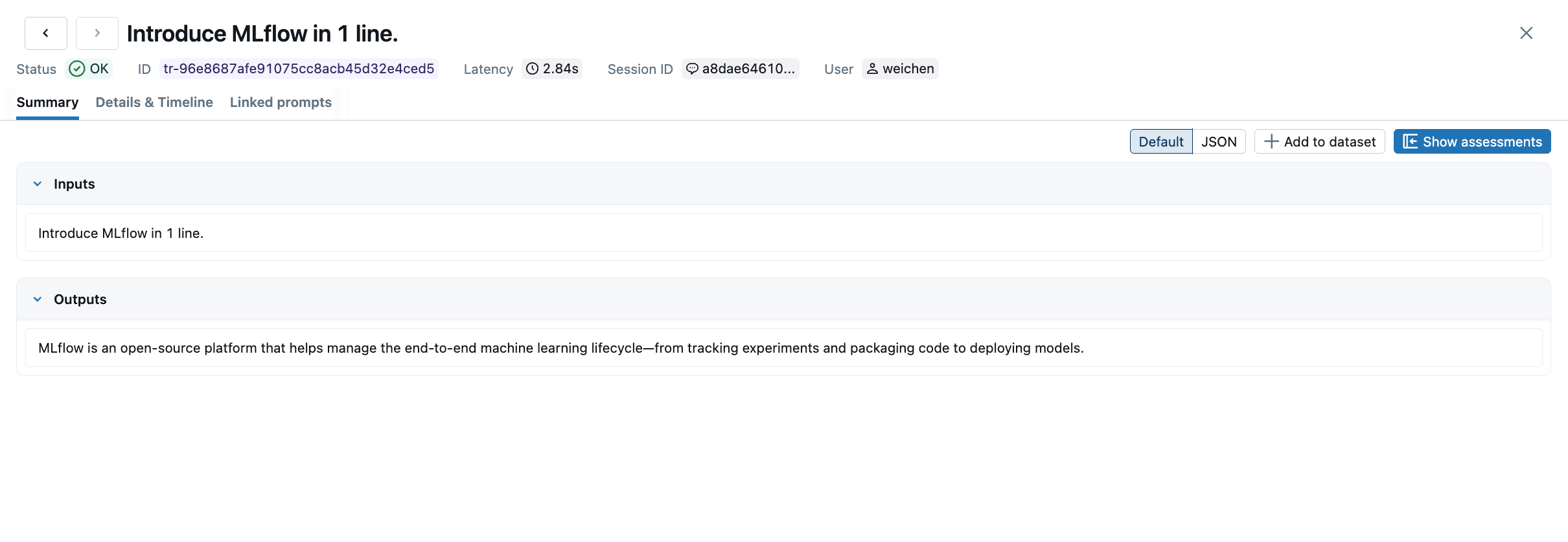
- Automatic tracing — every LLM call is logged as an MLflow trace with inputs, outputs, and latency
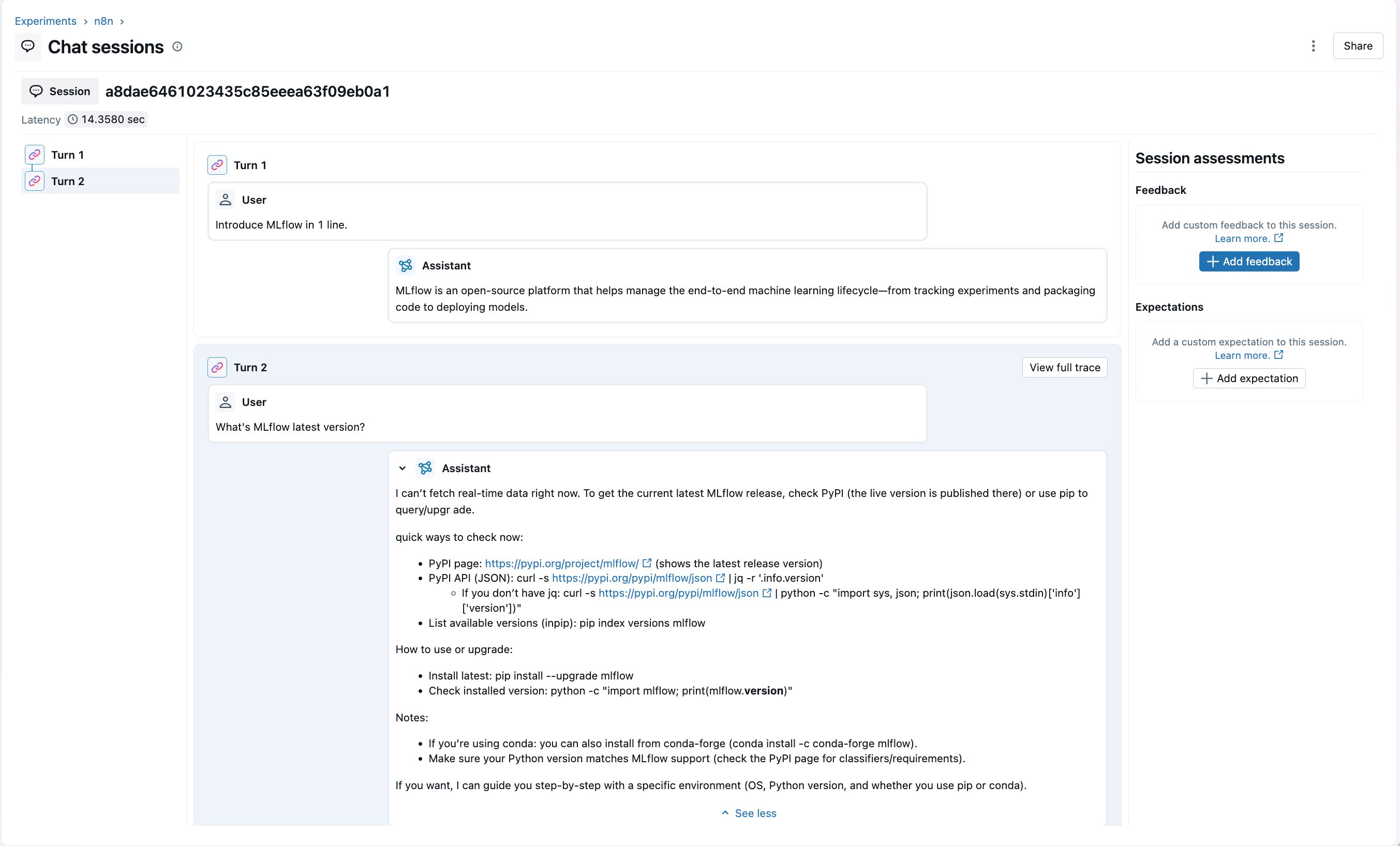
- Session grouping — traces are linked by
sessionIdfor multi-turn conversation tracking - Custom metadata — attach
sessionId,userId, and arbitrary JSON to every trace span - Databricks support — compatible with both self-hosted and Databricks-managed MLflow
Setup
1. Installation
Option 1: Community Nodes UI (Recommended, n8n v0.187+)
- Go to Settings → Community Nodes
- Click Install
- Enter
n8n-nodes-mlflowas the npm package name - Agree to the risks of using community nodes and click Install
Option 2: Docker
A preconfigured Docker setup is available in the docker/ directory:
# Build the image
docker build --progress=plain -f docker/Dockerfile -t n8n-nodes-mlflow .

# Run the container
docker run -it --rm \
  --name n8n-mlflow \
  -p 5678:5678 \
  -e GENERIC_TIMEZONE="America/New_York" \
  -e TZ="America/New_York" \
  -e N8N_ENFORCE_SETTINGS_FILE_PERMISSIONS=true \
  -e N8N_RUNNERS_ENABLED=true \
  -v n8n_data:/home/node/.n8n \
  n8n-nodes-mlflow:latest
Access n8n at http://localhost:5678.
Option 3: Manual Installation
cd ~/.n8n
npm install n8n-nodes-mlflow
n8n start
2. Credentials
Configure credentials in n8n for both the LLM endpoint and MLflow.
OpenAI Settings
| Field | Required | Description | Example |
|---|---|---|---|
| OpenAI API Key | Yes | API key for your OpenAI-compatible endpoint | sk-abc123... |
| OpenAI Base URL | No | Override the default endpoint base URL | https://api.openai.com/v1 |
MLflow Settings
| Field | Required | Description | Example |
|---|---|---|---|
| MLflow Tracking URI | Yes | Your MLflow tracking server URI | http://localhost:5000 or databricks |
| MLflow Experiment ID | Yes | Experiment ID where traces will be logged | 1234567890 |
Set the Tracking URI to databricks and provide your Databricks personal access token as the MLflow Tracking Token.
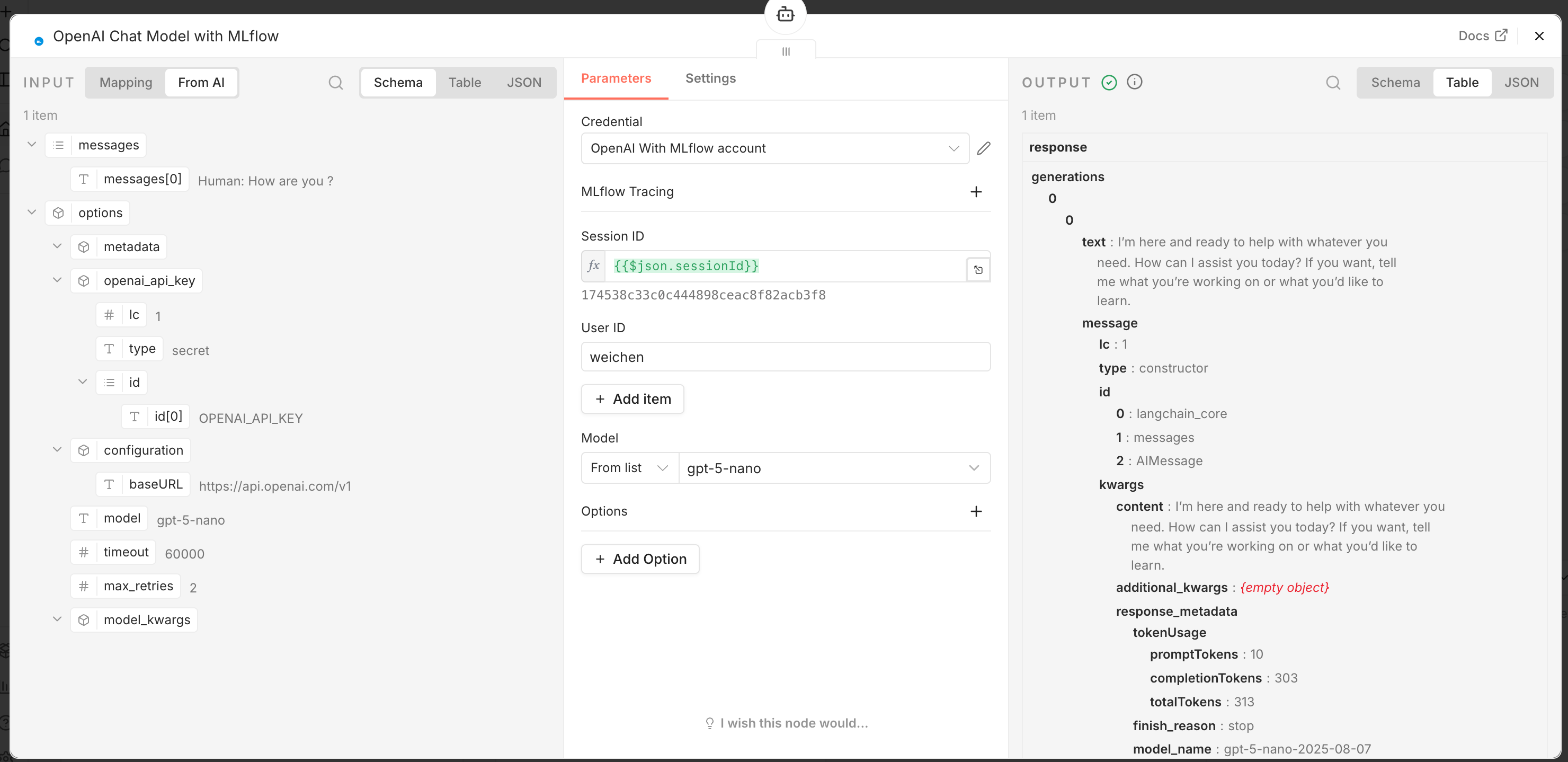
3. Node Configuration
Add the OpenAI MLflow node to your workflow and configure the MLflow tracing fields:
| Field | Type | Description |
|---|---|---|
sessionId | string | Groups related traces into one chat session (mlflow.trace.session) |
userId | string | Identifies the end user making the request (mlflow.trace.user) |
customMetadata | object | Arbitrary JSON attached to the trace as span metadata |
Workflow Setup
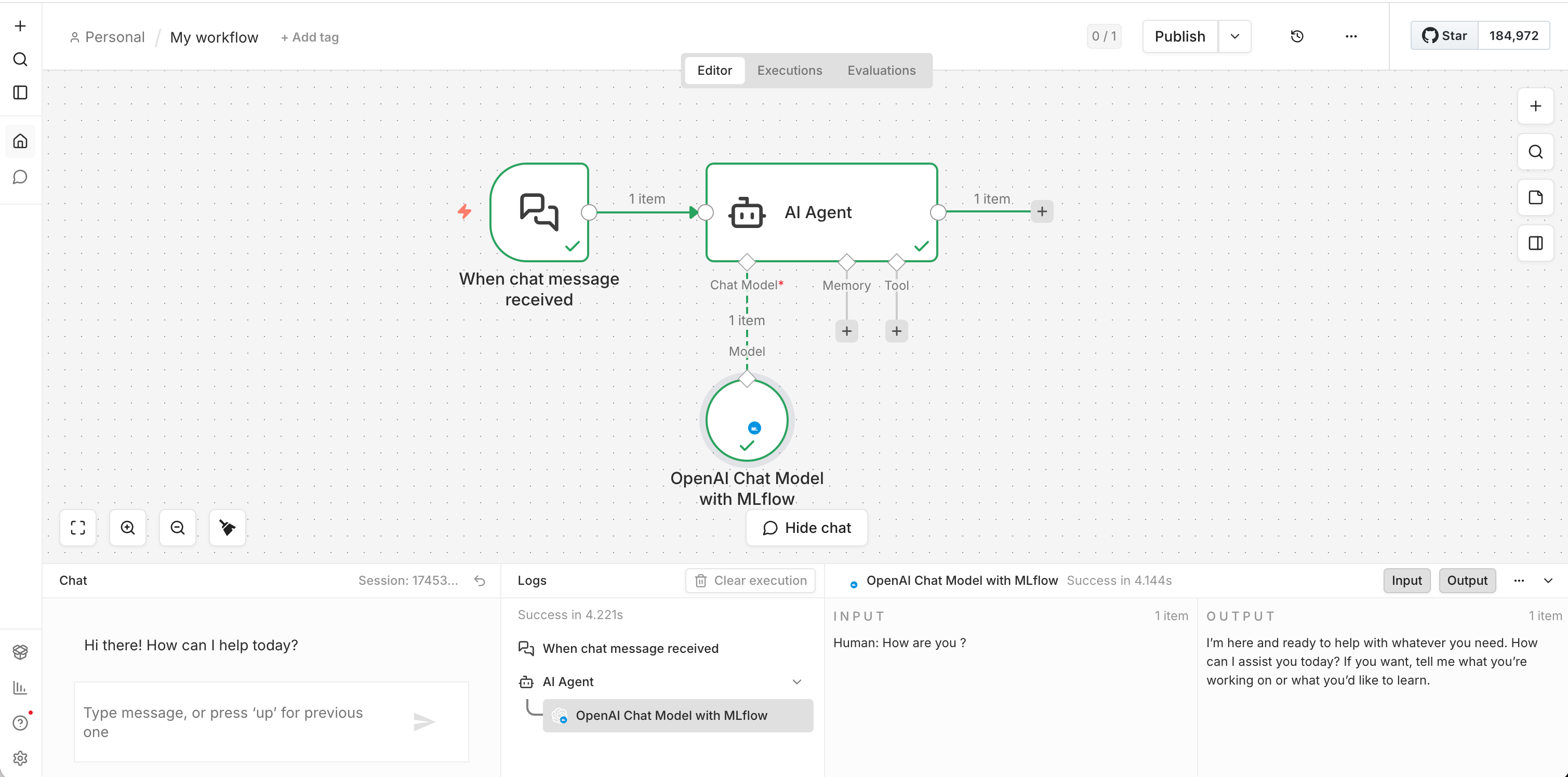
A typical n8n workflow using this node:
Chat Example
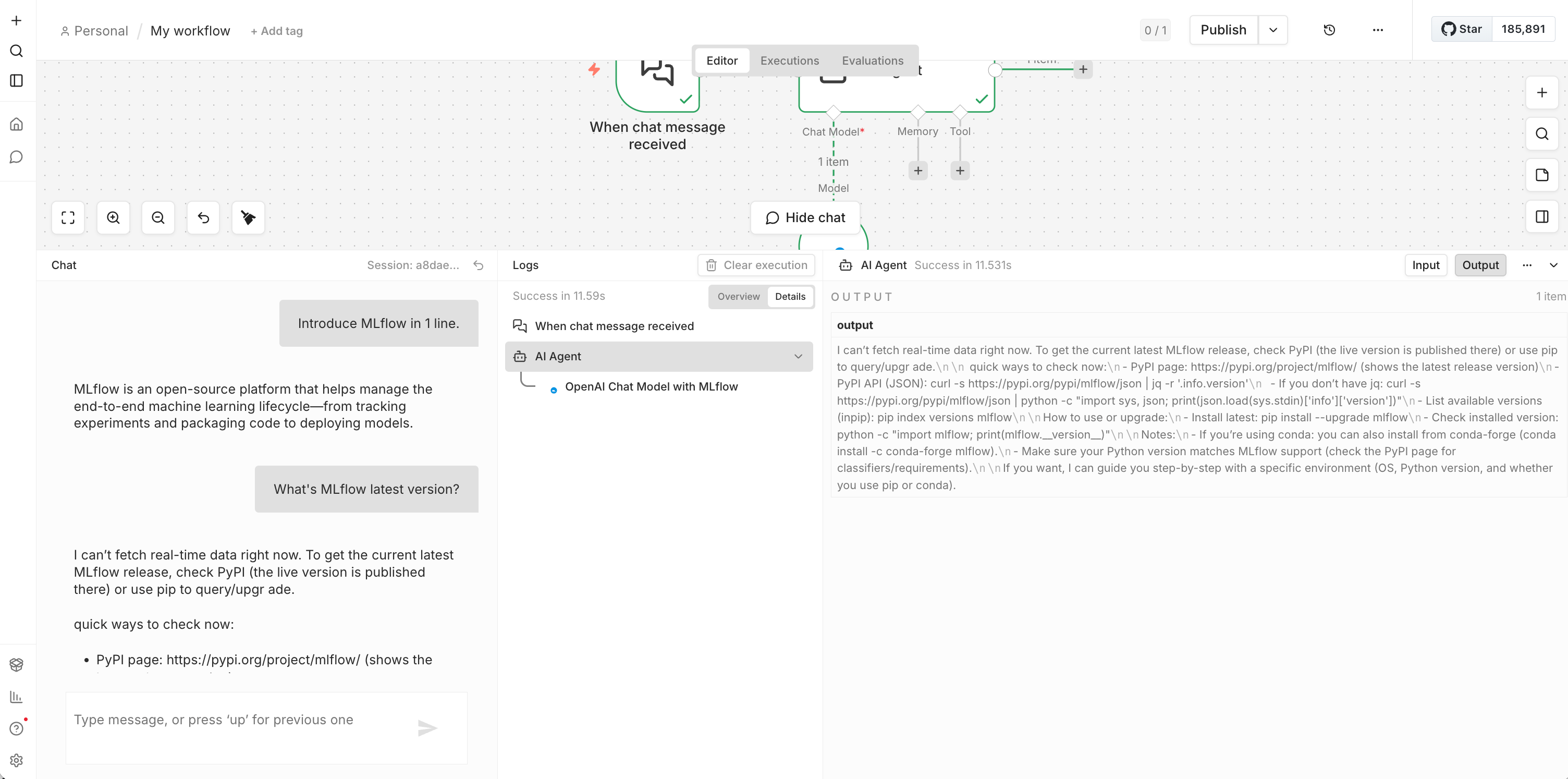
Sending a chat message through n8n:
Viewing Traces in MLflow
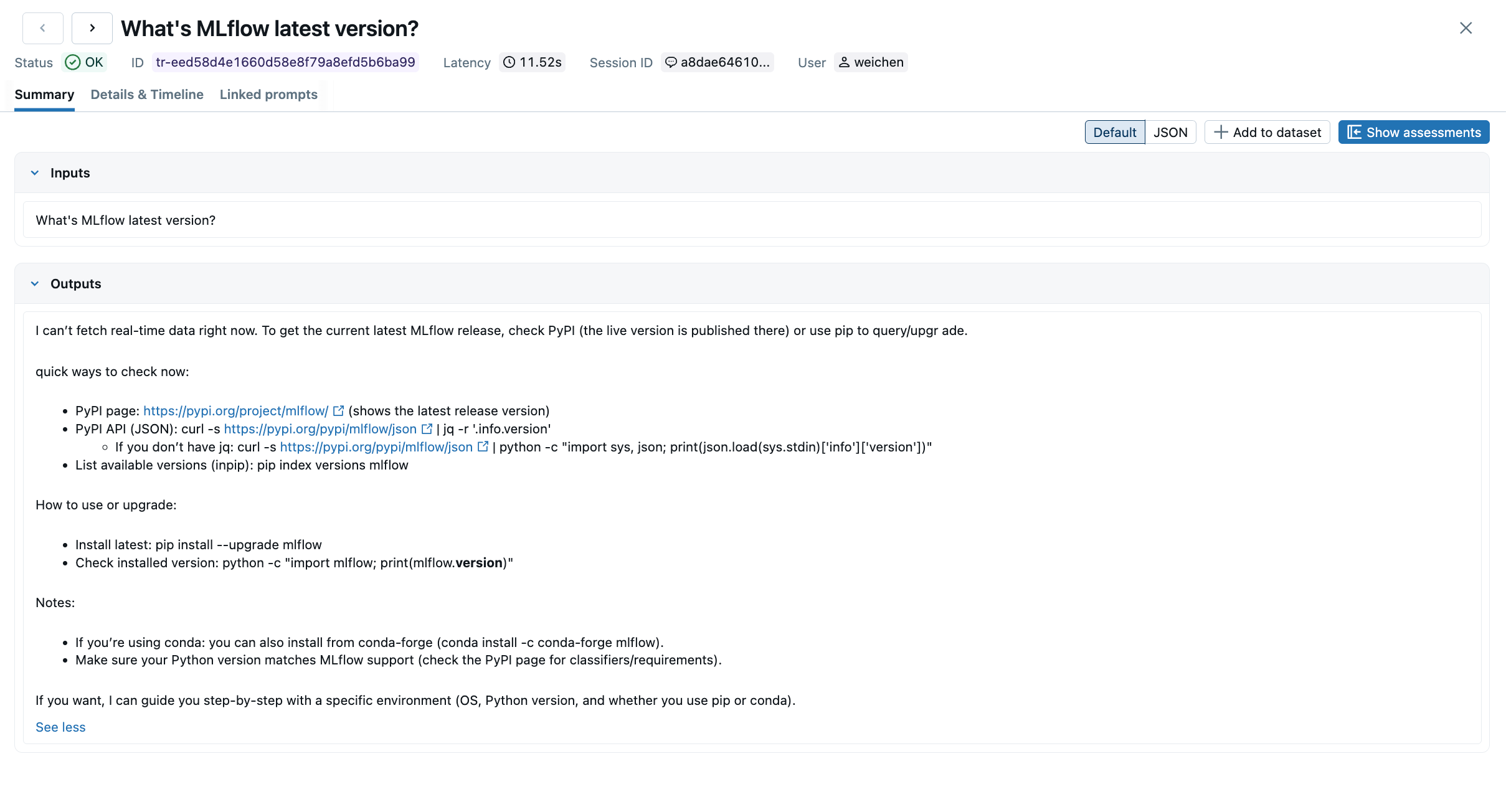
After running a workflow, open the MLflow UI and navigate to the Traces tab. Each LLM call appears as a trace with full inputs, outputs, and latency:
Enable "Group by session" to see all turns of a conversation grouped under one session:
Compatibility
- n8n version 1.0.0 or later
- Node.js >= 20.15
- OpenAI official API, LiteLLM, LocalAI, Azure OpenAI, or any OpenAI-compatible endpoint
- Self-hosted MLflow and Databricks-managed MLflow
Resources
- n8n-nodes-mlflow on npm
- mlflow/mlflow-n8n-nodes on GitHub
- n8n Community Nodes documentation
- MLflow Tracing documentation
Next steps
Track User Feedback
Record user feedback on traces for tracking user satisfaction.
Manage Prompts
Learn how to manage prompts with MLflow's prompt registry.
Evaluate Traces
Evaluate traces with LLM judges to understand and improve your AI application's behavior.