Tracing Smolagents
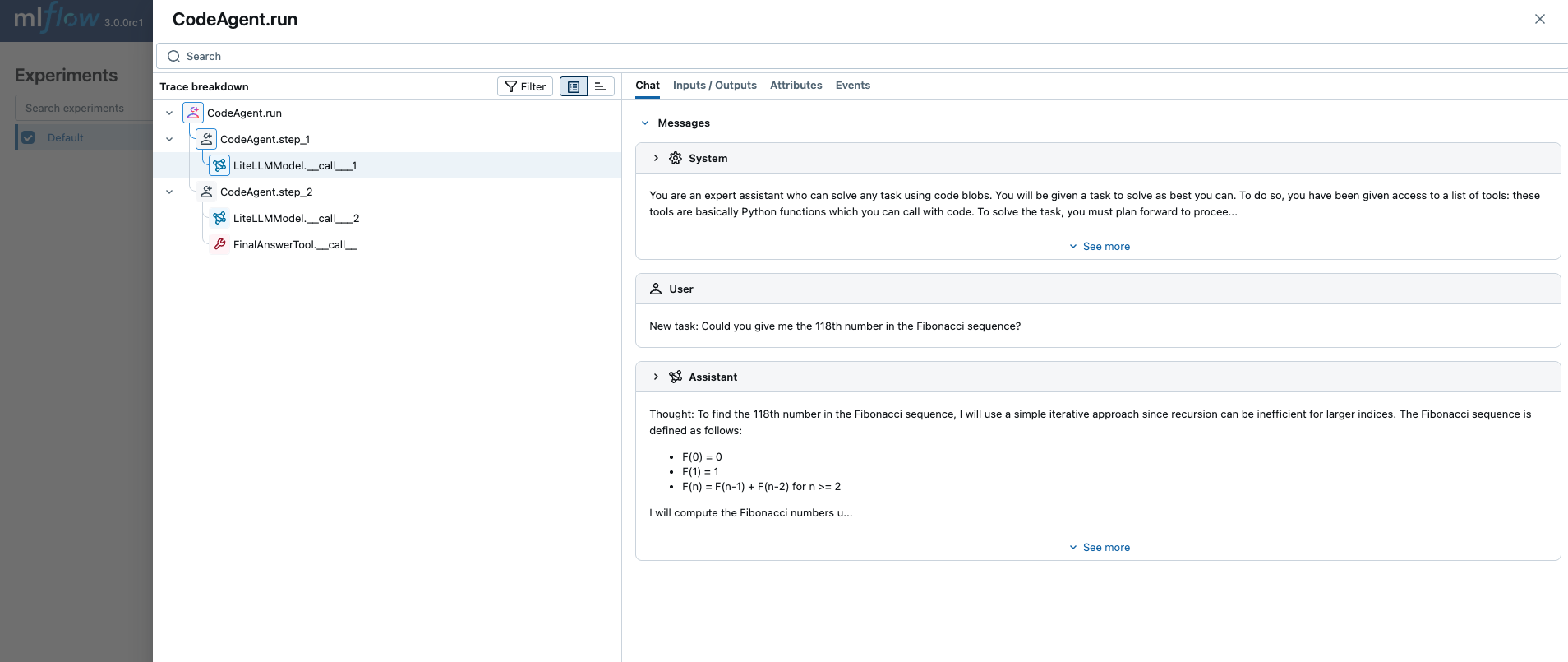
MLflow Tracing provides automatic tracing capability when using Smolagents.
When Smolagents auto-tracing is enabled by calling the mlflow.smolagents.autolog() function,
usage of the Smolagents SDK will automatically record generated traces during interactive development.
Note that only synchronous calls are supported, and that asynchronous API and streaming methods are not traced.
Example Usage
from smolagents import CodeAgent, LiteLLMModel
import mlflow

# Turn on auto tracing for Smolagents by calling mlflow.smolagents.autolog()
mlflow.smolagents.autolog()

model = LiteLLMModel(model_id="openai/gpt-4o-mini", api_key=API_KEY)
agent = CodeAgent(tools=[], model=model, add_base_tools=True)

result = agent.run(
    "Could you give me the 118th number in the Fibonacci sequence?",
)
Token Usage
MLflow automatically tracks token usage for Smolagents. See the Token Usage and Cost Tracking documentation for details on accessing this information programmatically.
Cost tracking is not currently supported for Smolagents because the model name is not captured in the standard format.
Disable auto-tracing
Auto tracing for Smolagents can be disabled globally by calling mlflow.smolagents.autolog(disable=True) or mlflow.autolog(disable=True).