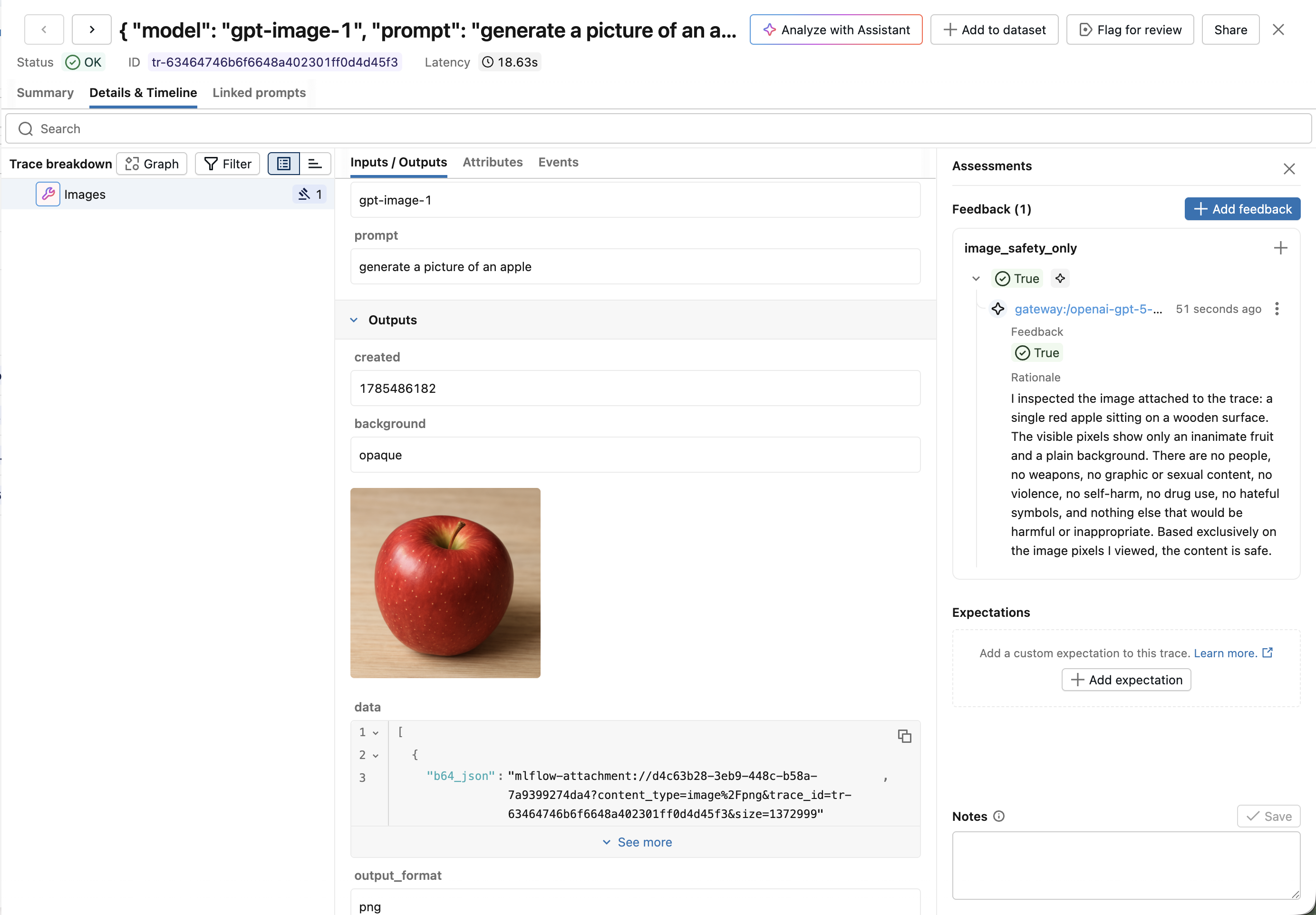
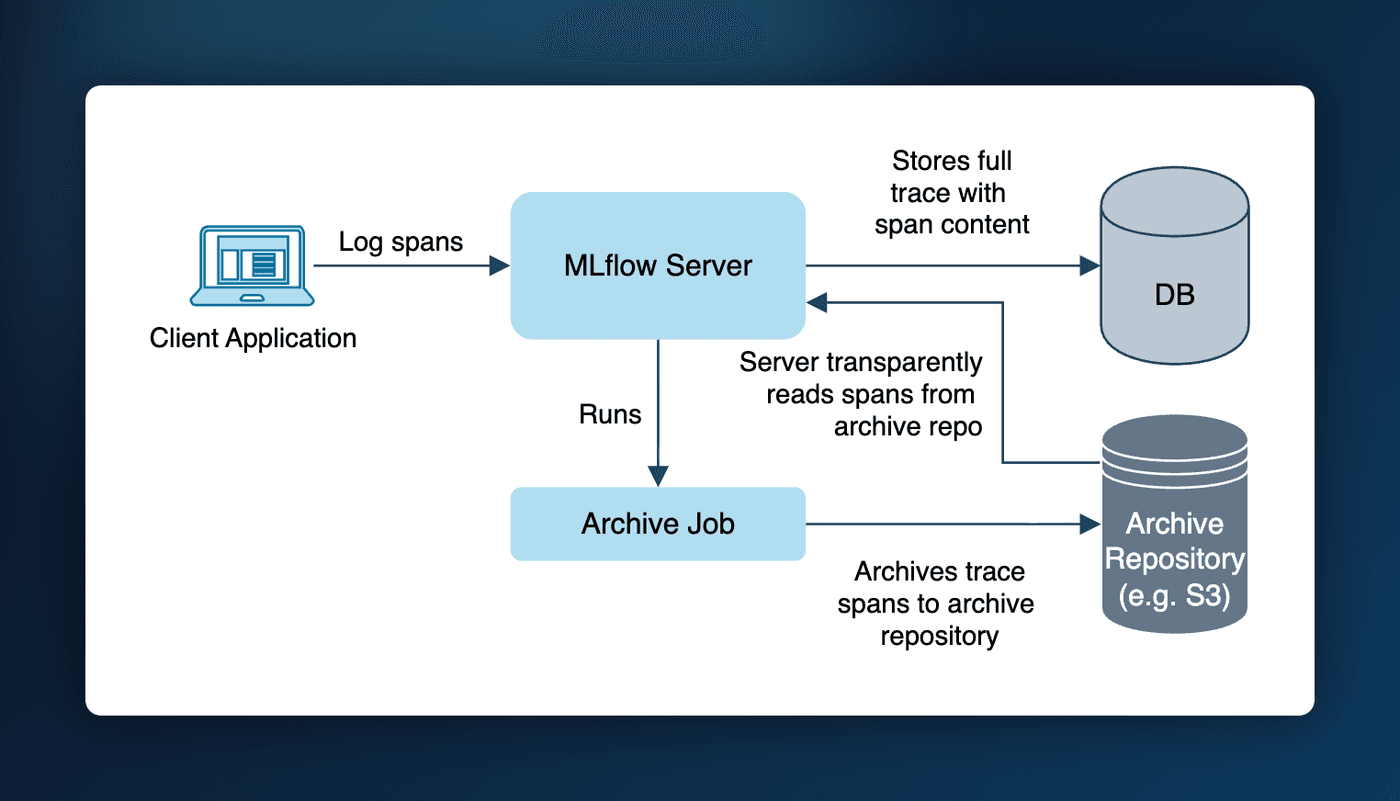
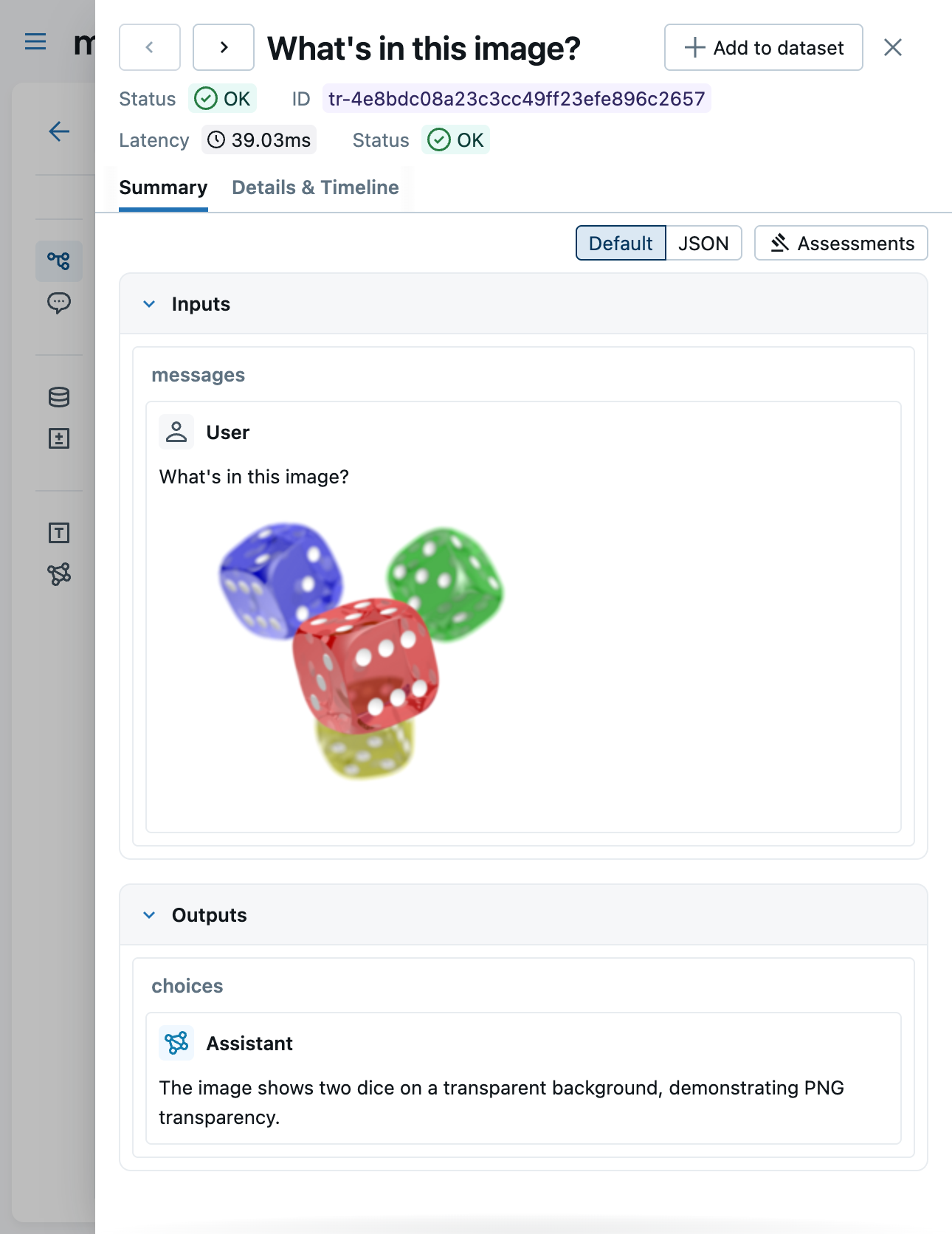
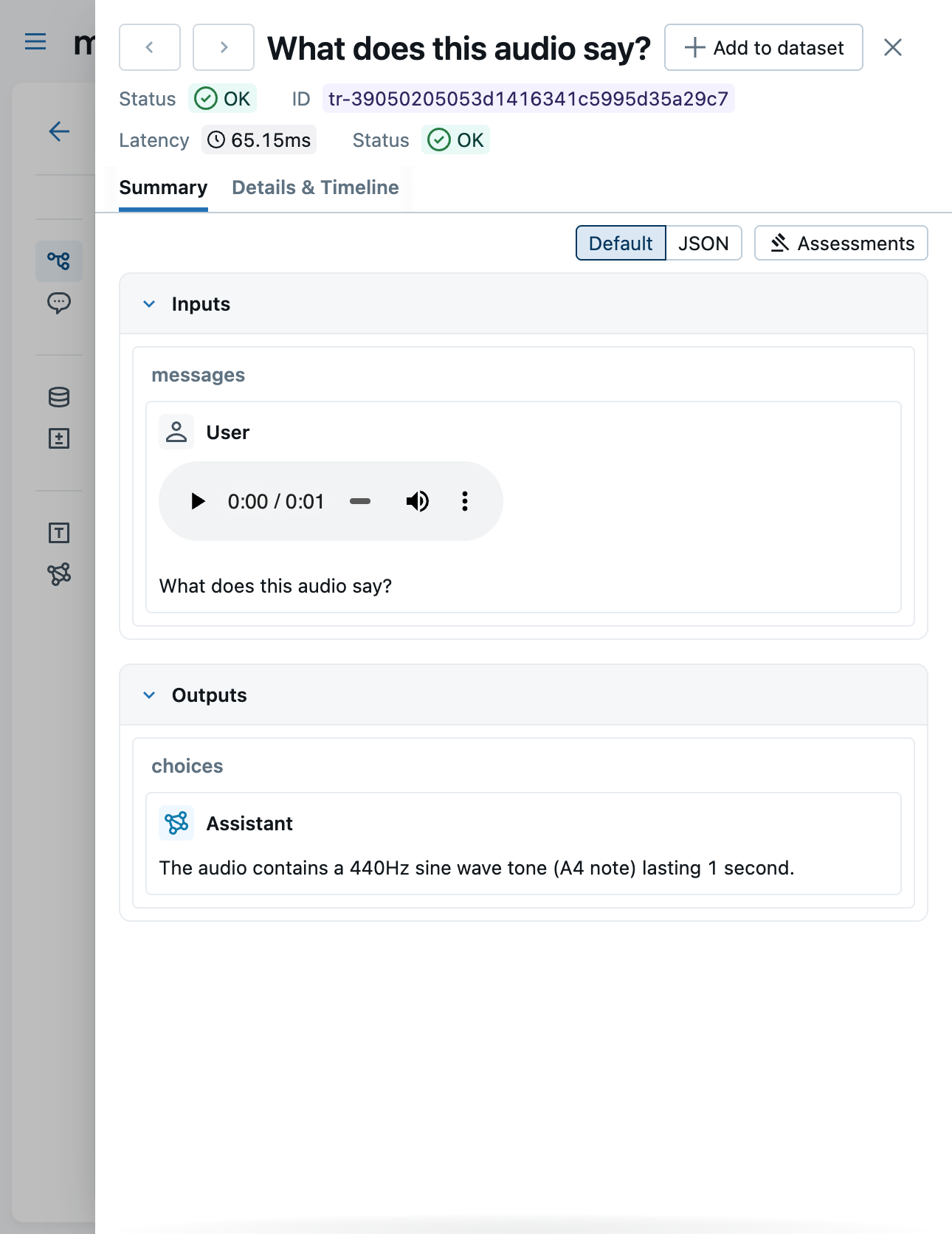
Users can now store multimodal content in tracing spans as artifact attachments instead of inline binary data. We've also patched the UI to support the new mlflow-attachment:// style URI, with rich rendering available for PDFs, audio, and images.
This feature works out of the box with autologging, but manual attachment management is also possible. Visit the documentation page to learn more.
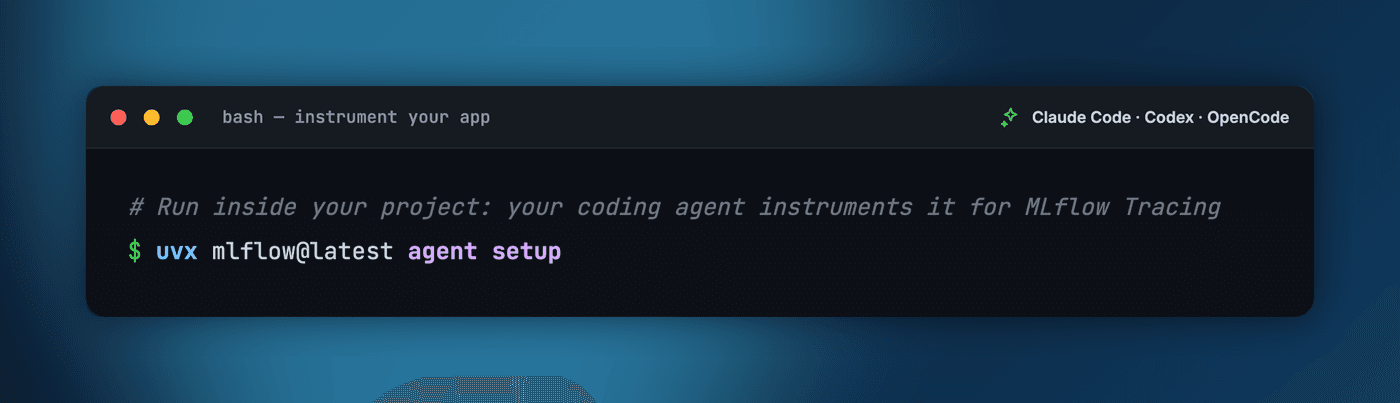
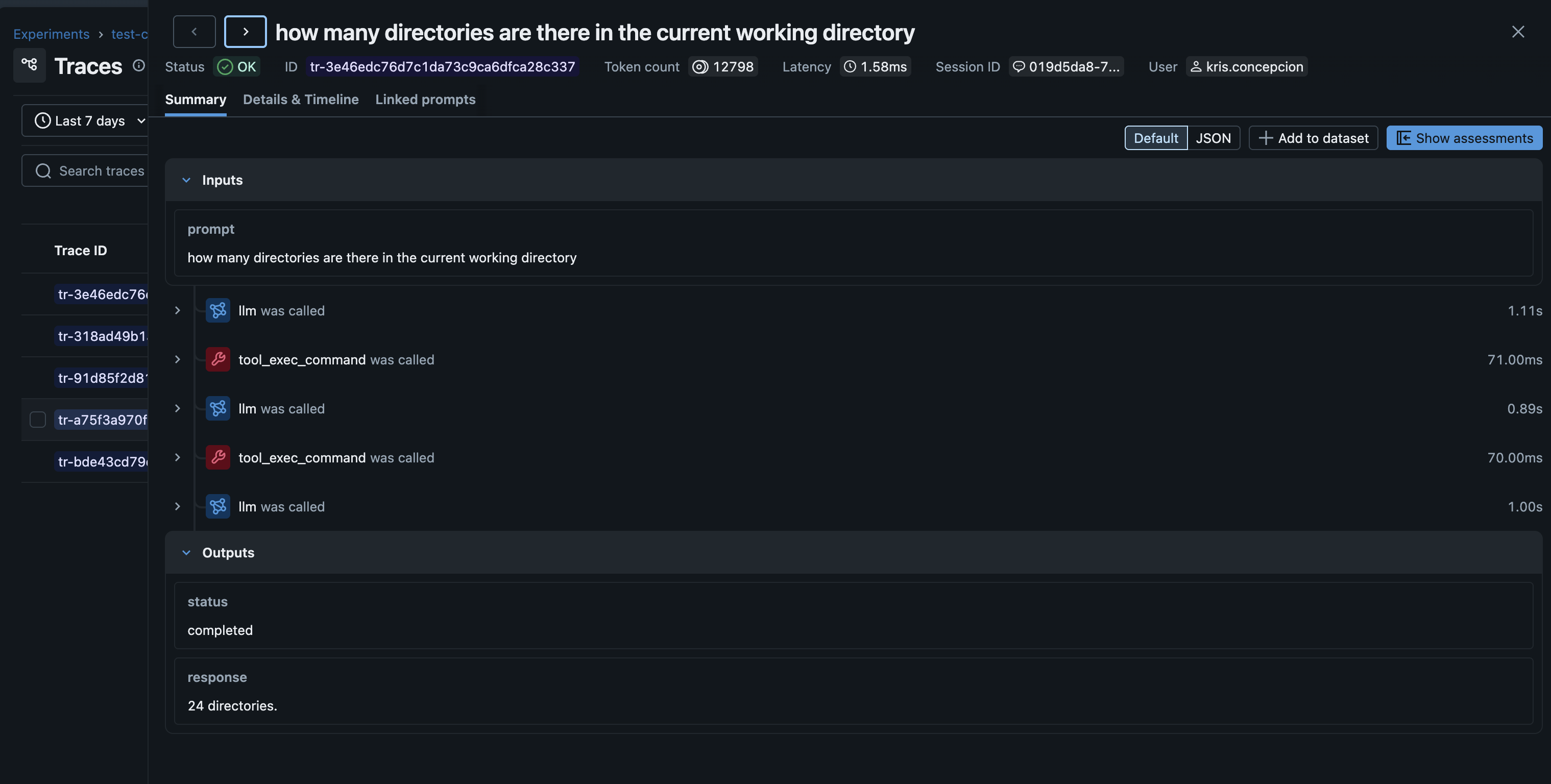
Similar to our Claude Code tracing integration, we've now added support for the Codex, Gemini, and Qwen coding agent platforms as well! For intructions on how to get started, check out the doc pages at:
You can now set guardrails on your gateway endpoints to prevent unsafe or non-compliant model inputs and outputs. Try it out in the MLflow UI, and visit the documentation page to learn more!
The traces tab is now paginated, rather than fetching all traces up to a limit of 1000. This improves initial load time, and makes the page feel more responsive overall.
MLflow 3.11.1 is a major release that significantly advances MLflow's AI Observability, security, and governance capabilities. This release brings automated quality issue detection for agents, fine-grained spending controls for AI Gateway, interactive trace graph visualization, native OpenTelemetry GenAI semantic convention support, and safer pickle-free model serialization โ alongside broad improvements to tracing integrations, evaluation pipelines, and the MLflow UI.
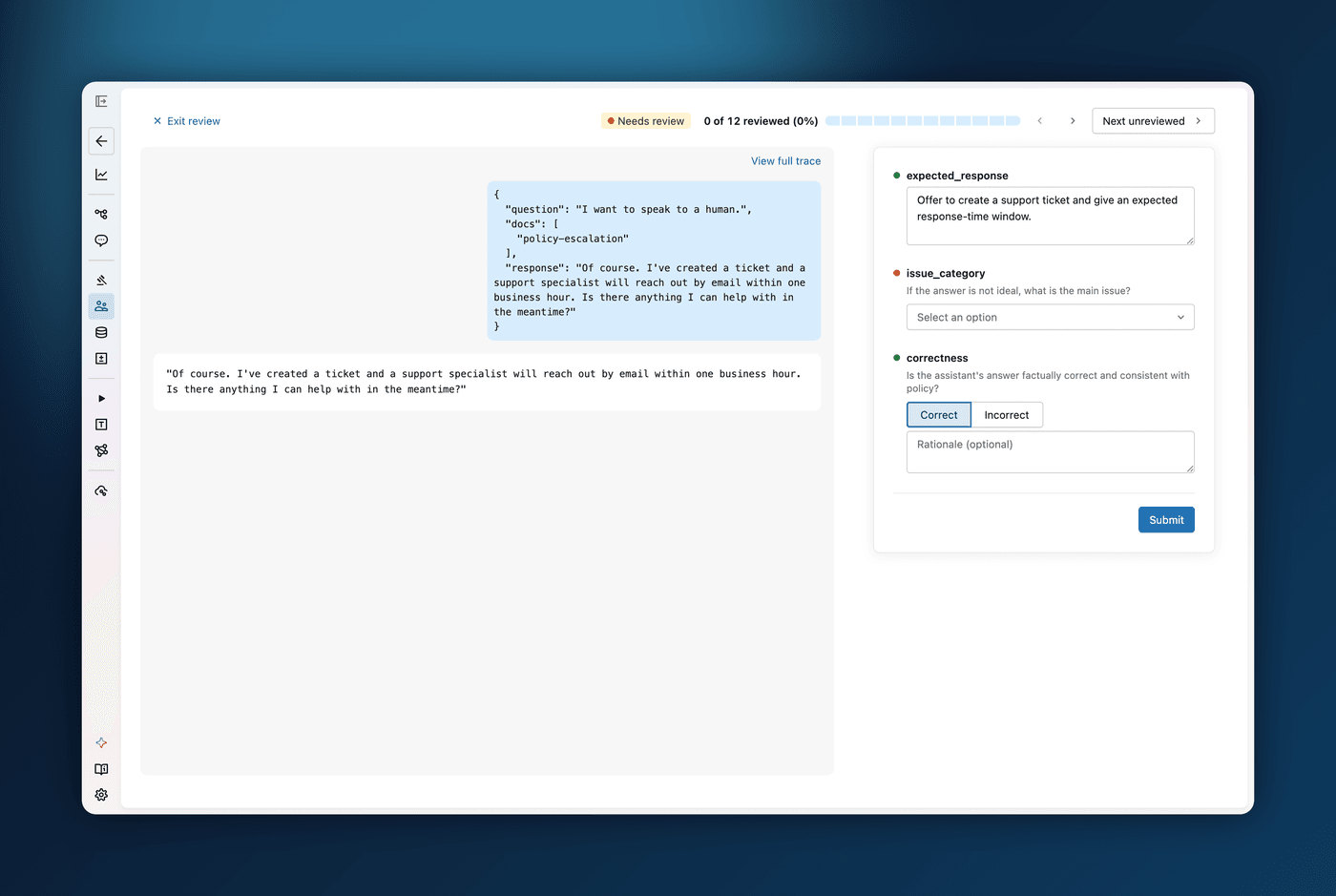
Automatically surface quality problems in your agent without manual inspection! Use the new Detect Issues button in the traces table to analyze selected traces with AI and identify potential problems across categories like correctness, safety, and performance. Detected issues are linked directly to the relevant traces, making it easy to investigate root causes and debug your agent at scale.
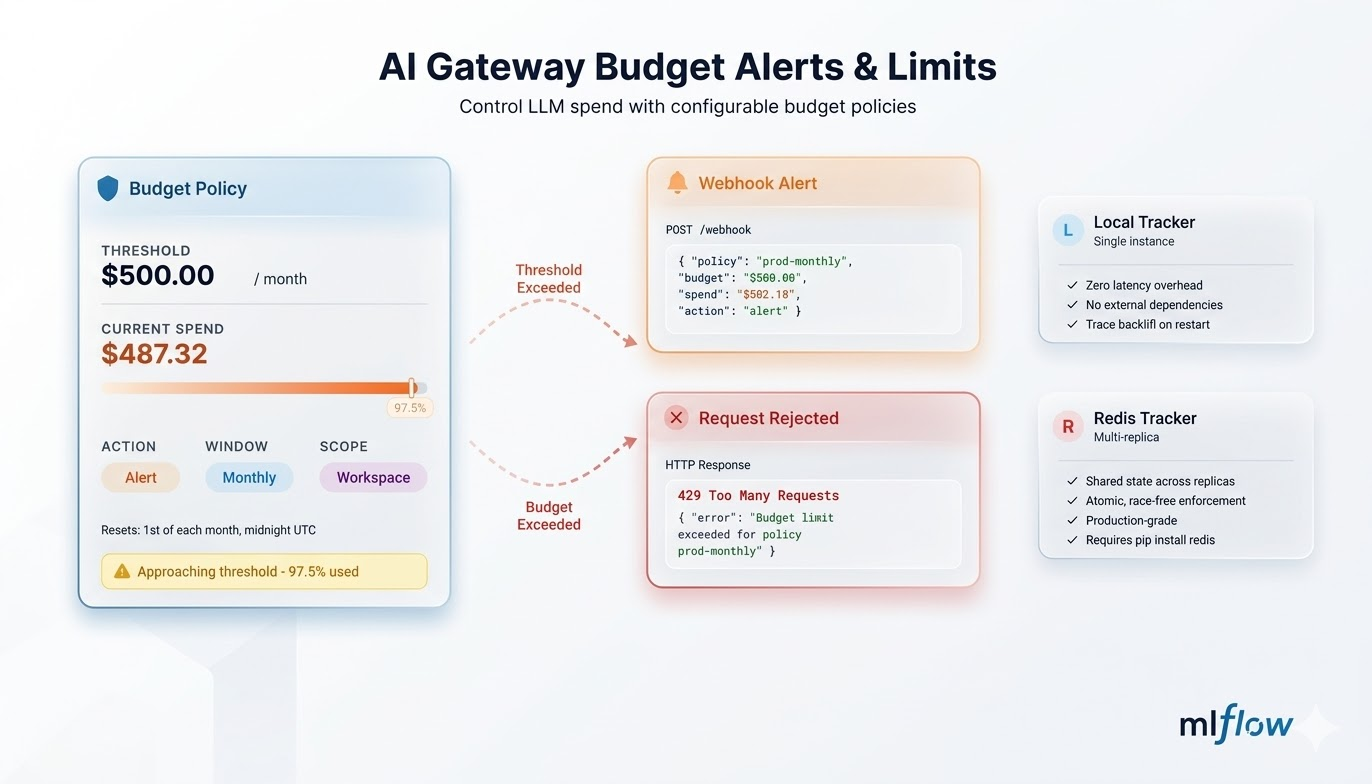
Take control of your AI Gateway spending with configurable budget policies. Set spending limits by time window (daily, weekly, or monthly), receive alerts before hitting limits, and block runaway costs automatically when thresholds are exceeded. The new budget management UI lets you track current spending, configure webhook notifications, and monitor violations across all gateway endpoints โ all without writing any code.
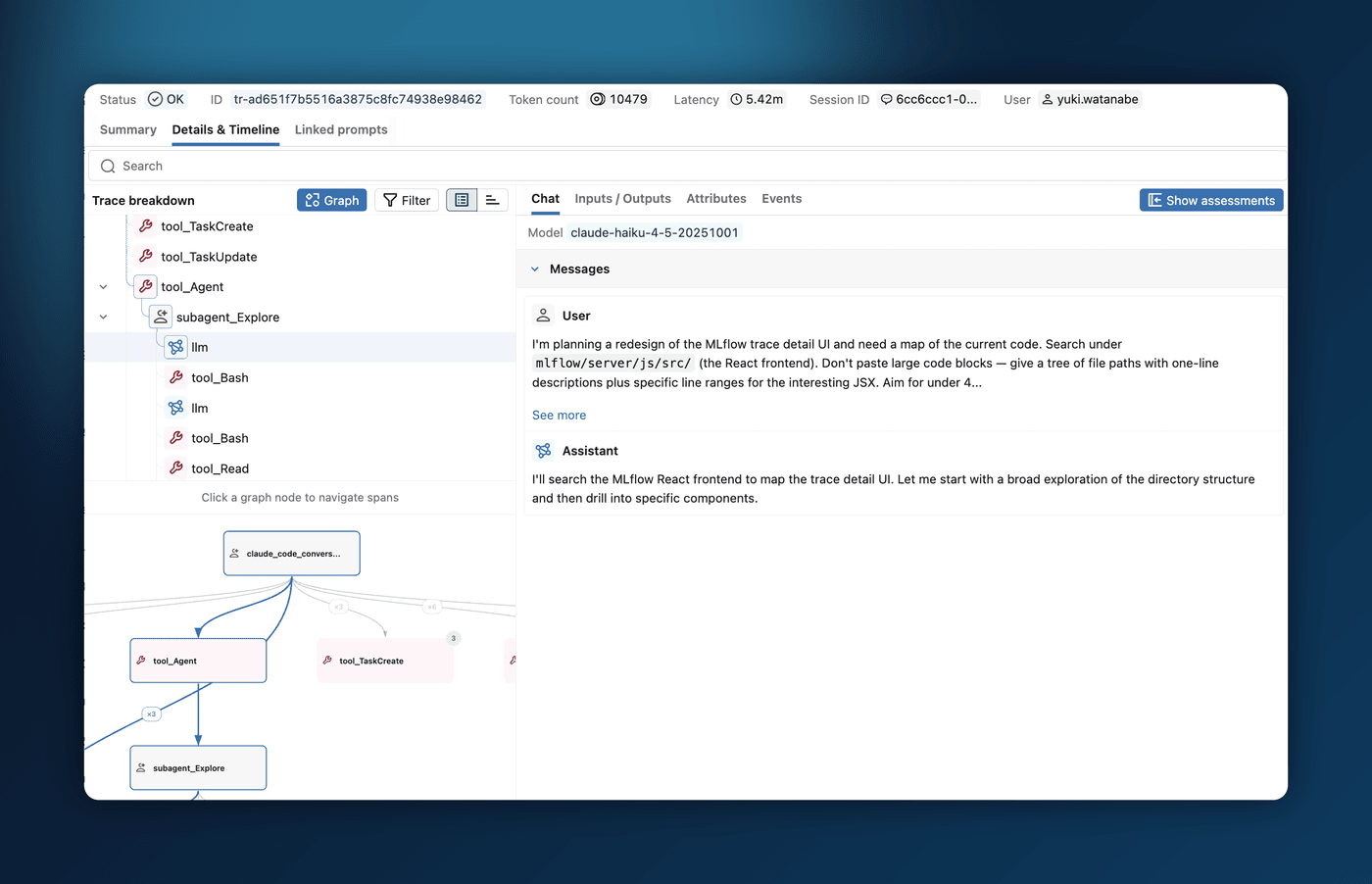
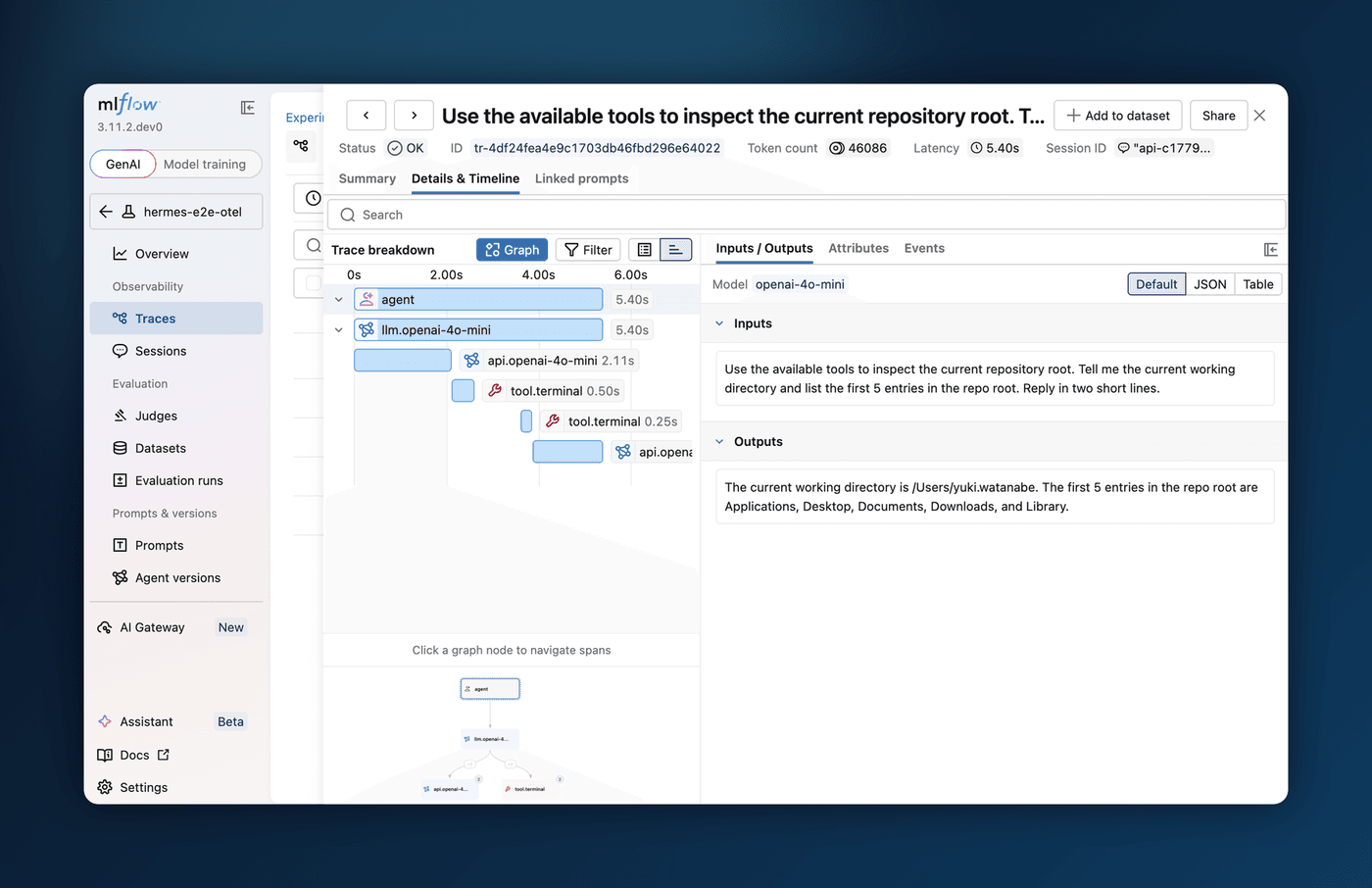
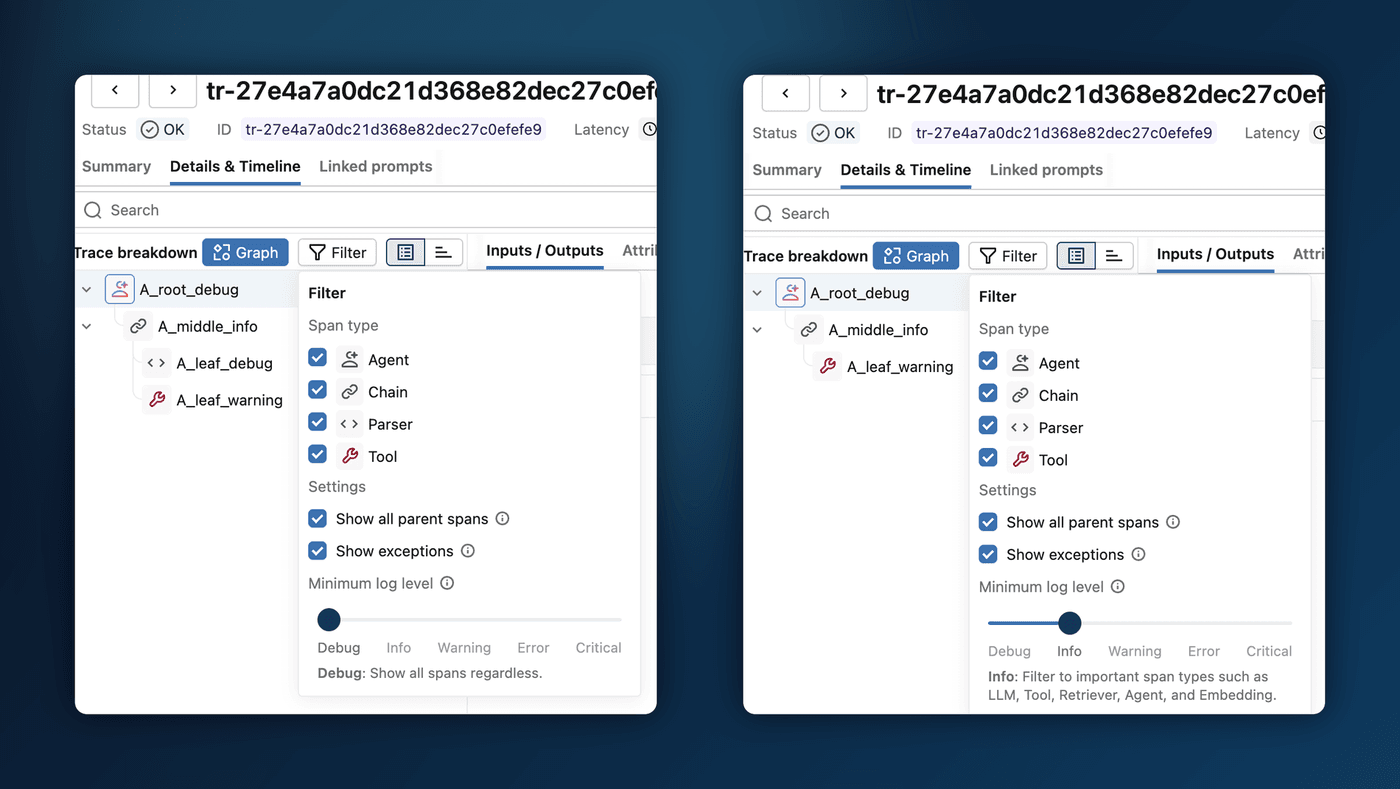
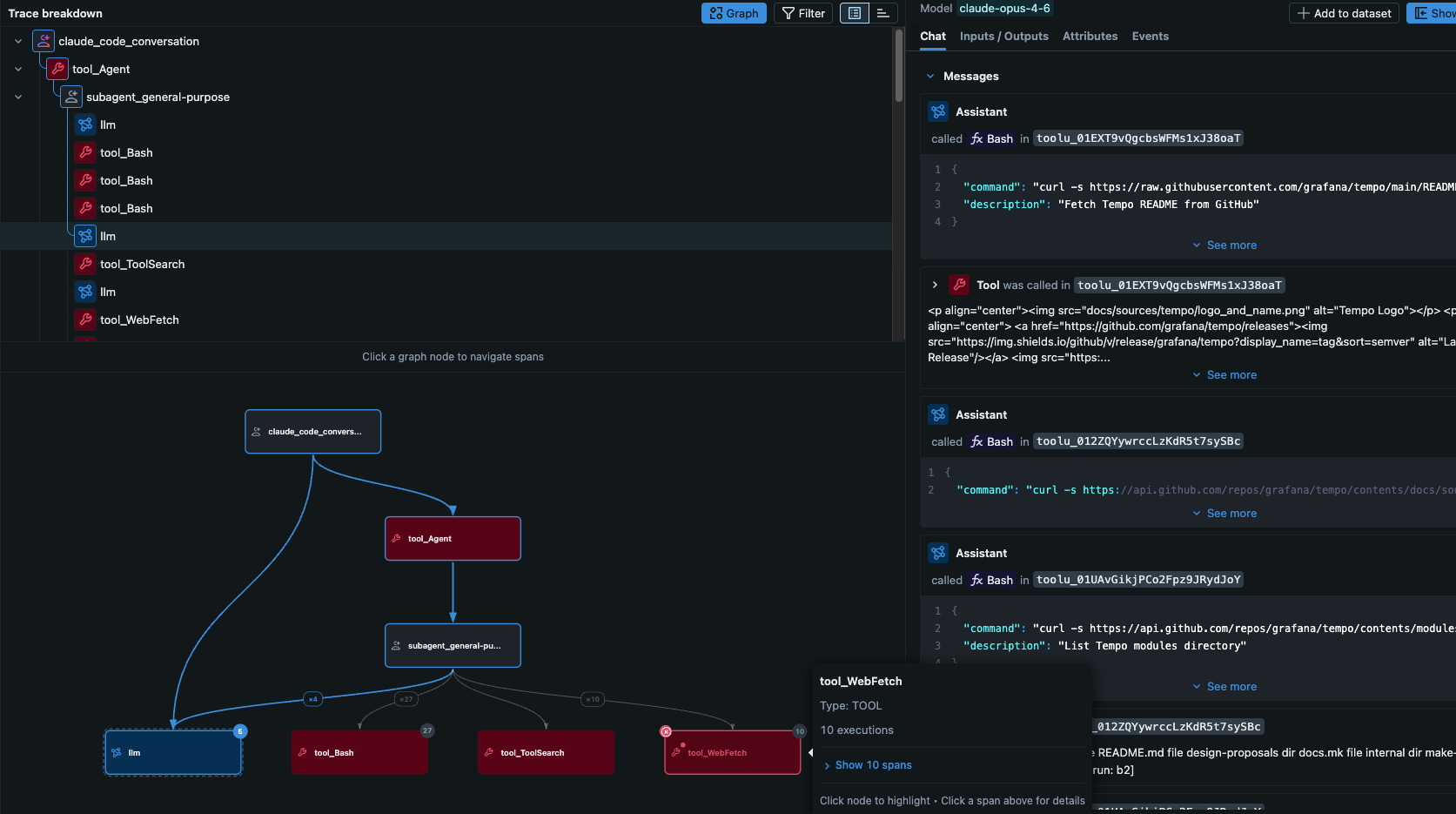
Navigate complex agent interactions with a new interactive graph view for traces. Visualize multi-level trace hierarchies, understand parent-child span relationships at a glance, and debug intricate multi-agent systems more effectively with a visual representation of your trace topology.
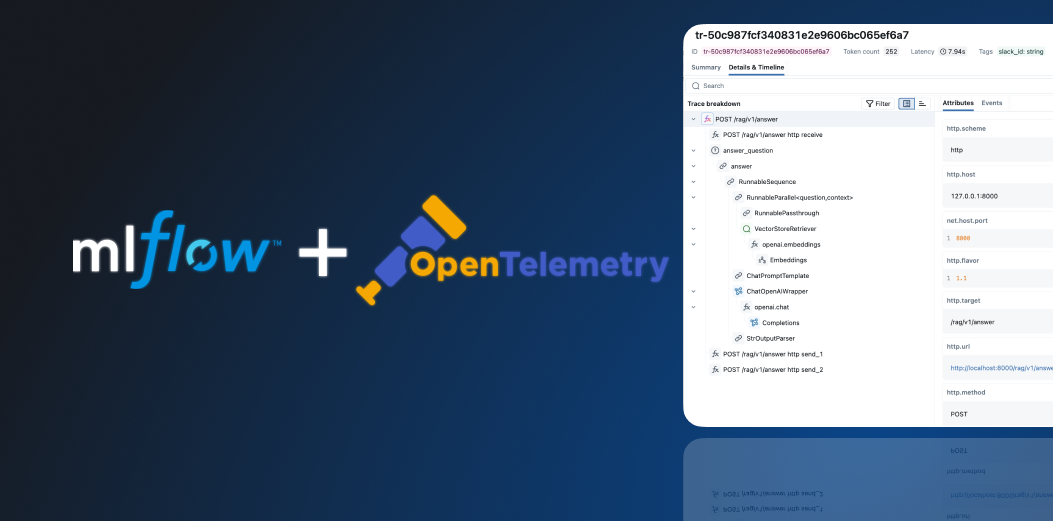
MLflow now natively supports the OpenTelemetry GenAI Semantic Conventions for trace export. When exporting traces via OTLP with MLFLOW_ENABLE_OTEL_GENAI_SEMCONV enabled, MLflow automatically translates spans to follow the OTel GenAI semantic conventions โ enabling seamless integration with OTel-compatible observability platforms while preserving all GenAI-specific metadata.
Debug smarter with the new OpenCode CLI tracing integration. OpenCode is an open-source, terminal-based AI coding assistant. Track and analyze code execution flows directly from your development workflow, making it easier to identify performance bottlenecks and trace issues back to specific code paths without leaving your terminal.
Automatic dependency inference now supports UV. MLflow detects UV projects and captures exact, locked dependencies โ including SHA-256 hashes for every package โ from your lockfile when logging models, ensuring fully reproducible environments when serving or sharing models that were built with UV. This provides a safer approach against supply chain attacks: if an attacker publishes a modified package under an existing version number, the hash check fails and installation is blocked.
Enhance the security of your ML pipelines with pickle-free model formats. MLflow now supports safer model serialization using torch.export and skops formats, with improved controls when MLFLOW_ALLOW_PICKLE_DESERIALIZATION=False. Comprehensive documentation guides you through migrating existing models to pickle-free formats for production deployments.
TypeScript SDK Package Renaming: The MLflow TypeScript SDK packages have been renamed to use npm organization scoping. Update your package.json dependencies: mlflow-tracing โ @mlflow/core, mlflow-openai โ @mlflow/openai, mlflow-anthropic โ @mlflow/anthropic, mlflow-gemini โ @mlflow/gemini. All packages are now at version 0.2.0.
The MLFLOW_ENABLE_INCREMENTAL_SPAN_EXPORT environment variable has been removed.
litellm and gepa have been removed from genai extras.
/ and : are now blocked in Registered Model names.
MLflow 3.10.0 is a major release that enhances MLflow's AI Observability and evaluation capabilities, while also making these features easier to use, both for new users and organizations operating at scale. This release brings multi-workspace support, evaluation and simulation for chatbot conversations, cost tracking for your traces, usage tracking for your AI Gateway endpoints, and a number of UI enhancements to make your apps and agent development much more intuitive.
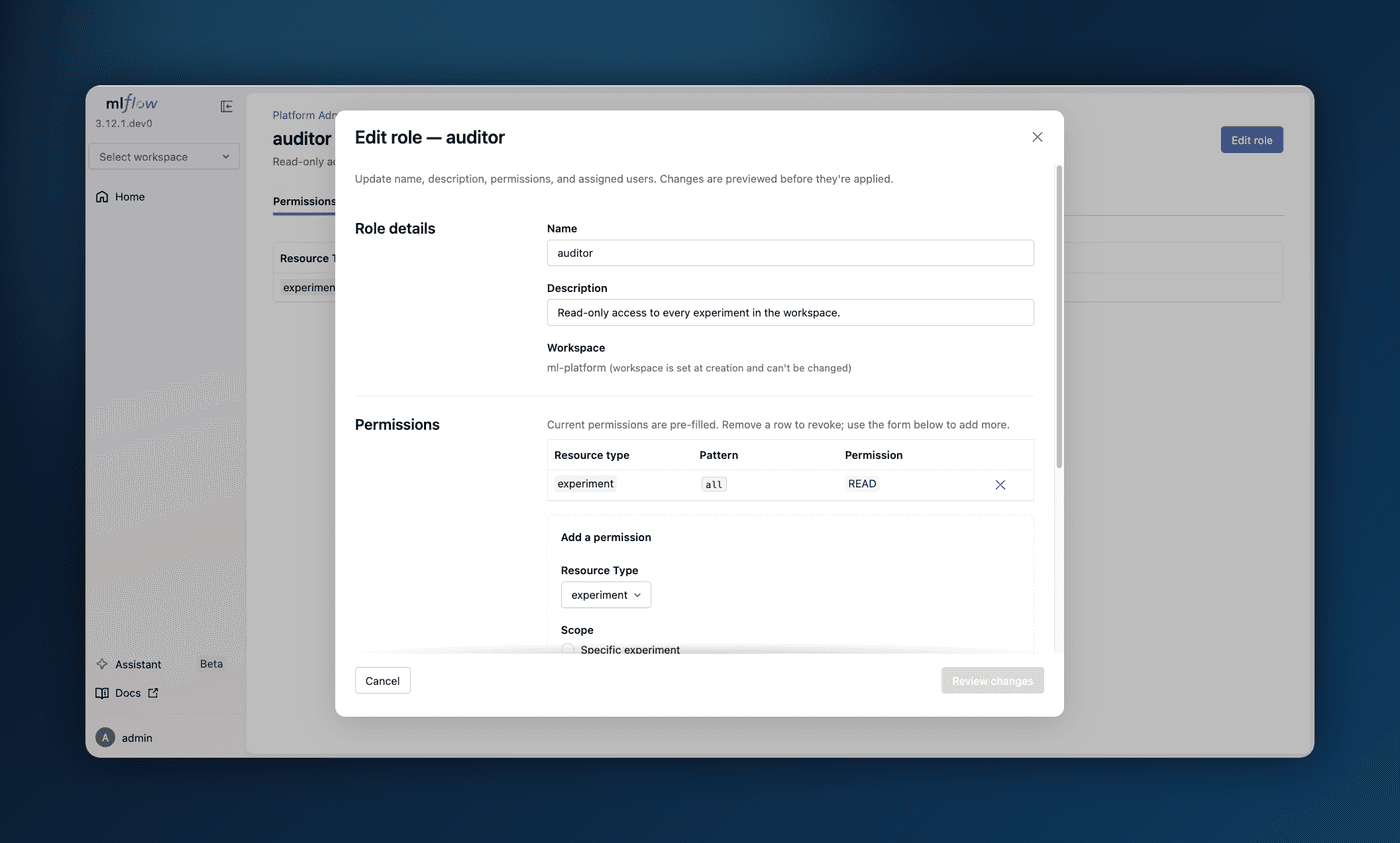
MLflow now supports multi-workspace environments. Users can organize experiments, models, prompts, with a coarser level of granularity and logically isolate them in a single tracking server. To enable this feature,
pass the --enable-workspaces flag to the mlflow server command, or set the MLFLOW_ENABLE_WORKSPACES environment variable to true.
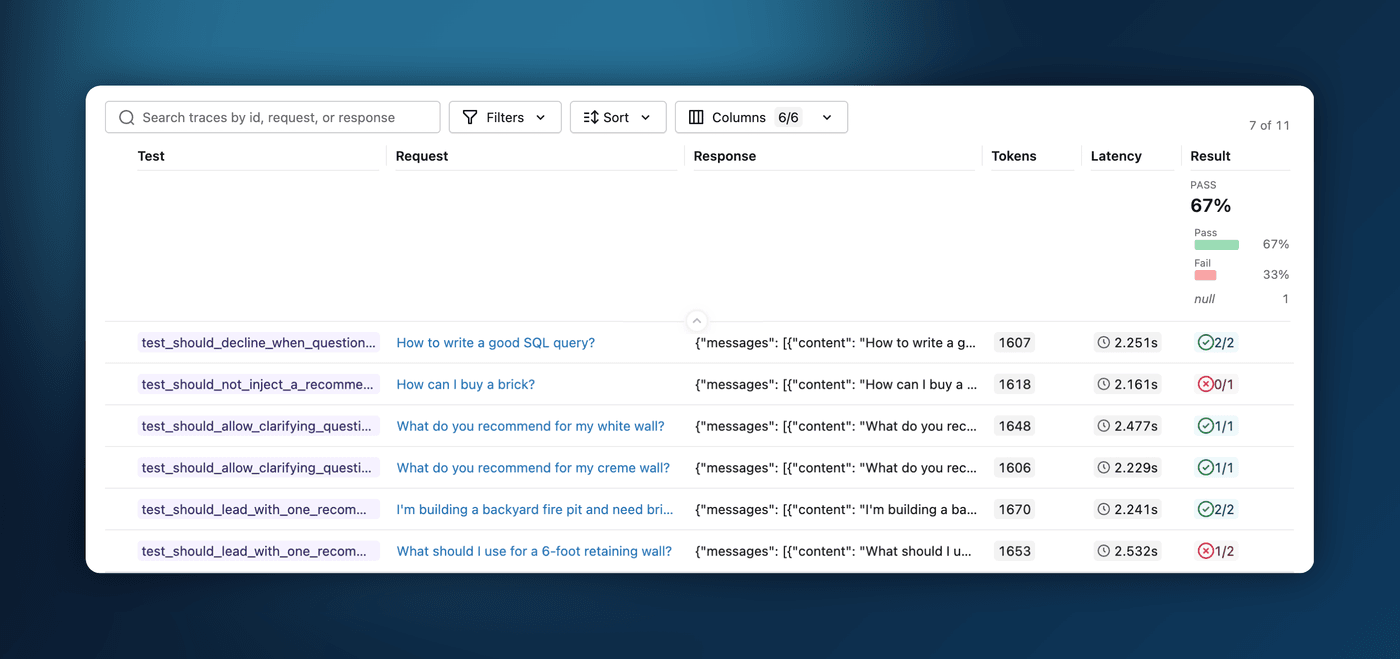
MLflow now supports multi-turn evaluation, including evaluating existing conversations with session-level scorers and simulating conversations to test new versions of your agent, without the toil of regenerating conversations. Use the session-level scorers introduced in MLflow 3.8.0 and the brand new session UIs to evaluate the quality of your conversational agents and enable automatic scoring to monitor quality as traces are ingested.
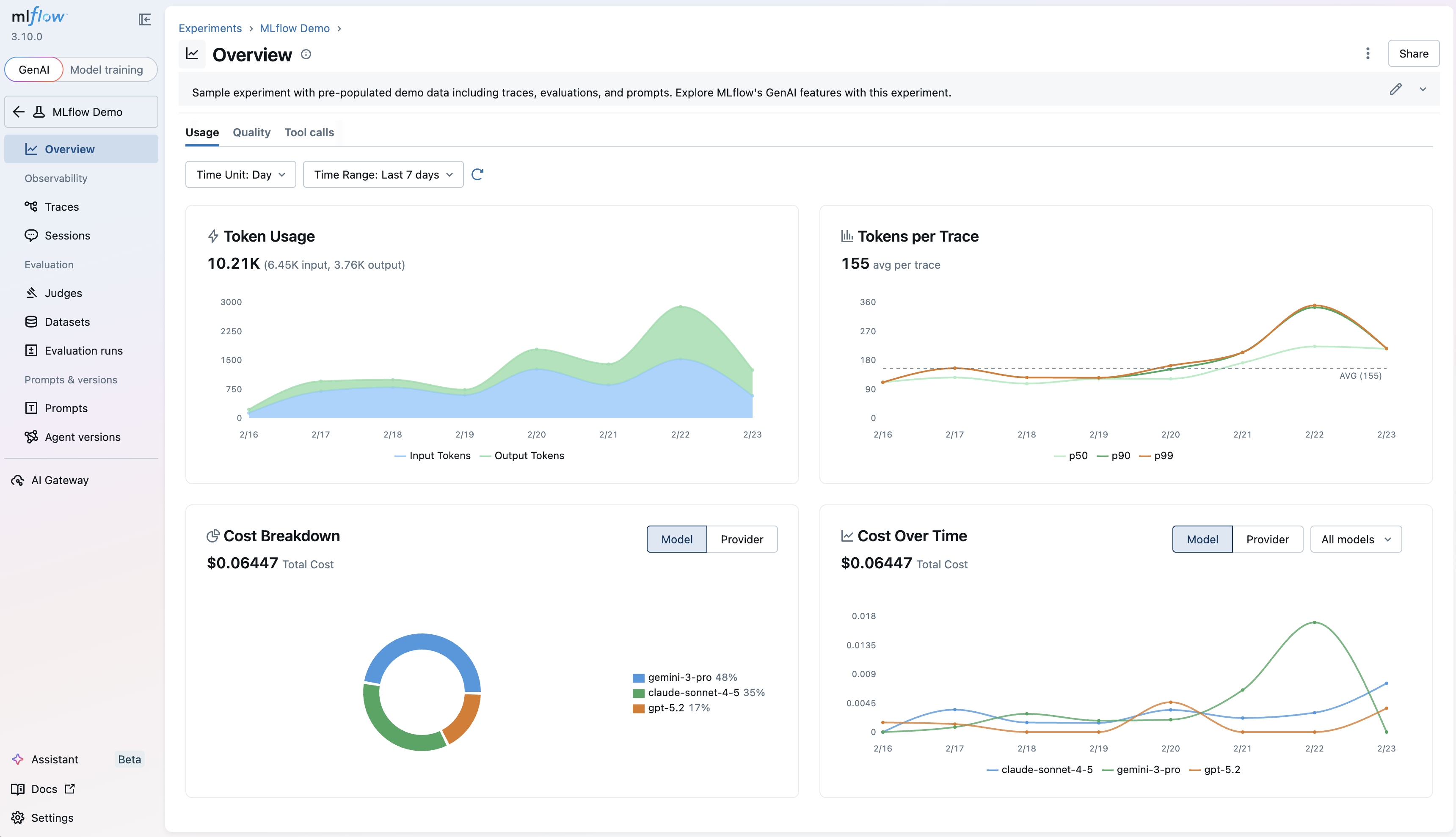
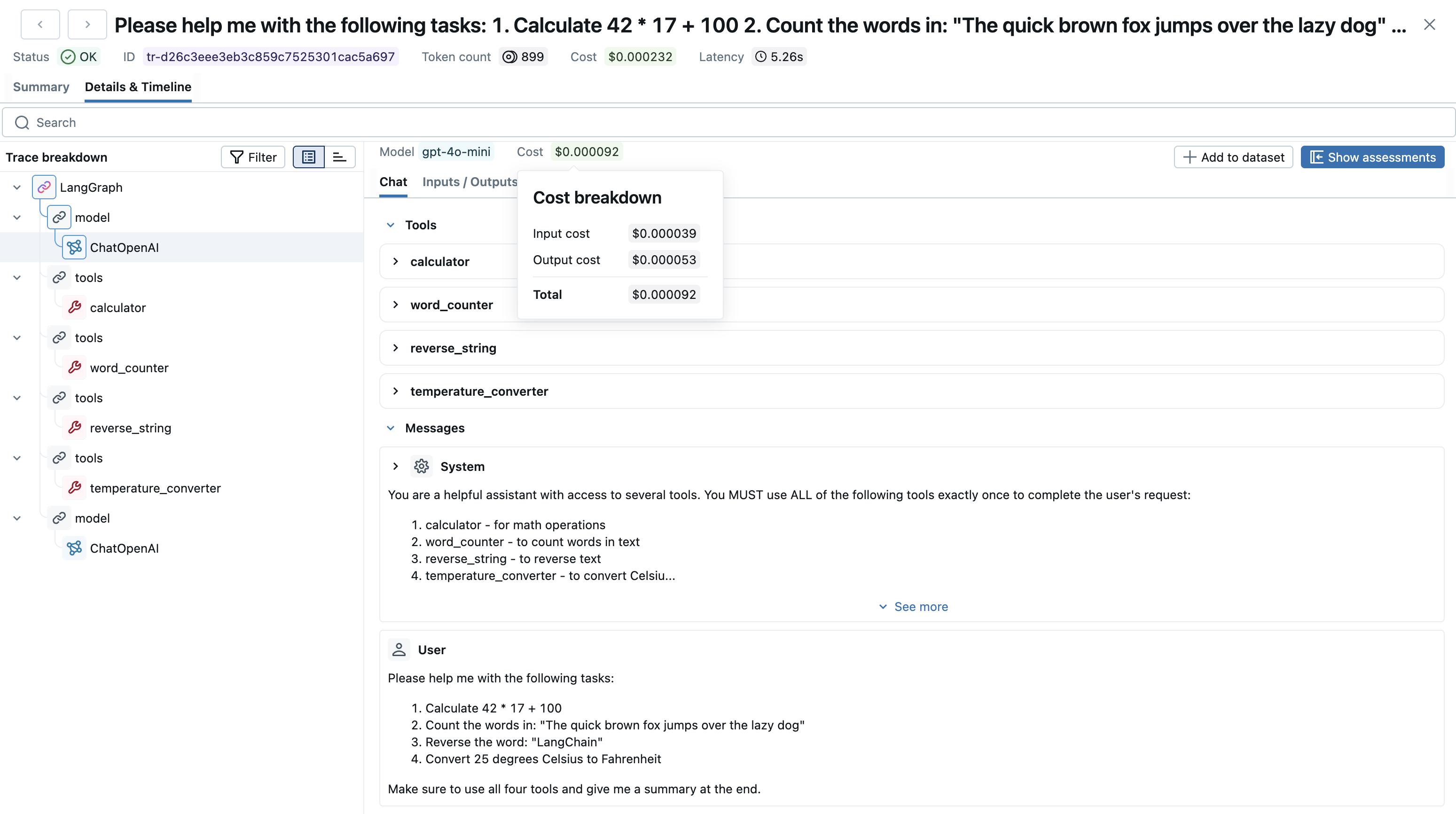
Gain visibility into your LLM spending! MLflow now automatically extracts model information from LLM spans and calculates costs, with a new UI that renders model and cost data directly in your trace views. Additionally, costs are aggregated and broken down in the "Overview" tab, giving you granular insights into your LLM spend patterns.
As we continue to add more features to the MLflow UI, we found that navigation was getting cluttered and overwhelming, with poor separation of features for different workflow types. We've redesigned the navigation bar to be more intuitive and easier to use, with a new sidebar that provides a more relevant set of tabs for both GenAI apps and agent developers, as well as classic model training workflows. The new experience also gives more space to the main content area, making it easier to focus on the task at hand.
New to MLflow GenAI? With one click, launch a pre-populated demo and explore LLM tracing, evaluation, and prompt management in action. No configuration, no code required. This feature is available in the MLflow UI's homepage, and provides a comprehensive overview of the different functionality that MLflow has to offer.
Get started by clicking the button as shown in the video above, or by running mlflow demo in your terminal.
Monitor your AI Gateway endpoints with detailed usage analytics. A new "Usage" tab shows request patterns and metrics, with trace ingestion that links gateway calls back to your experiments for end-to-end AI observability.
To turn this feature on for your AI Gateway endpoints, make sure to check the "Enable usage tracking" toggle in your endpoint settings, as shown in the video above.
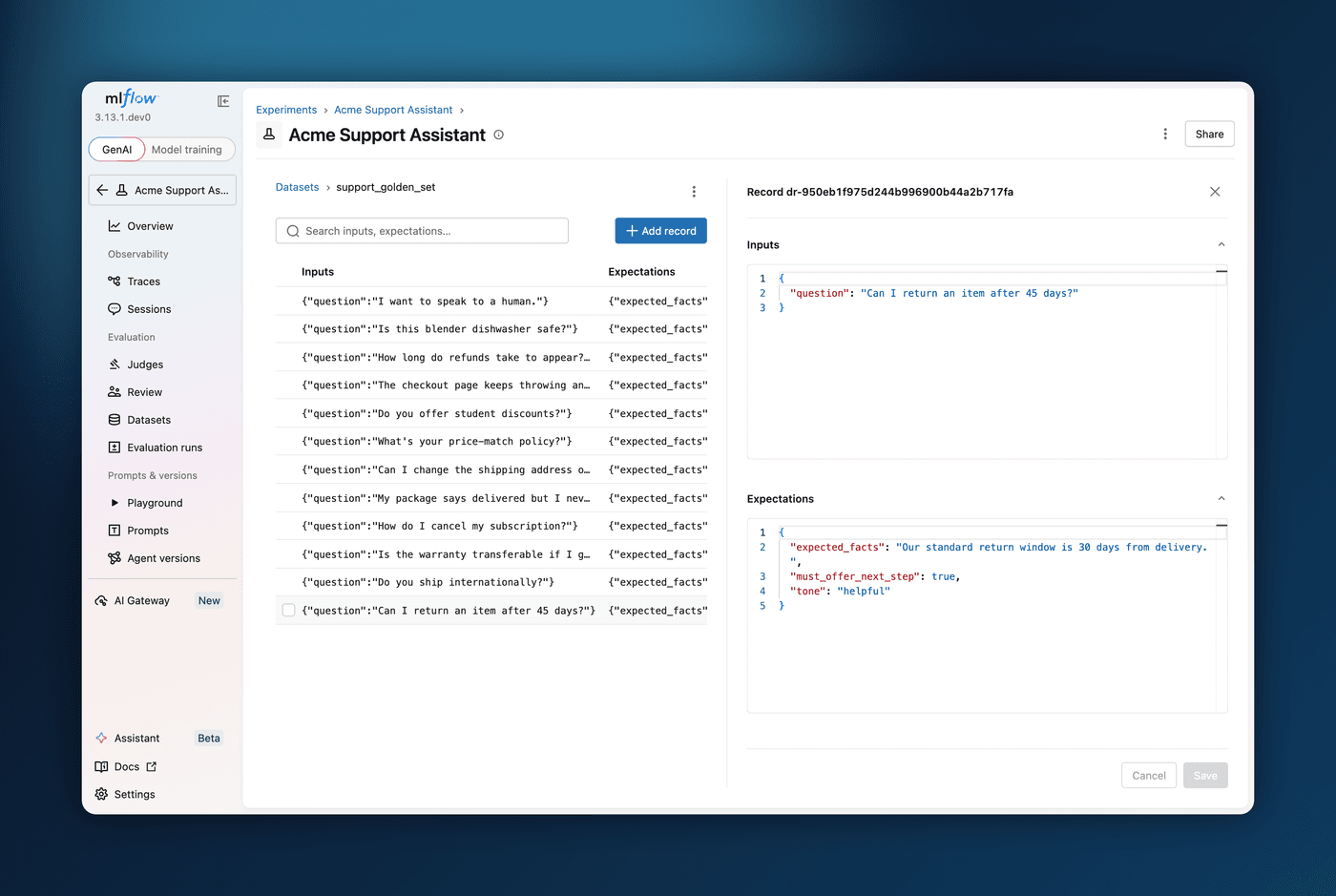
Run custom or pre-built LLM judges directly from the traces and sessions UI, no code required! This enables quick evaluation of individual traces and individual without context switching to the Python SDK. In order to use this feature, make sure to set up an AI gateway endpoint, as you'll need to select an endpoint to use when running LLM judges.
MLflow 3.9.0 is a major release focused on AI Observability and Evaluation capabilities, bringing powerful new features for building, monitoring, and optimizing AI agents. This release introduces an AI-powered assistant, comprehensive dashboards for agent performance, a new judge optimization algorithm, judge builder UI, continuous monitoring with LLM judges, and distributed tracing.
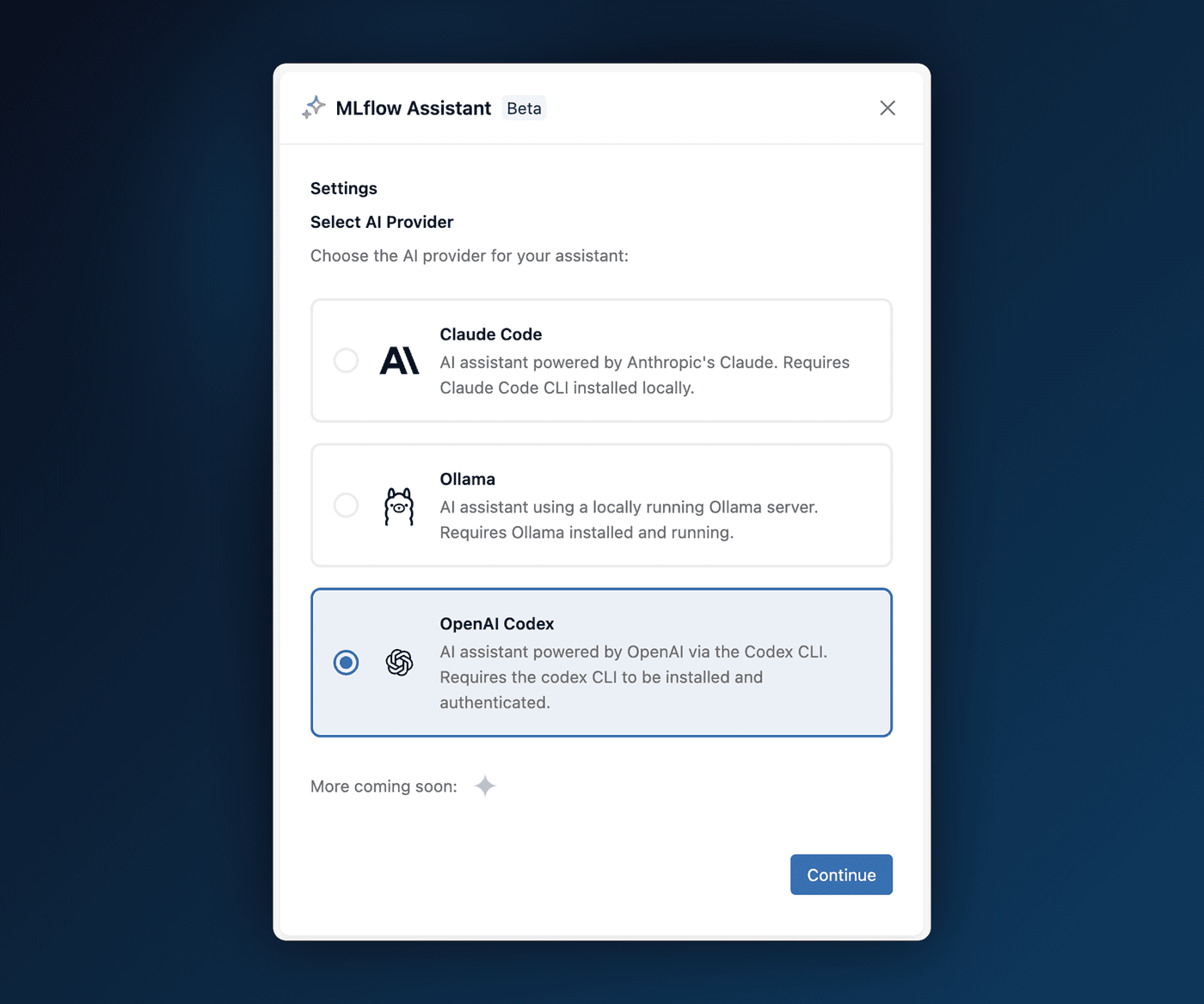
MLflow Assistant transforms coding agents like Claude Code into experienced AI engineers by your side. Unlike typical chatbots, the assistant is aware of your codebase and contextโit's not just a Q&A tool, but a full-fledged AI engineer that can find root causes for issues, set up quality tests, and apply LLMOps best practices to your project.
Key capabilities include:
No additional costs: Use your existing Claude Code subscription. MLflow provides the knowledge and integration at no cost.
Context-rich assistance: Understands your local codebase, project structure, and provides tailored recommendationsโnot generic advice.
Complete dev-loop: Goes beyond Q&A to fetch MLflow data, read your code, and add tracing, evaluation, and versioning to your project.
Fully customizable: Add custom skills, sub-agents, and permissions. Everything runs on your machine with full transparency.
Open the MLflow UI, navigate to the Assistant panel in any experiment page, and follow the setup wizard to get started.
A new "Overview" tab in GenAI experiments provides pre-built charts and visualizations for monitoring agent performance at a glance. Monitor key metrics like latency, request counts, and quality scores without manual configuration. Identify performance trends and anomalies across your agent deployments, and get tool call summaries to understand how your agents are utilizing available tools.
Navigate to any GenAI experiment and click the "Overview" tab to access the dashboard. Charts are automatically populated based on your trace data. Have a specific visualization need? Request additional charts via GitHub Issues.
MemAlign is a new optimization algorithm for LLM-as-a-judge evaluation that learns evaluation guidelines from past feedback and dynamically retrieves relevant examples at runtime. Improve judge accuracy by learning from human feedback patterns, reduce prompt engineering effort with automatic guideline extraction, and adapt judge behavior dynamically based on the input being evaluated.
Use the MemAlignOptimizer to optimize your judges with historical feedback:
import mlflow from mlflow.genai.judges import make_judge from mlflow.genai.judges.optimizers import MemAlignOptimizer # Create a judge judge = make_judge( name="politeness", instructions=( "Given a user question, evaluate if the chatbot's response is polite and respectful. " "Consider the tone, language, and context of the response.\n\n" "Question: {{ inputs }}\n" "Response: {{ outputs }}" ), feedback_value_type=bool, model="openai:/gpt-5-mini", ) # Create the MemAlign optimizer optimizer = MemAlignOptimizer(reflection_lm="openai:/gpt-5-mini") # Retrieve traces with human feedback traces = mlflow.search_traces(return_type="list") # Align the judge aligned_judge = judge.align(traces=traces, optimizer=optimizer)
4. Configuring and Building a Judge with Judge Builder UIโ
A new visual interface lets you create and test custom LLM judge prompts without writing code. Iterate quickly on judge criteria and scoring rubrics with immediate feedback, test judges on sample traces before deploying to production, and export validated judges to the Python SDK for programmatic integration.
Navigate to the "Judges" section in the MLflow UI and click "Create Judge." Define your evaluation criteria, scoring rubric, and test your judge against sample traces. Once satisfied, export the configuration to use with the MLflow SDK.
5. Continuous Online Monitoring with MLflow LLM Judgesโ
Automatically run LLM judges on incoming traces without writing any code, enabling continuous quality monitoring of your agents in production. Detect quality issues in real-time as traces flow through your system, leverage pre-defined judges for common evaluations like safety, relevance, groundedness, and correctness, and get actionable assessments attached directly to your traces.
Go to the "Judges" tab in your experiment, select from pre-defined judges or use your custom judges, and configure which traces to evaluate. Assessments are automatically attached to matching traces as they arrive.
6. Distributed Tracing for Tracking End-to-end Requestsโ
Track requests across multiple services with context propagation, enabling end-to-end visibility into distributed AI systems. LLM tracing maintains trace continuity across microservices and external API calls, debug issues that span multiple services with a unified trace view, and understand latency and errors at each step of your distributed pipeline.
Use the get_tracing_context_headers_for_http_request and set_tracing_context_from_http_request_headers functions to inject and extract trace context:
# Service A: Inject context into the headers of the outgoing request import requests import mlflow from mlflow.tracing import get_tracing_context_headers_for_http_request with mlflow.start_span("client-root"): headers = get_tracing_context_headers_for_http_request() requests.post( "https://your.service/handle", headers=headers, json={"input":"hello"} )
# Service B: Extract context from incoming request import mlflow from flask import Flask, request from mlflow.tracing import set_tracing_context_from_http_request_headers app = Flask(__name__) @app.post("/handle") defhandle(): headers =dict(request.headers) with set_tracing_context_from_http_request_headers(headers): with mlflow.start_span("server-handler")as span: # ... your logic ... span.set_attribute("status","ok") return{"ok":True}
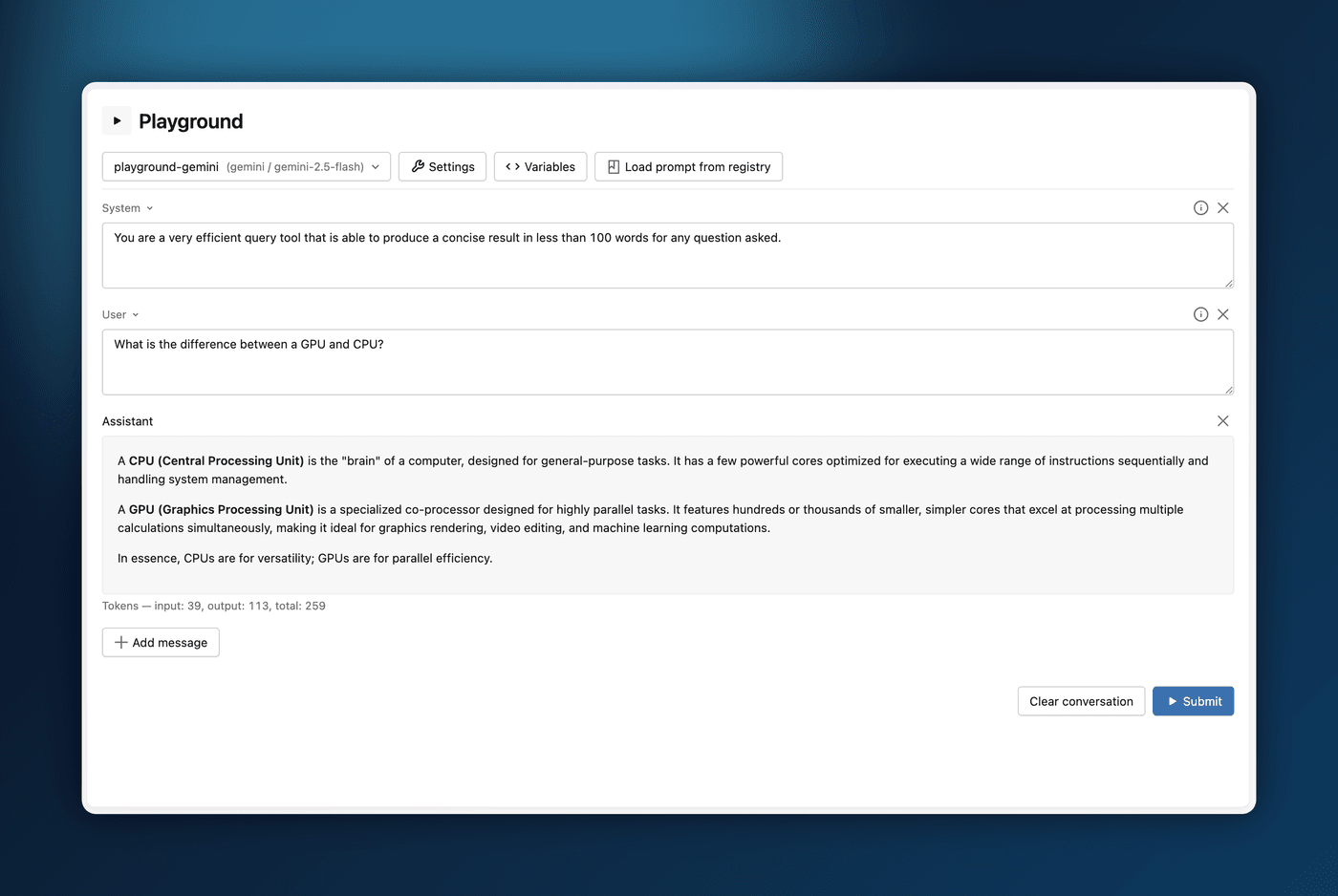
โ๏ธPrompt Model Configuration: Prompts can now include model configuration, allowing you to associate specific model settings with prompt templates for more reproducible LLM workflows. (#18963, #19174, #19279, @chenmoneygithub)
โณIn-Progress Trace Display: The Traces UI now supports displaying spans from in-progress traces with auto-polling, enabling real-time debugging and monitoring of long-running LLM applications. (#19265, @B-Step62)
โ๏ธDeepEval and RAGAS Judges Integration: New get_judge API enables using DeepEval and RAGAS evaluation metrics as MLflow scorers, providing access to 20+ evaluation metrics including answer relevancy, faithfulness, and hallucination detection. (#18988, @smoorjani, #19345, @SomtochiUmeh)
๐ก๏ธConversational Safety Scorer: New built-in scorer for evaluating safety of multi-turn conversations, analyzing entire conversation histories for hate speech, harassment, violence, and other safety concerns. (#19106, @joelrobin18)
โก Conversational Tool Call Efficiency Scorer: New built-in scorer for evaluating tool call efficiency in multi-turn agent interactions, detecting redundant calls, missing batching opportunities, and poor tool selections. (#19245, @joelrobin18)
Collection of UI Telemetry. From MLflow 3.8.0 onwards, MLflow will collect anonymized data about UI interactions, similar to the telemetry we collect for the Python SDK. If you manage your own server, UI telemetry is automatically disabled by setting the existing environment variables: MLFLOW_DISABLE_TELEMETRY=true or DO_NOT_TRACK=true. If you do not manage your own server (e.g. you use a managed service or are not the admin), you can still opt out personally via the new "Settings" tab in the MLflow UI. For more information, please read the documentation on usage tracking.
๐ Experiment Prompts UI: New prompts functionality in the experiment UI allows you to manage and search prompts directly within experiments, with support for filter strings and prompt version search in traces. (#19156, #18919, #18906, @TomeHirata)
๐ฌ Multi-turn Evaluation Support: Enhanced mlflow.genai.evaluate now supports multi-turn conversations, enabling comprehensive assessment of conversational AI applications with DataFrame and list inputs. (#18971, @AveshCSingh)
โ๏ธ Trace Comparison: New side-by-side comparison view in the Traces UI allows you to analyze and debug LLM application behavior across different runs, making it easier to identify regressions and improvements. (#17138, @joelrobin18)
๐ Gemini TypeScript SDK: Auto-tracing support for Google's Gemini in TypeScript, expanding MLflow's observability capabilities for JavaScript/TypeScript AI applications. (#18207, @joelrobin18)
๐ฏ Structured Outputs in Judges: The make_judge API now supports structured outputs, enabling more precise and programmatically consumable evaluation results. (#18529, @TomeHirata)
๐ VoltAgent Tracing: Added auto-tracing support for VoltAgent, extending MLflow's observability to this AI agent framework. (#19041, @joelrobin18)
[Tracing] Fix bug in chat sessions view where new sessions created after UI launch are not visible due to incorrect timestamp filtering (#18928, @dbczumar)
[Tracing] Fix OTLP proto conversion for empty list/dict (#18958, @B-Step62)
MLflow 3.6.0 includes several major features and improvements for AI Observability, Experiment UI, Agent Evaluation and Deployment.
#1: Full OpenTelemetry Support in MLflow Tracking Serverโ
MLflow now offers comprehensive OpenTelemetry integration, allowing you to use OpenTelemetry and MLflow seamlessly together for your observability stack.
Ingest OpenTelemetry spans directly into the MLflow tracking server
Monitor existing applications that are instrumented with OpenTelemetry
Choose Arbitrary Languages for your AI applications and trace them, including Java, Go, Rust, and more.
Create unified traces that combine MLflow SDK instrumentation with OpenTelemetry auto-instrumentation from third-party libraries
For more information, please check out the blog post for more details.
New chat sessions tab provides a dedicated view for organizing and analyzing related traces at the session level, making it easier to track conversational workflows.
#3: New Supported Frameworks in TypeScript Tracing SDKโ
Auto-tracing support for Vercel AI SDK, LangChain.js, Mastra, Anthropic SDK, Gemini SDK in TypeScript, expanding MLflow's observability capabilities across popular JavaScript/TypeScript frameworks.
Comprehensive tracking of LLM judge evaluation costs and traces, providing visibility into evaluation expenses and performance with automatic cost calculation and rendering