MLflow 3.15.0 Highlights: MCP Registry, a Smarter Assistant, and Multimodal Judges

MLflow 3.15.0 is all about making GenAI development faster and more collaborative. This release introduces a centralized MCP Registry for managing Model Context Protocol servers, a significantly upgraded MLflow Assistant with multi-provider support and a friction-free setup, shareable table views for the Runs table, proxy-less artifact transfers for big files, and multimodal LLM judges that can finally see the images in your traces. Here's what's new.
1. MCP Registry
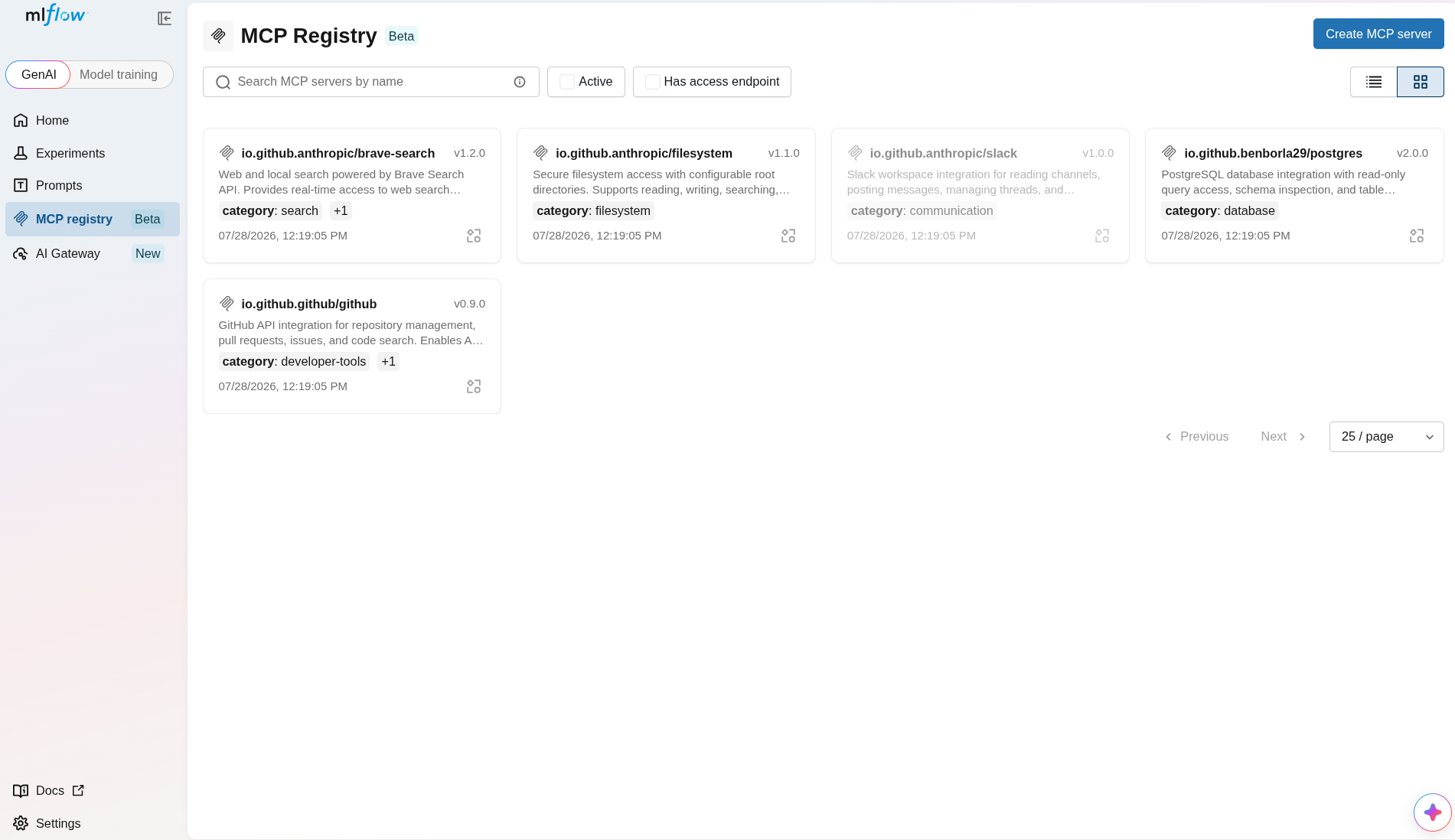
Model Context Protocol servers are quickly becoming the connective tissue between agents and the tools they use — but until now, keeping track of them meant passing around config snippets and hoping everyone had the right version. The new MCP Registry gives you a single, centralized catalog to register, version, and share MCP servers across your team.
Every server gets semantic-versioned configs, promotable aliases (think @production and @staging), and tags for easy organization. MLflow auto-discovers each server's tools so you always know what a given version exposes, and it generates ready-made connection instructions for both Claude Code and .mcp.json — copy, paste, and you're connected. Manage the whole thing however you prefer: through the UI, the REST API, or Python.
2. A Smarter, Easier MLflow Assistant
The MLflow Assistant just got a major upgrade, and the theme is simple: less setup, more power.
- Bring your own model. The Assistant now supports multiple LLM providers — Claude Code, Codex, and API/Gateway endpoints — all selectable from a single settings page. Use the model that fits your workflow.
- Setup in seconds. Getting started is now as easy as pasting an API key directly into the pane. MLflow stores it securely in the Gateway's LLM Connections, so there's no fiddling with environment variables or config files.
- Full transparency as it works. Tool calls, approvals, and token costs are now displayed inline, so you can see exactly what the Assistant is doing — and what it's costing you — as it happens.
3. Shareable Table Views
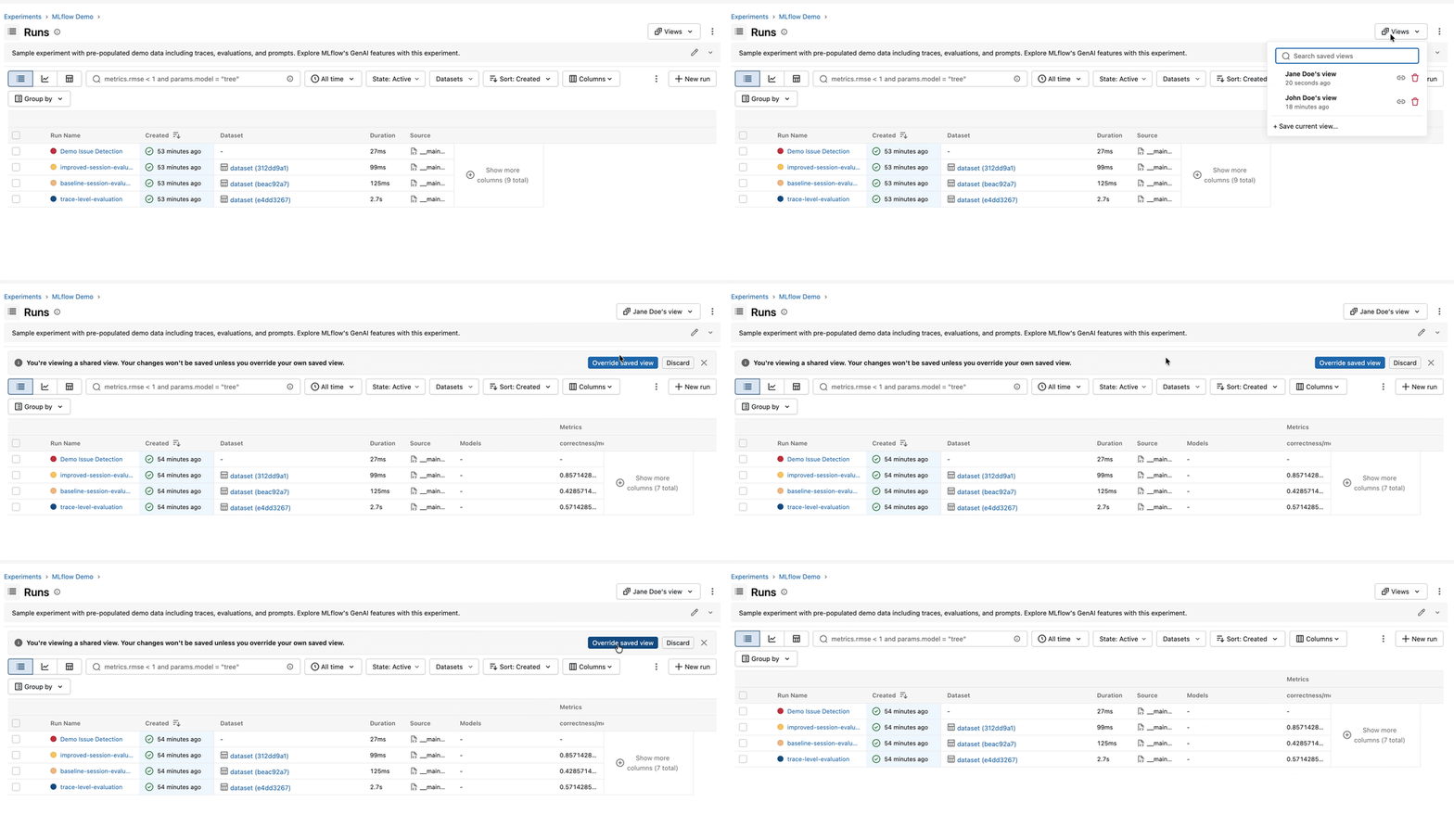
Everyone builds their Runs table a little differently — the columns that matter, the sort order, the filters that cut through the noise. In 3.15.0, you can capture all of it. Save a named view that remembers your columns, their order and widths, your filters, and your sort — then share it with a teammate by simply sending them the URL. No more "here's how to set up your table" walkthroughs; just send the link.
4. Proxy-less Artifact Upload & Download
Large artifact transfers no longer have to funnel through the tracking server. Using presigned URLs, MLflow can now talk directly to your cloud storage (e.g. S3), cutting server load and eliminating the timeouts that plagued big-file uploads and downloads. It's faster for you and lighter on your infrastructure — and if presigned URLs aren't available, MLflow automatically falls back to the proxied transfer path, so existing setups keep working without any changes.
5. Multimodal Attachments in LLM Judges
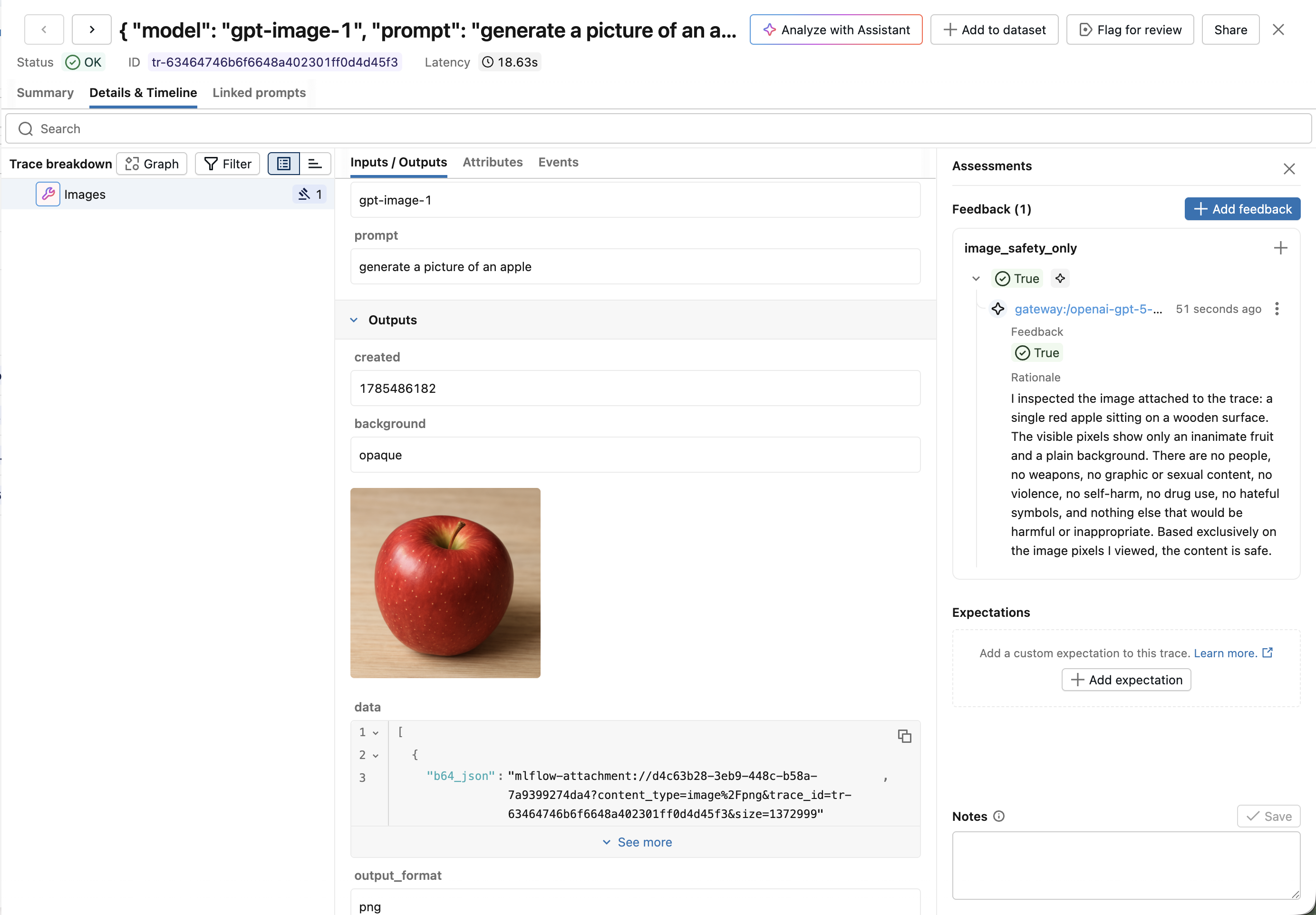
LLM judges have been great for evaluating text — but a lot of real-world agents work with images, screenshots, and other visual content. Now your judges can see them too. {{ trace }} judges created with make_judge() gain a new get_span_image tool that fetches image attachments captured in trace spans, encodes them as base64 data URLs, and passes them straight to a multimodal model.
With support for Anthropic, Gemini, and OpenAI-compatible models (via litellm), you can now write judges that evaluate vision tasks, assess generated or captured screenshots, and reason about any visual content flowing through your traces — unlocking a whole new class of automated evaluation.
Full Changelog
For a comprehensive list of changes, see the release change log.
What's Next
Get Started
Upgrade to try these new features:
pip install mlflow==3.15.0
Share Your Feedback
We'd love to hear about your experience with these new features:
- GitHub Issues - Report bugs or request features
- MLflow Roadmap - See what's coming next and share your ideas
- ⭐ Star us on GitHub - Show your support for the project
Learn More
- Check out the MLflow documentation for detailed guides
For a comprehensive list of changes, see the release change log, and check out the latest documentation on mlflow.org.